How to Connect Your Providers for SMS Campaigns in ZEPIC
This guide covers how to connect your SMS providers in ZEPIC, so you can send bulk SMS campaigns to customers in India and around the world.
Provider connections in ZEPIC are designed to help e-commerce, D2C, and travel brands unlock bulk SMS through ICS Mobile for India or Twilio for international and US-based campaigns, using one guided setup.
Table of Contents
- • Before You Begin (Prerequisites)
- • What Are SMS Providers in ZEPIC?
- • How to Connect Your Providers in ZEPIC
- • What to Expect After Connecting
- • Common Setup Scenarios
- • FAQs
- • Explore Related Articles
Before You Begin
- • An active ZEPIC account with access to the SMS channel.
- • An ICS Mobile account for campaigns in India, or a Twilio account for international and US-based campaigns.
- • Your provider login or credentials, plus any approved sender details.
- • Admin access to your ZEPIC workspace to connect and manage integrations.
What Are SMS Providers in ZEPIC?
ZEPIC enables bulk SMS campaigns through integrations with two providers: ICS Mobile for messages sent within India, and Twilio for international and US-based messages.
While you build your audiences, campaigns, and flows inside ZEPIC, the provider carries each message to your customer's phone. To enable the feature, follow the setup in ZEPIC, which redirects you to set up or connect your Twilio or ICS Mobile account.
Matching the provider to your audience keeps delivery reliable and aligned with local rules.
How to Connect Your Providers in ZEPIC
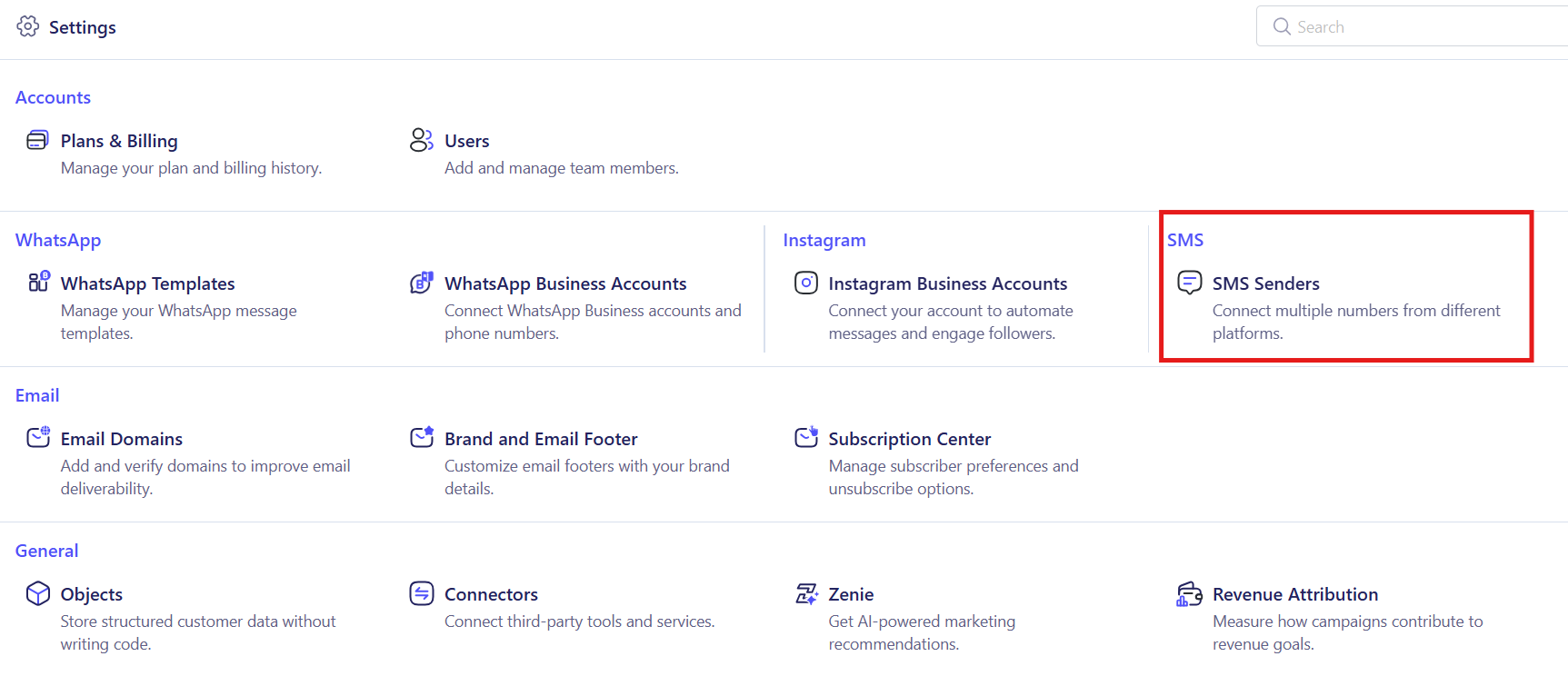
1. Start the SMS Setup: Navigate to the settings section in ZEPIC and begin the setup for bulk campaigns.
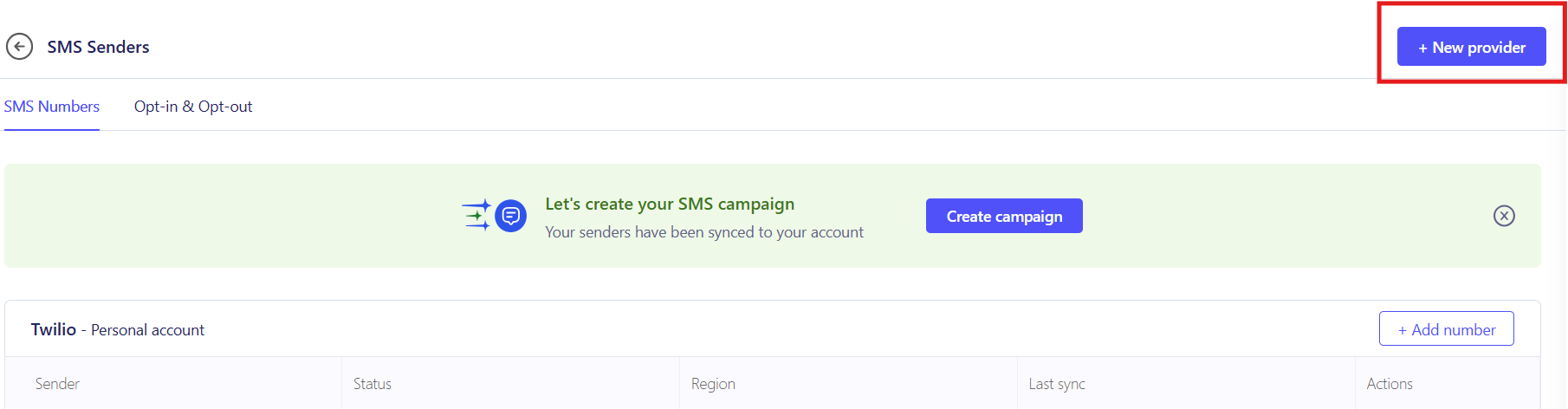
2. Select the Add New Provider Option: This step redirects you to connect a provider, so follow the on-screen prompts instead of adding credentials elsewhere.
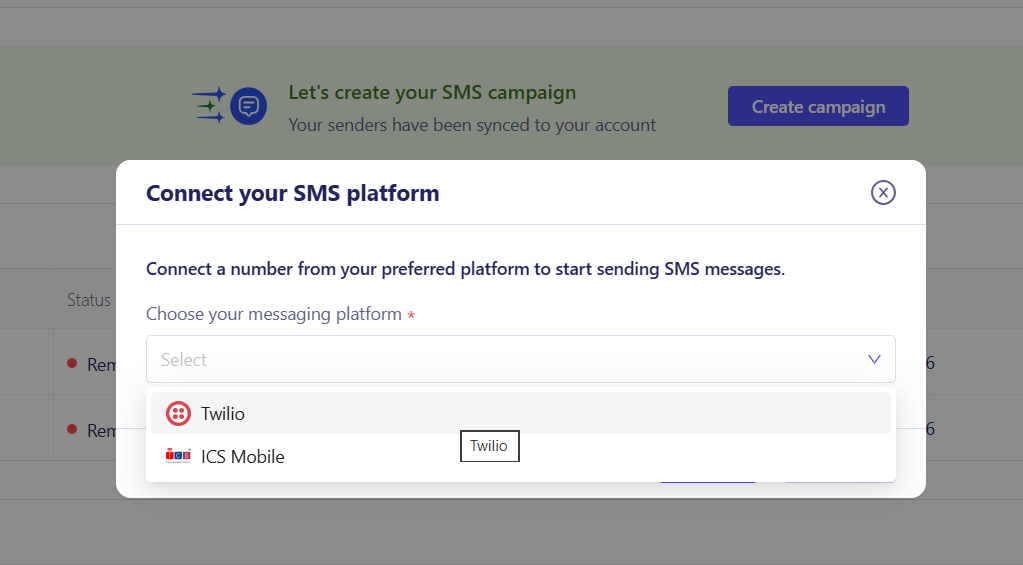
3. Choose Your Provider: Select ICS Mobile if your customers are in India, or Twilio for international and US-based audiences (e.g., a US-focused travel brand would choose Twilio).
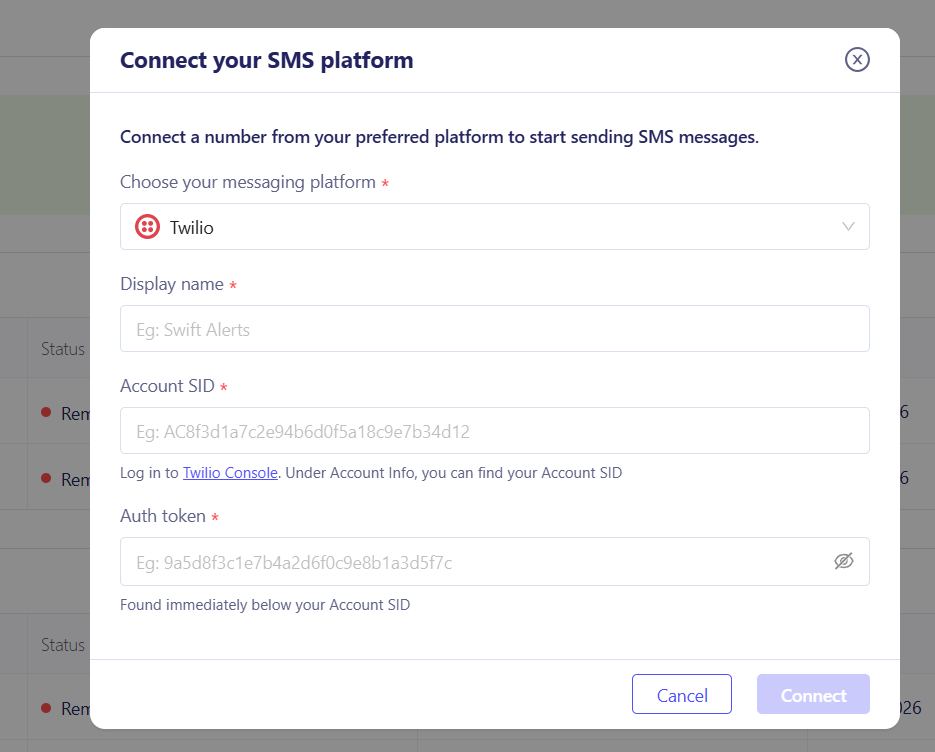
4. Set Up or Connect Your Account: Follow the redirect to create a new provider account or sign in to an existing one, then authorize ZEPIC to send messages through it.
5. Confirm Your Sender Details: Check the sender number or ID approved with your provider (e.g., a Twilio number for US campaigns or an approved sender ID like ICS Mobile for India) and confirm the connection shows as active in ZEPIC.
6. Test and Launch: Send a test SMS to your own number to confirm delivery, then select the connected provider in your first bulk campaign.
What to Expect After Connecting
Once your provider is connected, your business can send bulk SMS campaigns directly from ZEPIC.
Your team does not need to switch between tools or upload lists into a separate SMS platform, meaning that every campaign goes out through the right provider, while delivery tracking shows how each send performed.
Common Setup Scenarios
- • India-Focused Brands: A D2C fashion brand selling across India connects ICS Mobile. Promotions and order updates then run from the same ZEPIC workspace as its email and WhatsApp campaigns.
- • US and International Audiences: A travel brand connects Twilio to text guests in the US and other countries. Booking confirmations and pre-trip reminders reach travelers wherever they are.
- • Brands Selling in Multiple Markets: An online retailer with customers in India and the US plans its campaigns by market, using ICS Mobile for the Indian audience and Twilio for the American one. Each segment receives its message through the provider suited to its region.
- • Seasonal Promotions at Scale: A retail chain connects its provider before a festive sale, then sends a bulk SMS to a segment of past buyers. Because the connection is already live, the team can schedule the send, track delivery, and plan the next campaign without repeating any setup.
FAQs
Do I need an existing Twilio or ICS Mobile account?
Not necessarily. The setup in ZEPIC redirects you to either set up a new account with the provider or connect one you already have.
Which provider should I choose?
Choose ICS Mobile for SMS campaigns in India, and Twilio for international and US-based campaigns, based on where most of your recipients are located.
Do I need a developer to connect a provider?
No. The guided setup walks you through the connection without writing code, though you should have your provider login and any approved sender details ready.
Explore Related Articles
Was this article helpful?
That’s Great!
Thank you for your feedback
Sorry! We couldn't be helpful
Thank you for your feedback
Feedback sent
We appreciate your effort and will try to fix the article