Measuring SMS Campaign Engagement and Performance in ZEPIC
This guide covers how to measure SMS campaign engagement and performance in ZEPIC, so you can see what is working and catch issues before they grow. SMS performance tracking in ZEPIC is designed to help e-commerce, D2C, and travel brands move beyond send counts and see deliverability, opens, and unsubscribes for every campaign at a glance.
Table of Contents
- • Before You Begin (Prerequisites)
- • Why Measure SMS Engagement and Performance?
- • How to View SMS Performance in ZEPIC
- • What to Expect From the SMS Tab
- • Performance Tracking Use Cases for Your Business
- • FAQs
- • Explore Related Articles
Before You Begin
- • An active ZEPIC account with the SMS channel enabled and at least one SMS campaign sent.
- • A connected SMS provider, so delivery and engagement data can be reported back to ZEPIC.
- • Access to the Analytics section of your ZEPIC dashboard.
- • Revenue Attribution configured, if you also want to see revenue alongside engagement.
Why Measure SMS Engagement and Performance?
Messages sent is not the same as messages that worked, and a campaign can look busy while quietly losing reach if deliverability is slipping or unsubscribes are climbing.
Tracking engagement and performance gives you an early read on how SMS is performing as a channel, so you can decide where additional investment, such as a bigger send list or a new campaign type, is likely to pay off, and where a message needs to change before it damages your sender reputation.
Because the SMS tab is a default report in ZEPIC, you do not need to build or generate it yourself before you can start reading it.
How to View SMS Performance in ZEPIC
1. Open the Analytics Section: Navigate to Analytics in the sidebar of your ZEPIC dashboard.
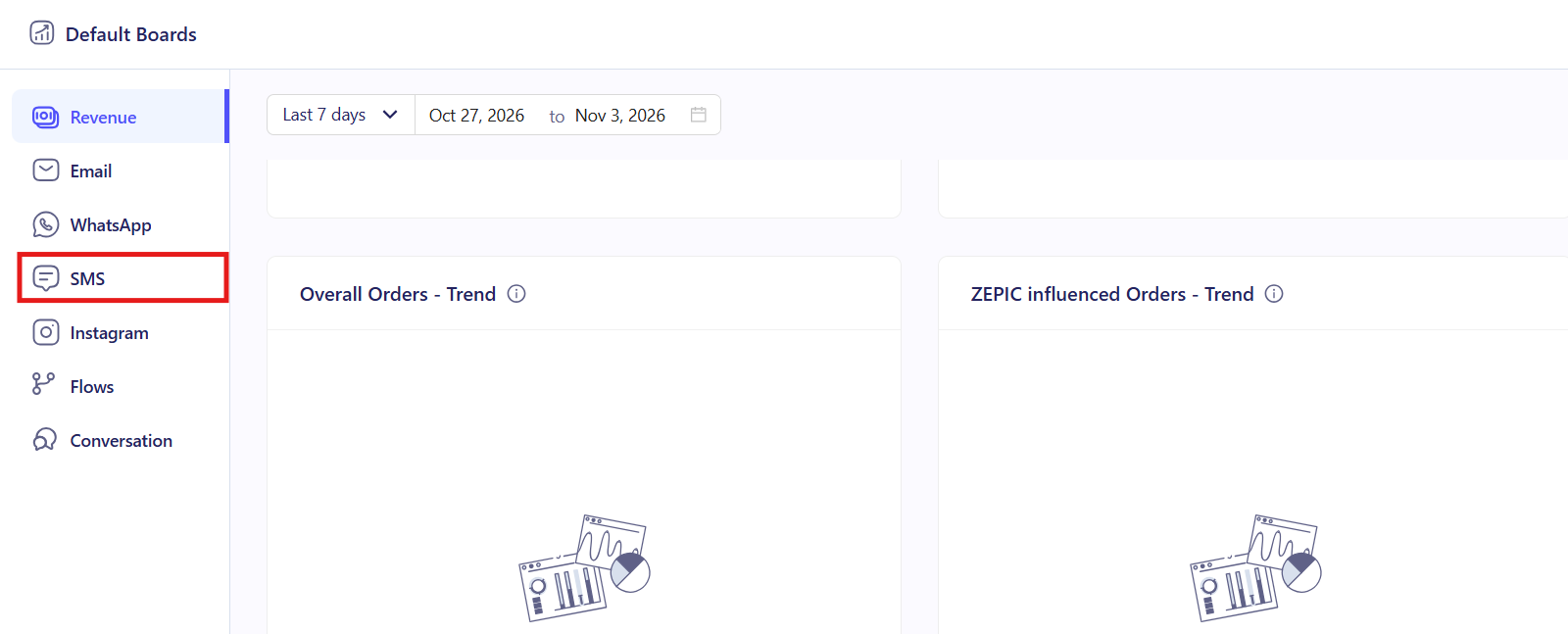
2. Open the SMS Tab: Select the SMS tab, where deliverability, opens, unsubscribes, and messages sent are already broken out, without any extra setup.
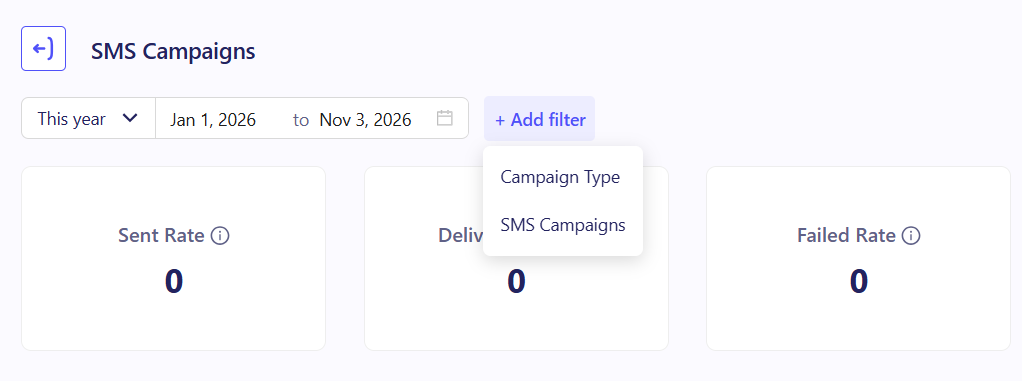
3. Watch for Warning Signs: Check deliverability and unsubscribes for sudden drops or spikes, which can point to a spam issue before it affects future sends. For campaign-level insight, you can apply campaign-based or SMS type filters or also create a custom dashboard
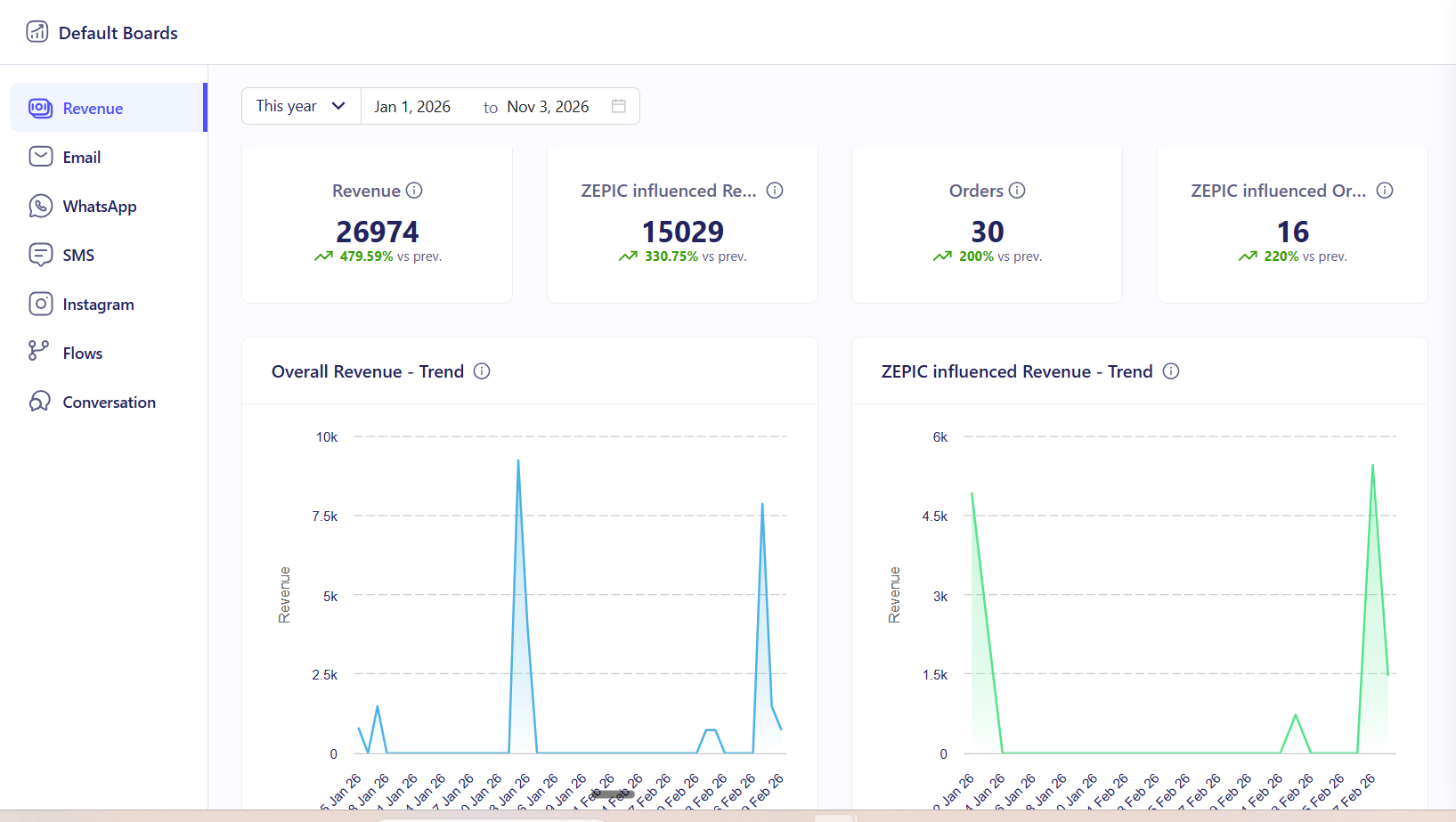
4. Check Revenue Alongside Engagement: Once Revenue Attribution is set up, switch to the Revenue tab to see how the SMS channel has converted, not just how they were received.
What to Expect From the SMS Tab
Once you open the SMS tab, your business can see exactly how each campaign and the channel overall are performing.
Your team does not need to pull delivery logs or chase your provider for numbers, meaning that deliverability, opens, and unsubscribes are ready the moment a campaign sends, so issues with reach or spam complaints surface quickly.
Performance Tracking Use Cases for Your Business
- • Spotting Deliverability Drops: A D2C skincare brand notices deliverability fall on a campaign and traces it back to an outdated contact list, cleaning it before the next send.
- • Catching Rising Unsubscribes Early: A fashion retailer sees unsubscribes climb on a high-frequency promotion and slows its send schedule before it risks being flagged as spam.
- • Comparing Campaign Formats: A travel agency compares open rates between a plain reminder text and one with a personalized offer, then builds future campaigns around the format that performs better.
- • Justifying Channel Investment: A retail chain uses consistently strong SMS deliverability and open rates to justify connecting a second SMS provider for an upcoming market expansion.
FAQs
Do I need to set up the SMS tab myself?
No. The SMS tab is a default report in ZEPIC, so it is ready to view in Analytics without any extra setup.
Can I see revenue alongside engagement for the same campaign?
Yes. Once you have set up Revenue Attribution in ZEPIC, the Revenue tab shows conversions for the same campaigns you are viewing in the SMS tab.
What should I do if unsubscribes or spam complaints start rising?
Review your recent message content and send frequency, clean your contact list, and watch the SMS tab closely over your next few sends to confirm the issue has improved.
Explore Related Articles
Was this article helpful?
That’s Great!
Thank you for your feedback
Sorry! We couldn't be helpful
Thank you for your feedback
Feedback sent
We appreciate your effort and will try to fix the article