SMS Automation and Campaigns in ZEPIC: A Complete Overview
This guide covers how to plan, launch, and automate SMS campaigns in ZEPIC, from one-time promotions to triggered messages tied to customer behavior.
SMS in ZEPIC is designed to help e-commerce, D2C, and travel brands reach customers within minutes, through order updates, cart reminders, and flash sales, all without adding another tool.
Table of Contents
- • Before You Launch (Prerequisites)
- • What Is SMS Automation in ZEPIC?
- • How to Launch SMS Campaigns and Automations in ZEPIC
- • What to Expect After Launch
- • Where SMS Delivers Results
- • FAQs
- • Explore Related Articles
Before You Launch- • An active ZEPIC account with the SMS channel enabled.
- • A contact list where every customer has given consent to receive promotional or transactional texts.
- • A sender ID and templates approved under local regulations.
- • A saved segment or trigger event that defines who receives the message.
What Is SMS Automation in ZEPIC?
SMS is a native channel in ZEPIC, so you can run promotional and transactional texts from the same platform as your email and WhatsApp campaigns, with no separate tool to manage.
With Campaigns, you can send bulk messages to a chosen segment at a set time, while automations use the same triggers and conditions as email in the Flow builder to text customers at the right moment, such as after an abandoned cart.
Every send includes per-message delivery tracking and campaign analytics, so you always know what worked and what didn't.
How to Launch SMS Campaigns and Automations in ZEPIC
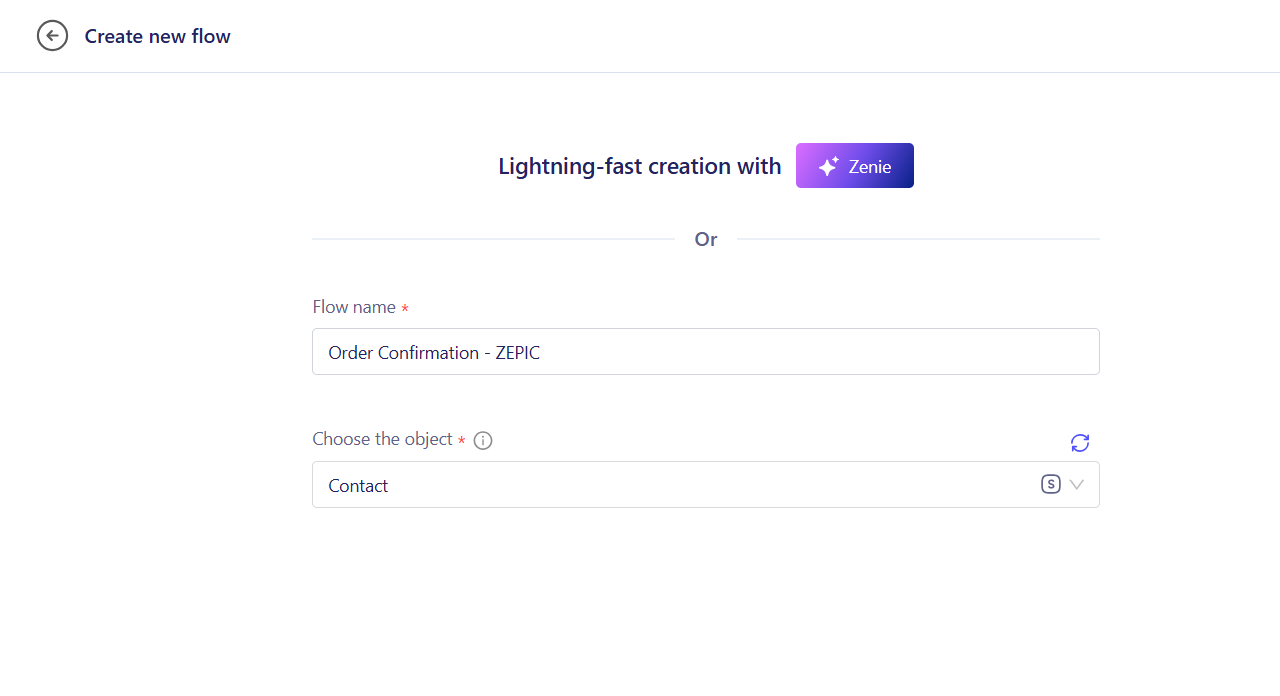
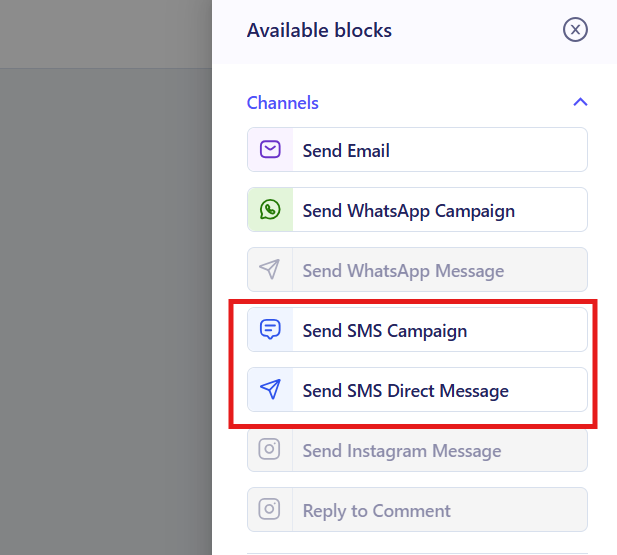
1. Choose Your Send Type: Open SMS Campaigns for a one-time Broadcast SMS or SMS Campain that uses ZEPIC Flows for an automated journey. Use campaigns for scheduled promotions (e.g., a weekend sale) and Flows for behavior-based texts, such as abandoned cart reminders or order confirmations.
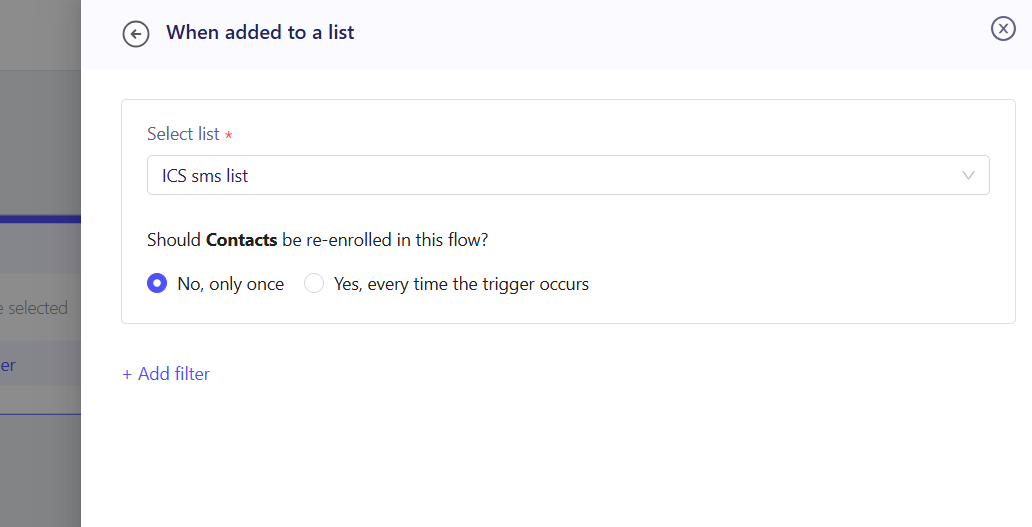
2. Define Your Audience: Select a saved segment, list, or build a create a trigger based campaign based on custom events, WhatsApp replies, or alternative actions.This can be customers who bought in the last 30 days or added items to their cart without checking out.
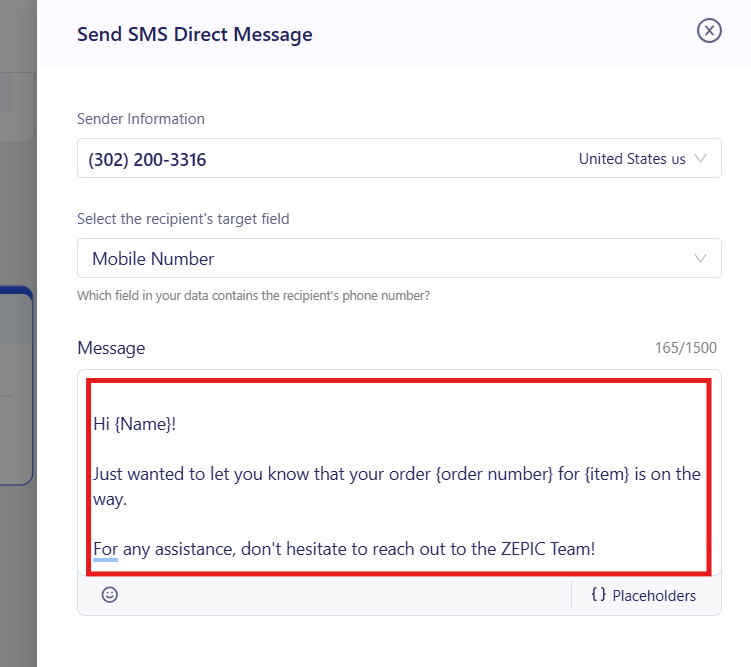
3. Write the Message: Add attributes such as first name or order value, and keep it short with one clear link.
4. Set the Timing and Conditions: Schedule the send for a specific date and time, or add a trigger, delay, and condition inside the Flow builder (e.g., wait two hours after cart abandonment, then text only customers who ignored your email).
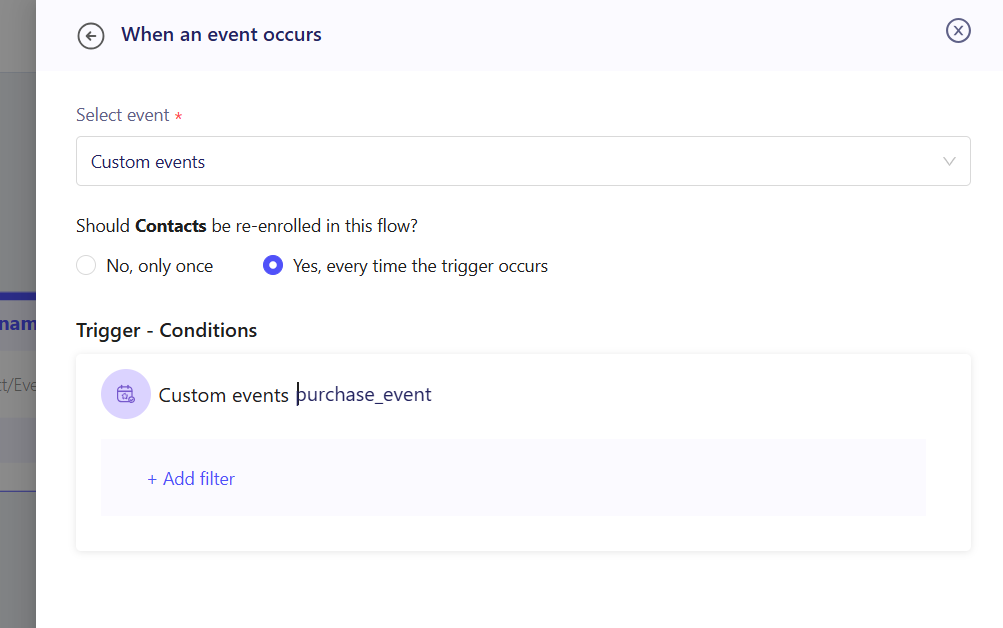
5. Test and Launch: Test the trigger-based campaign with your own list or set of actions to your own number to verify personalization and links before publishing to your live audience, then track delivery in your dashboard.
What to Expect After Launch
Once your SMS setup is live, your business can reach customers instantly, at the moments that matter.
Your team does not need to send manual blasts or chase reminders, meaning that cart recovery, order updates, and promotions run automatically, while delivery tracking shows exactly how each message performed.
Where SMS Delivers Results
- • Flash Sales & Promotions: A fashion brand texts a segment of past buyers about a 24-hour sale. Campaign analytics then show delivery and performance so the team can plan the next drop.
- • Abandoned Cart Recovery: A D2C food brand waits two hours after a customer leaves items in their cart. If the email goes unopened, ZEPIC sends an SMS reminder with a direct checkout link.
- • Order & Delivery Updates: An online retailer sends transactional texts when an order ships and when it is out for delivery. Customers stay informed without contacting support, so the team handles fewer status queries.
- • Travel Bookings & Pre-Trip Reminders: A travel brand texts guests after they book to confirm details, then sends a reminder before departure with check-in information and add-on offers such as airport transfers or tours. Guests who do not respond can be moved to a WhatsApp or email follow-up in the same journey.
FAQs
Can I run SMS and email in the same automation?
Yes. SMS shares triggers and conditions with email inside the Flow builder, so one journey can combine email, WhatsApp, and SMS steps on a single canvas.
Do I need a developer to build SMS automations?
No. ZEPIC uses a visual builder and point-and-click segments, so marketers can create audiences, add delays, and set conditions without writing code or SQL.
Can I send promotional and transactional texts from ZEPIC?
Yes. Both types run through the same platform. Keep them separate by audience and template, and only text customers who have opted in, since local regulations often require consent and an opt-out option.
Explore Related Articles
Was this article helpful?
That’s Great!
Thank you for your feedback
Sorry! We couldn't be helpful
Thank you for your feedback
Feedback sent
We appreciate your effort and will try to fix the article