How to route Support Requests by AI Intent detection?
Use ZENIE intent when customers describe the same problem in different ways.
Recommended Settings
Example
“I cannot sign in” and “I am having trouble accessing my account” may express the same intent without sharing an exact configured phrase.
For one status event, ZEPIC selects at most one matching intent flow. Independently matching keyword or state-only flows may also enroll. Avoid conflicting intent configurations across active flows with overlapping statuses and channels.
Configure and Activate the Flow
Use the organization’s standard Contact object.
Add the Conversation Status Change trigger.
Apply the recommended settings above.
Connect the trigger to the required workflow actions.
Validate the flow, resolve configuration errors, and launch it.
Only the Active flow’s launched definition is used for enrollment. Publish draft changes before expecting them to affect the running flow.
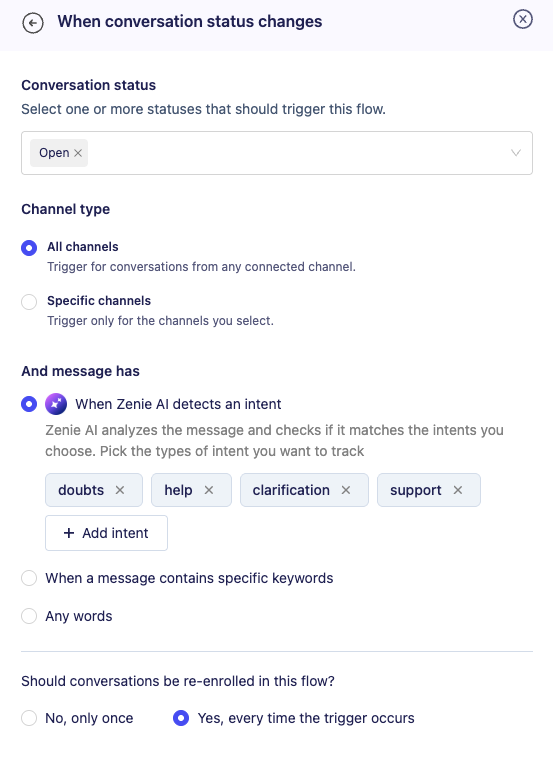
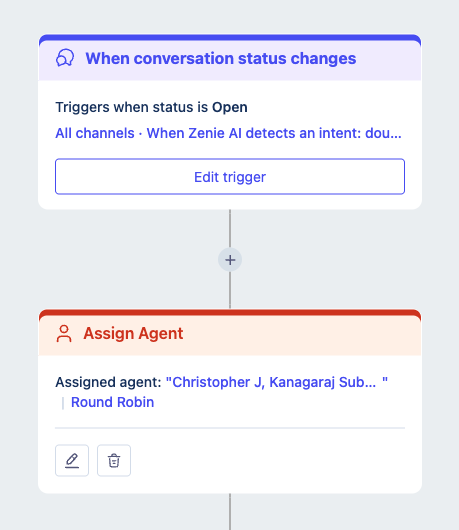
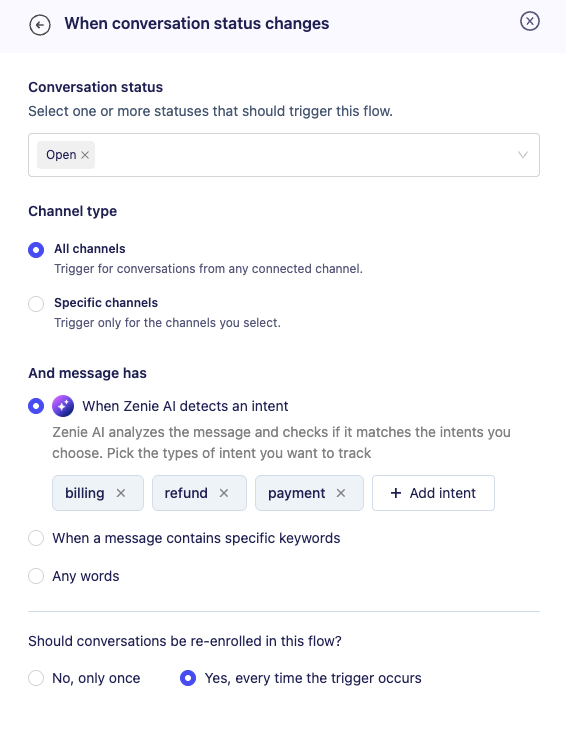
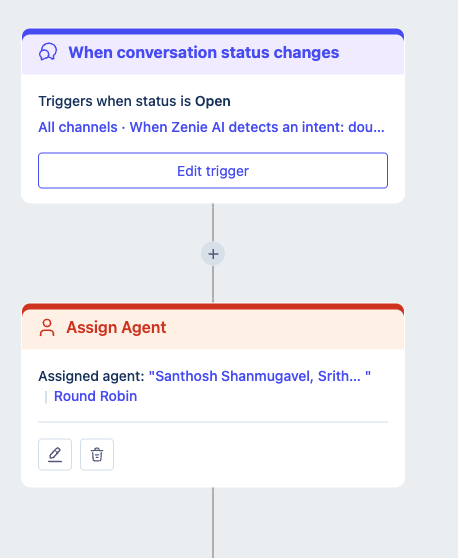
For eg., you can create 2 flows to route support queries to one team, billing related queries to another team as shown
Flow 1
Support queries flow being routed to Support team members
Flow 2
Billing queries flow being routed to finance team members
Was this article helpful?
That’s Great!
Thank you for your feedback
Sorry! We couldn't be helpful
Thank you for your feedback
Feedback sent
We appreciate your effort and will try to fix the article