How to Automate Instagram Story Replies Using ZEPIC
This article explains how to automate your Instagram Story replies using ZEPIC. To illustrate this, imagine PapaEarth—a brand that wants to automatically respond to any user who replies to their story asking for pricing details.
But before you start, make sure your Instagram Business Account is connected to ZEPIC. If it isn’t, follow our guide: How to Integrate Your Instagram Business Account with ZEPIC.
Why You Need to Automate Instagram Story Replies
Brands receive hundreds of replies every day with phrases like:
• “Price please”
• “Rate?”
• “PP”
• “How much is this?”
These all mean the same thing. Zenie AI automatically understands the user’s intent—no matter the wordingand triggers the correct automation.
Step-by-Step Guide to Automate Instagram Story Replies
Step 1: Go to your ZEPIC account
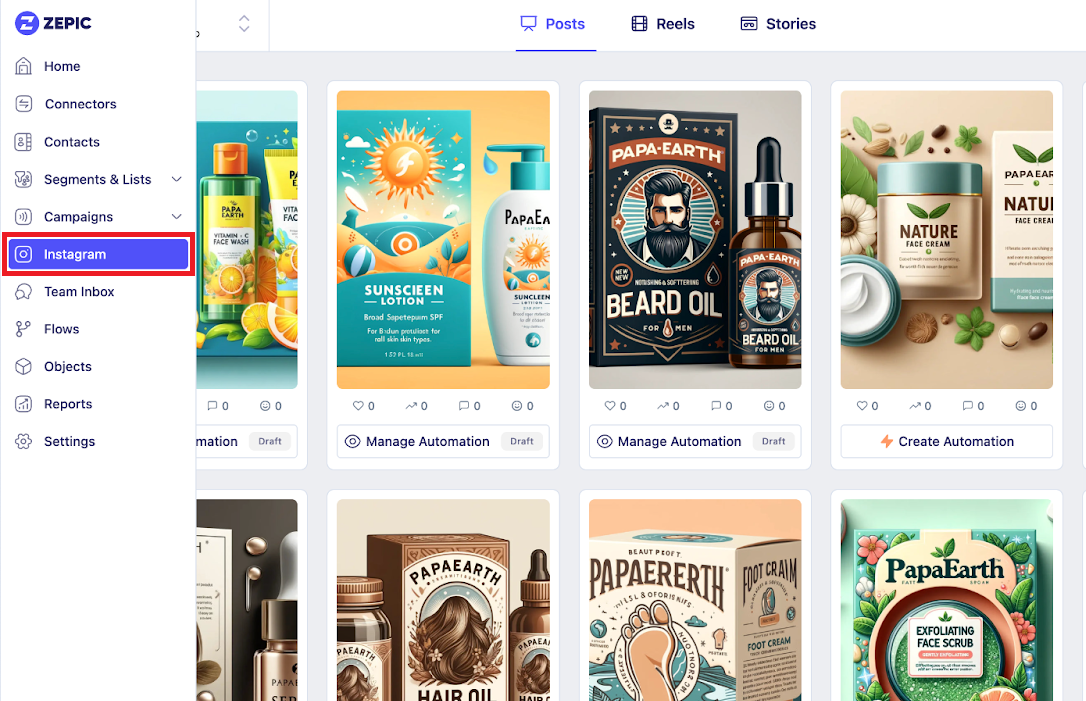
Log into your ZEPIC dashboard and click Instagram on the left menu.
Step 2: Choose Your Instagram Account
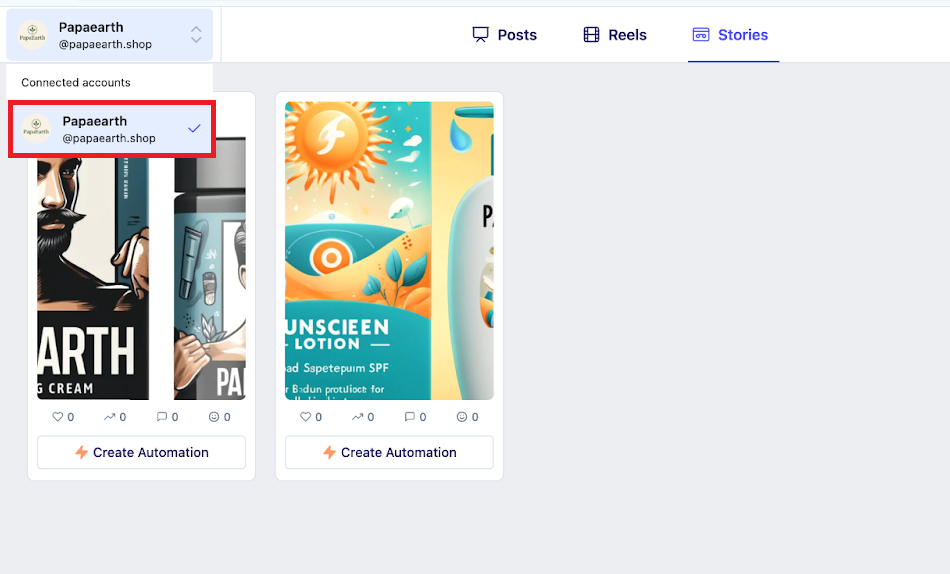
Step 3: Click the Stories Tab and Choose Your Story
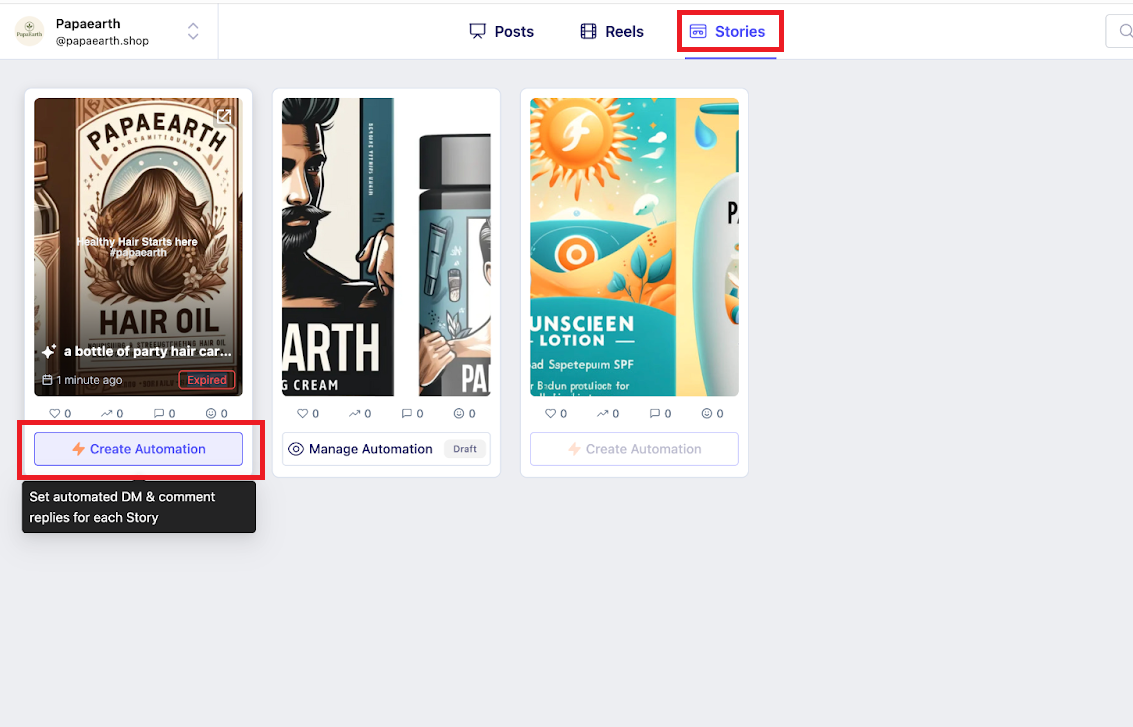
Step 4: Click “Create Automation”
Understanding Your Automation Structure
An automation has three main parts:
1. When should it start? (Intent-based, keyword-based, or any comment)
2. What actions happen? (Reply, intro DM, follow request, collect data)
3. What is the final goal? (Send a link or product)
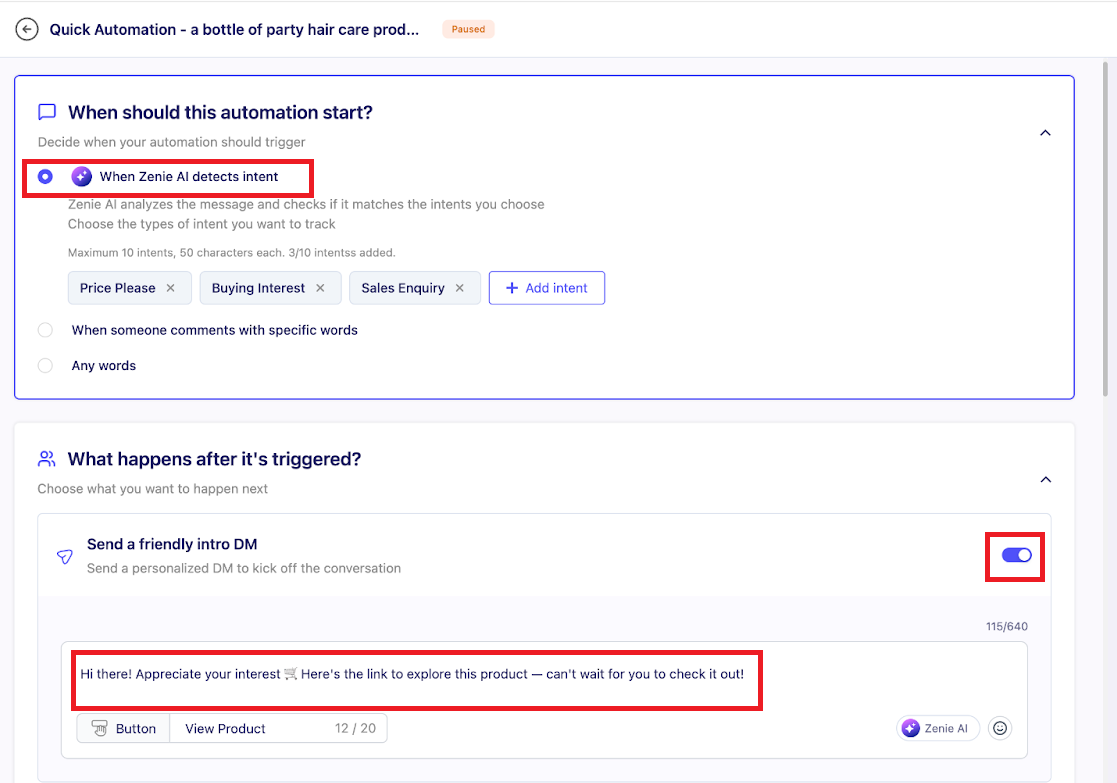
1. Setting the Start Trigger (Zenie AI)
Zenie AI understands meaning — not just keywords. It identifies Price Enquiry, Buying Intent, or Sales Inquiry in any language.
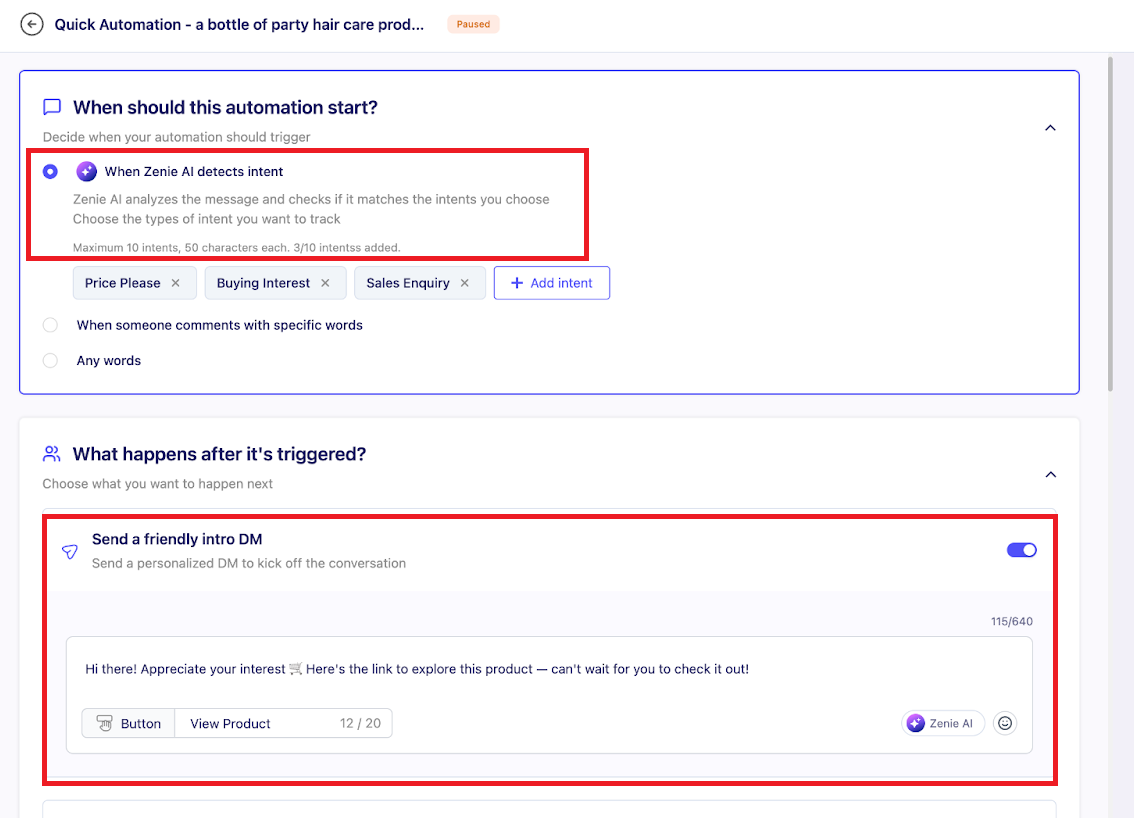
2. Key Actions (Intro DM and Follow Checks)
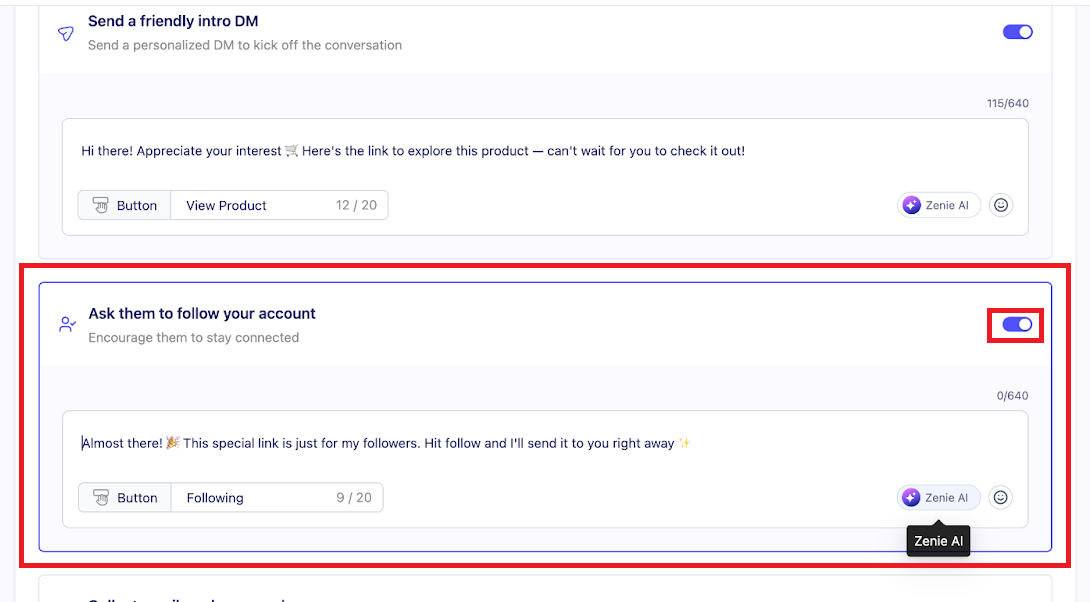
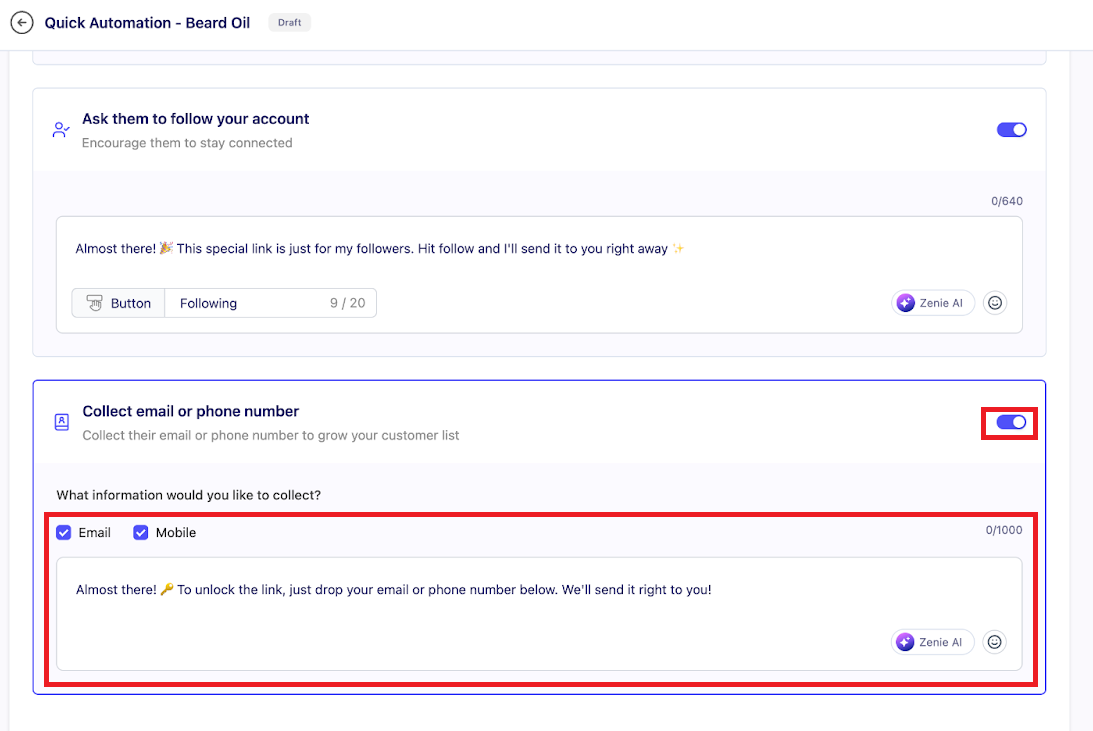
3. Delivering the Final Product or Link
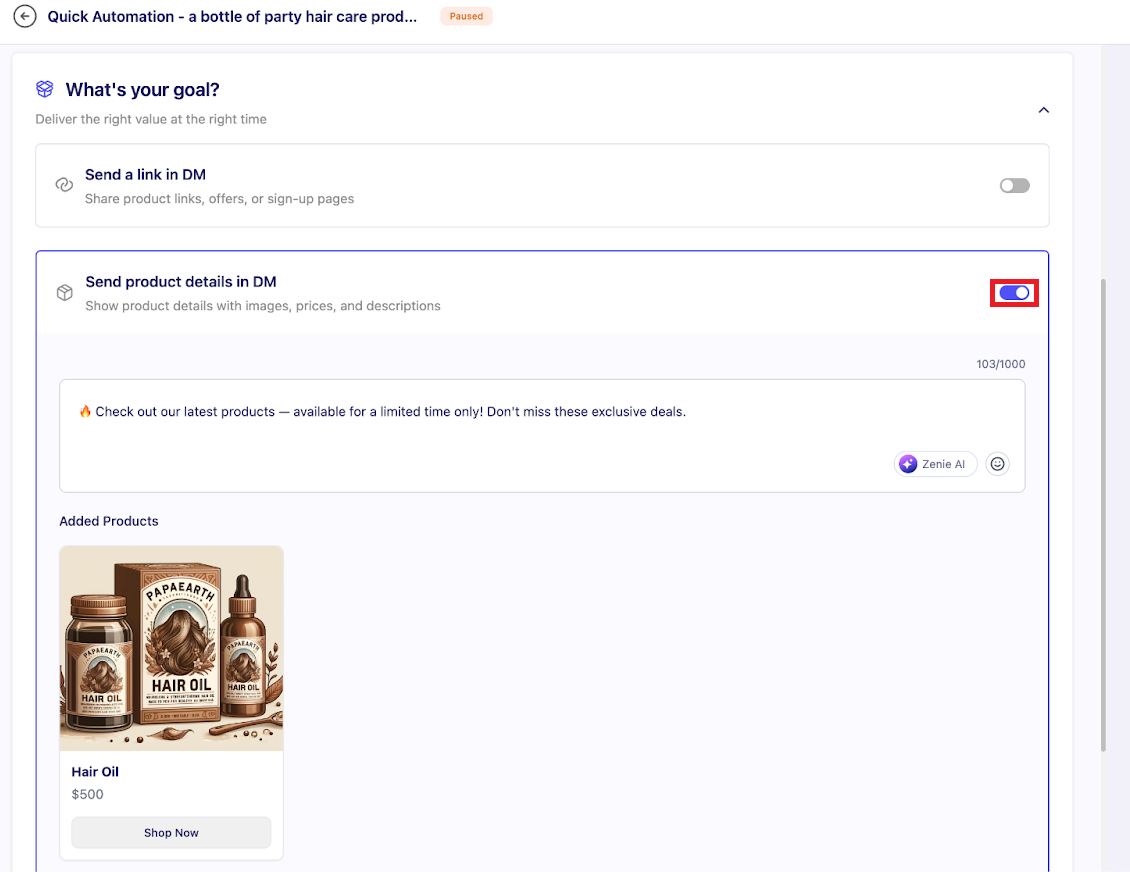
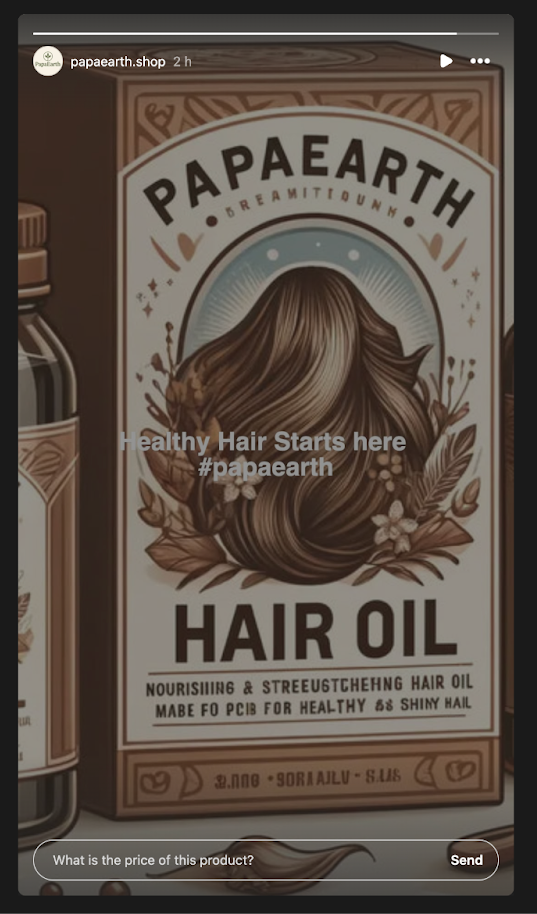
Flow Summary: When someone replies with pricing intent → the automation triggers → sends intro → checks follow → delivers product link.
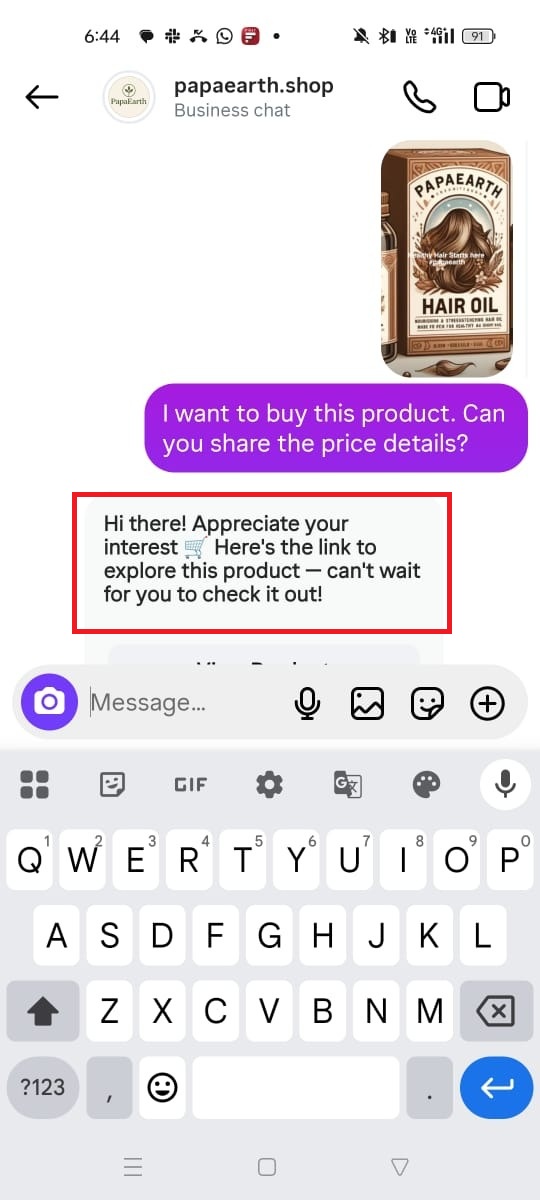
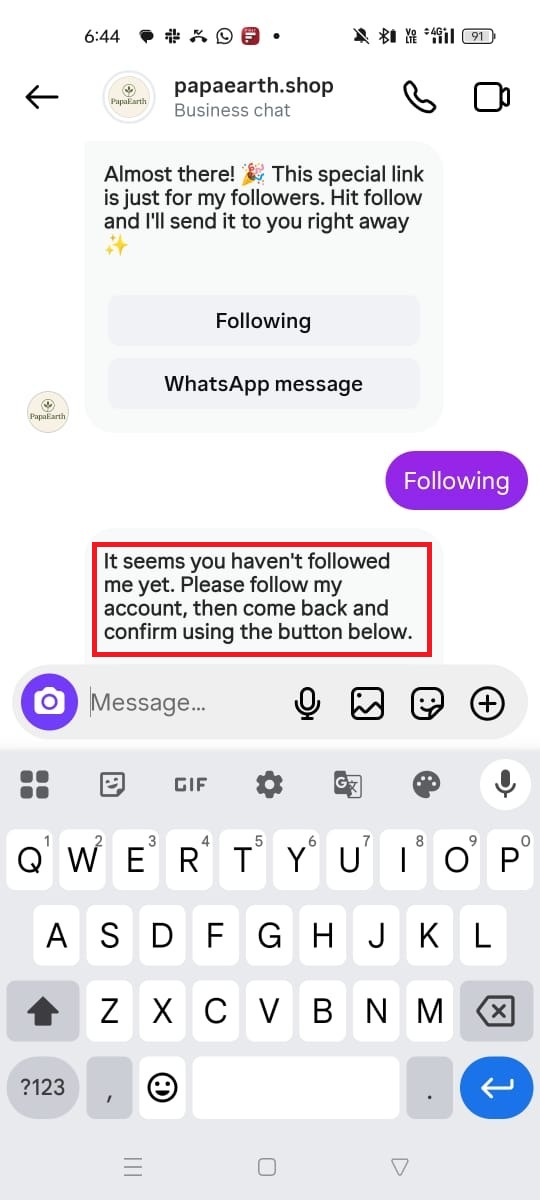
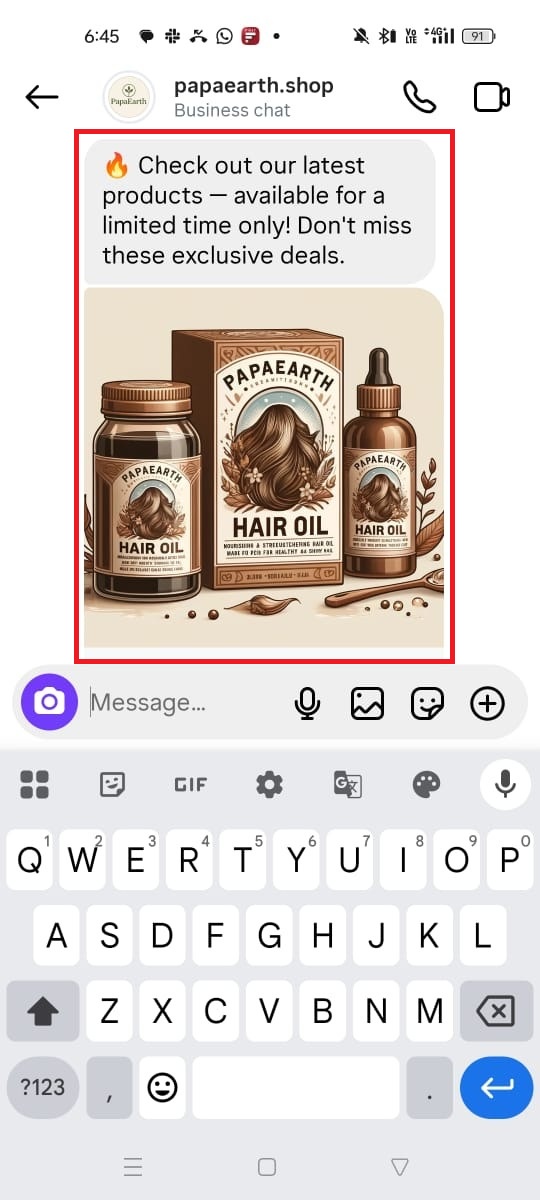
Using ZEPIC, you can automate story replies to boost user engagement, brand presence, and help grow your Instagram account. Want to know more about Instagram flows on ZEPIC? Check out our article on the same!
Was this article helpful?
That’s Great!
Thank you for your feedback
Sorry! We couldn't be helpful
Thank you for your feedback
Feedback sent
We appreciate your effort and will try to fix the article
