How to convert your Personal Instagram Account to a Business or Creator Account (Required for ZEPIC Integration)
To integrate any Instagram account with ZEPIC, it must first be switched to either a Business or Creator account.
For this guide, we’ll use an example brand called PapaEarth, a beauty and wellness brand that already has a website and an Instagram presence.
Follow the steps below to convert your personal Instagram account:
Step 1: Open your Instagram Profile
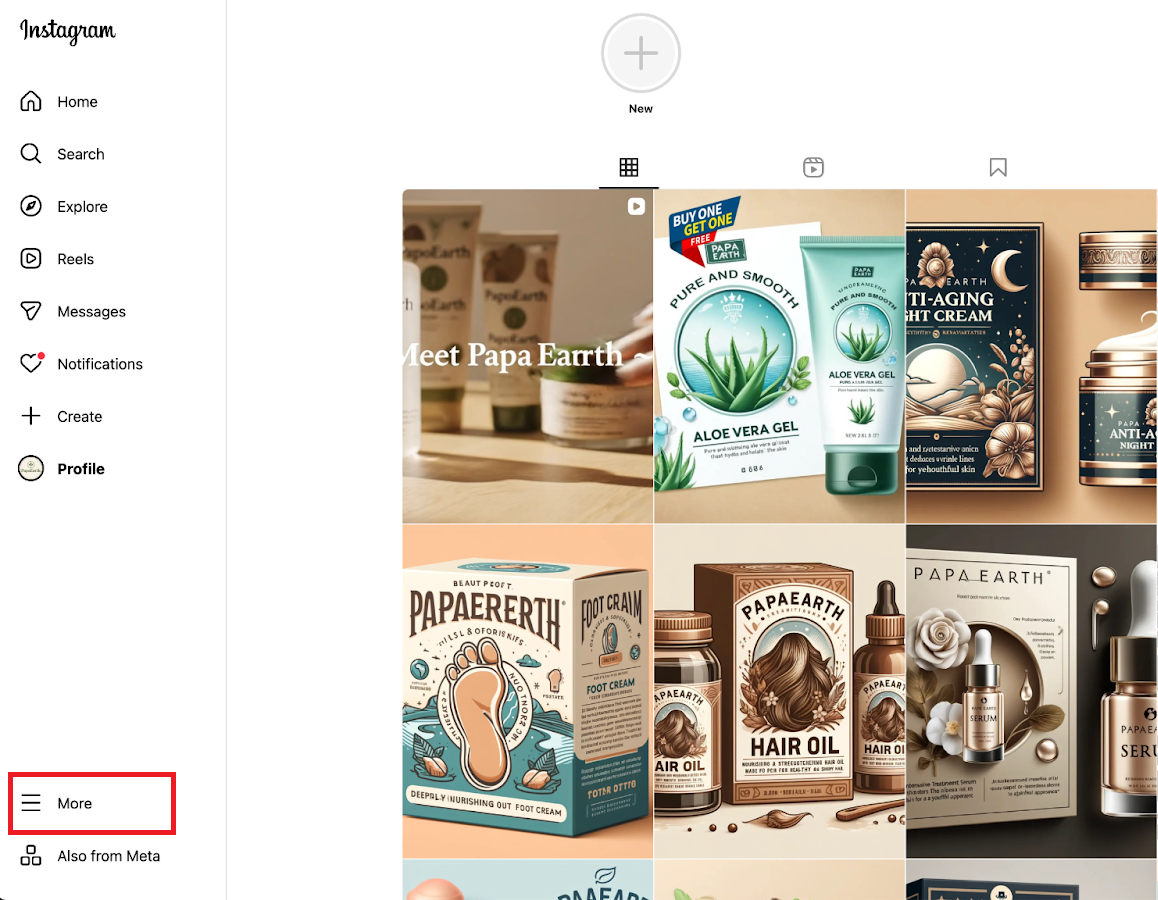
- Open the Instagram app.
- Go to your profile by tapping your profile picture in the bottom-right corner.
Step 2: Open settings
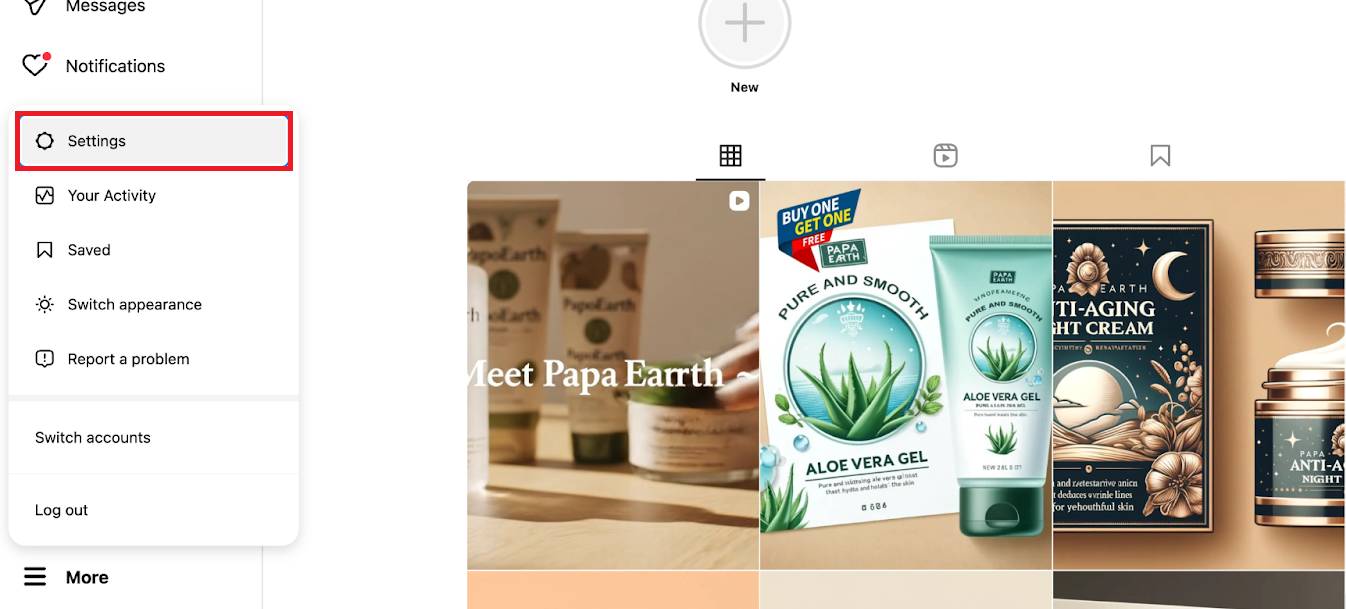
- Tap the ☰ menu icon (top-right corner).
- Select Settings.
Step 3: Go to Account type and tools
In the Settings menu, scroll down and tap “Account type and tools.”
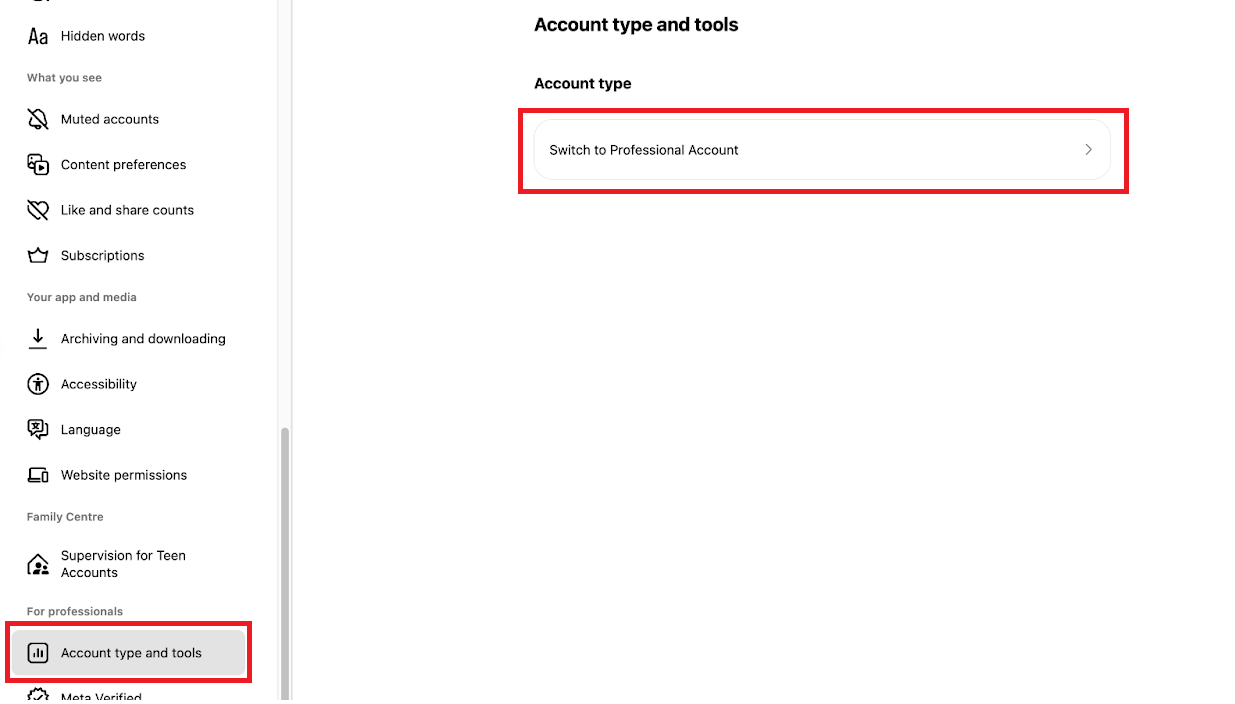
Step 4: Choose your account type
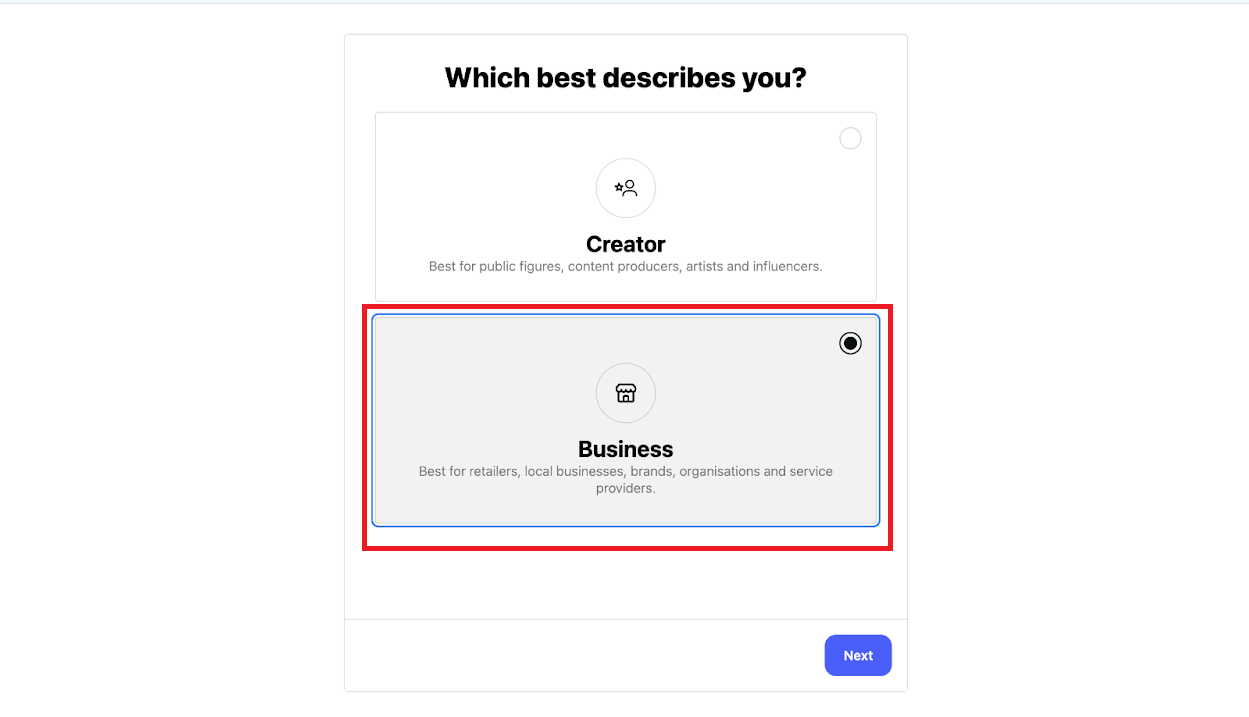
- Tap “Switch to a professional account.”
- Instagram will show you an overview of the benefits. Tap Next to continue.
Step 5: Select your business category
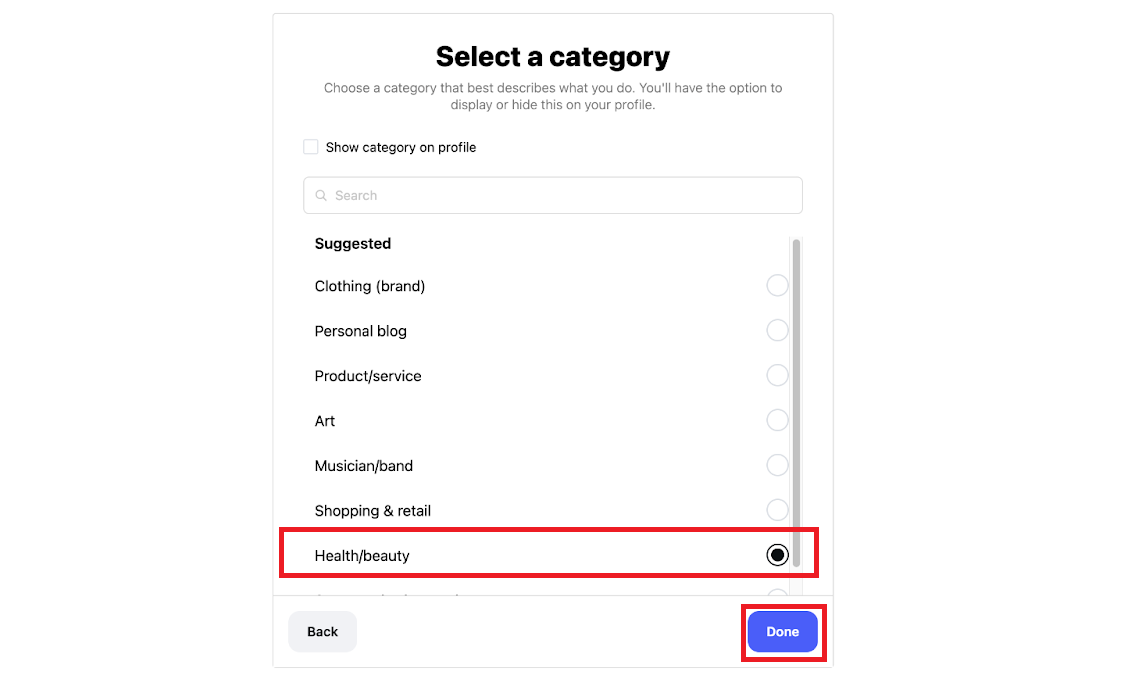
- Choose the category that best represents your brand (e.g., Health & Beauty, Cosmetics, Wellness, etc.).
- Tap Done.
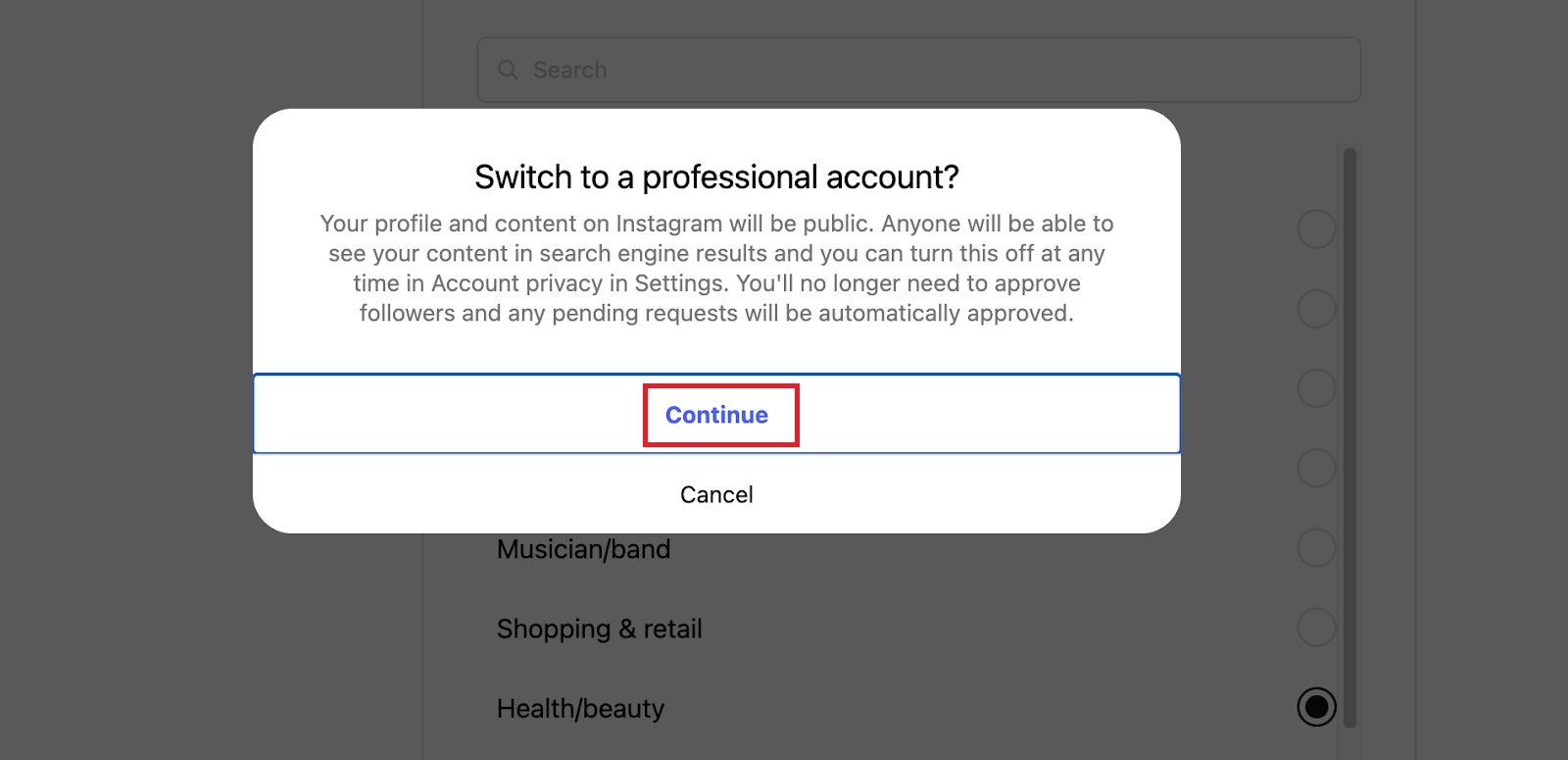
Step 6: Confirm the change
- Instagram will prompt you to confirm switching your personal account to a Business or Creator account.
- Tap Continue to finalize the change.
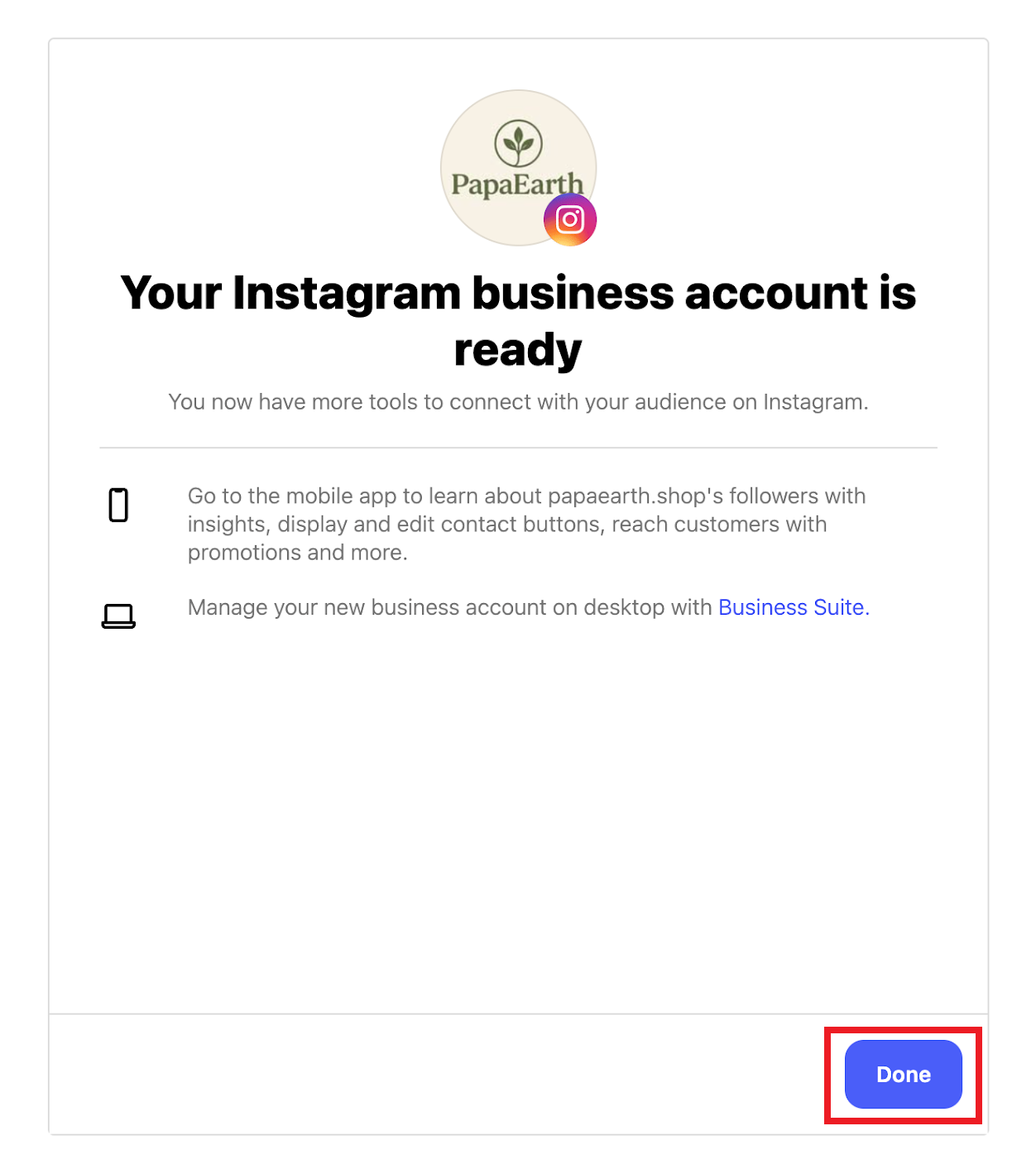
Your Instagram account is now a Business/Creator account—just like PapaEarth’s.
You can now proceed to integrate your account with ZEPIC without any issues.
Was this article helpful?
That’s Great!
Thank you for your feedback
Sorry! We couldn't be helpful
Thank you for your feedback
Feedback sent
We appreciate your effort and will try to fix the article
