How to automatically reply to comments on Instagram posts using ZEPIC
ZEPIC helps businesses reply instantly to Instagram comments and messages automatically - so you never miss a sales opportunity again.
Unlike basic keyword tools, ZEPIC uses Zenie AI, which understands real customer intent in any language.
Below is a simplified guide to help you set up your first Instagram comment-reply automation.
But again, before you begin, you'll need to make sure your Instagram Business Account is connected to ZEPIC. If it’s not, please follow: How to Integrate Your Instagram Business Account with ZEPIC
How to set Instagram comment automation using ZEPIC (step-by-step)
Step 1: Log in to your ZEPIC account
Log into your ZEPIC dashboard.
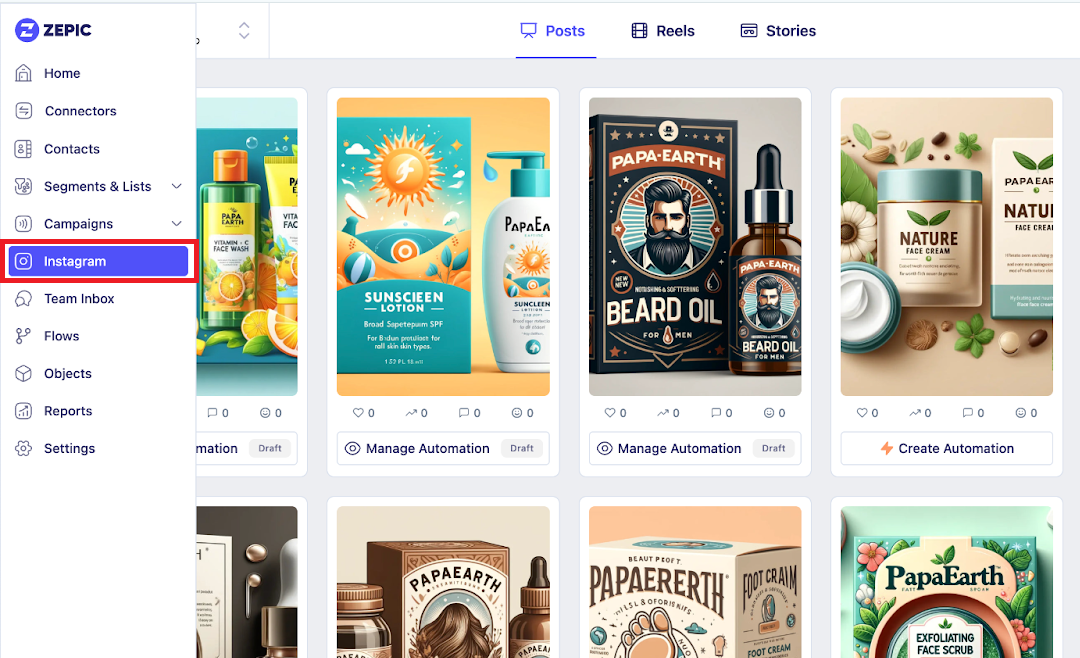
Step 2: Go to Instagram
On the left menu, click Instagram.
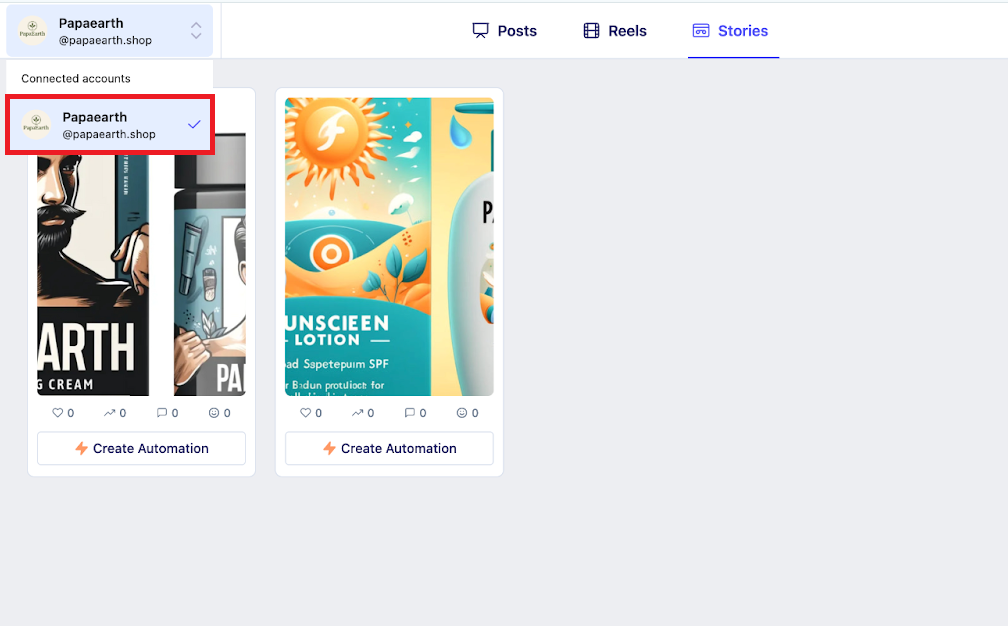
Step 3: Select your Instagram account
If you manage multiple Instagram accounts, choose the one you want to automate.
Step 4: Select your posts
Choose the post(s) where you want automation to run. If you just uploaded new content, click “Sync Latest Posts” to refresh your list.
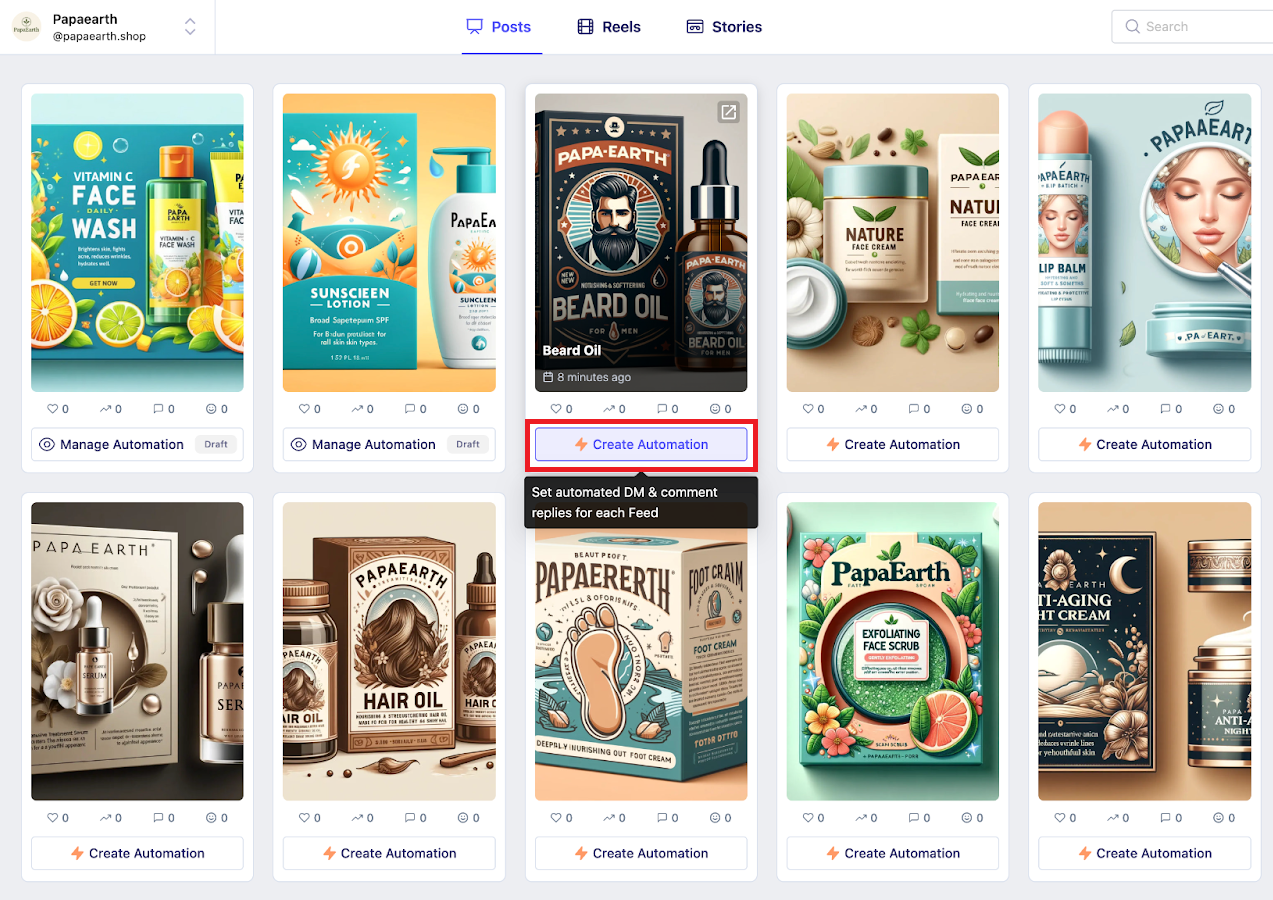
Step 5: Click create automation
This will open the automation builder.
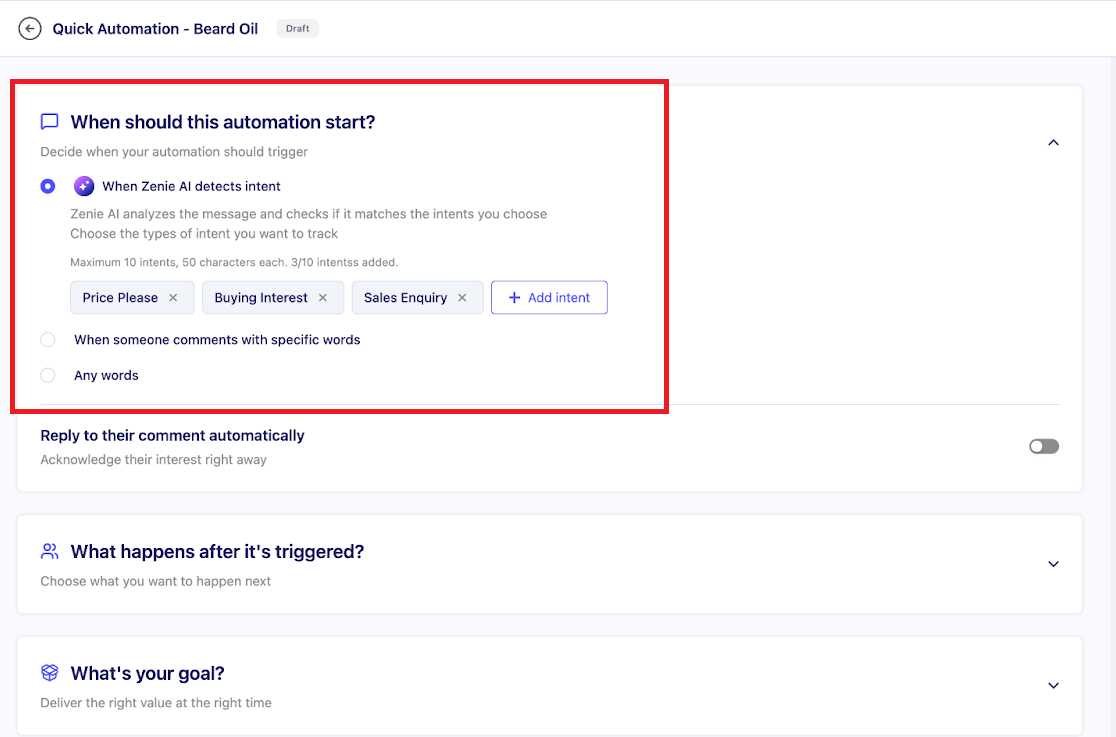
How automation works in ZEPIC
Every automation has three parts:
• When should it start? (Intent-based, keyword-based, or any comment)
• What should happen after it starts? (Reply publicly, send an intro DM, follow request, collect info, etc.)
• What’s the end goal? (Send a link, recommend a product, capture leads, etc.)
1. Choose when the automation should start
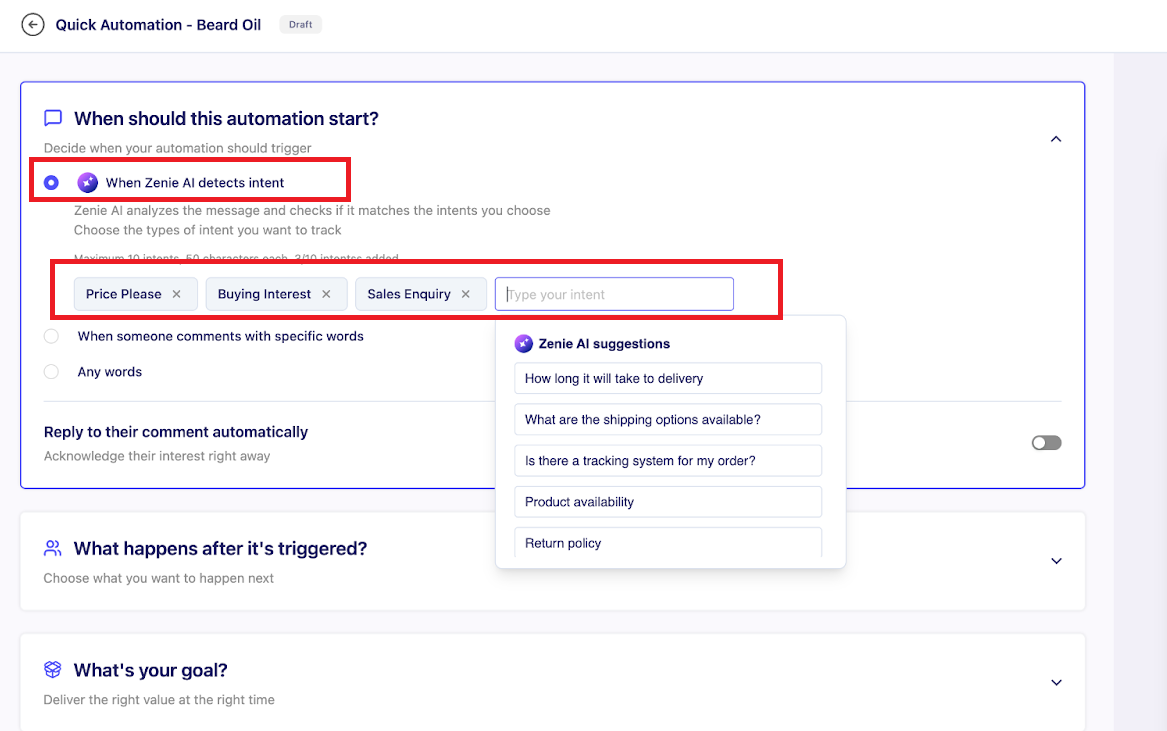
Option A: Intent Detection (Recommended)
Zenie AI understands meaning - not just keywords. It can detect intents like:
• Price inquiry
• Buying intent
• Sales questions
• Support Queries
This means if someone asks about price in any wording or language, ZEPIC will automatically recognize it and trigger the automation.
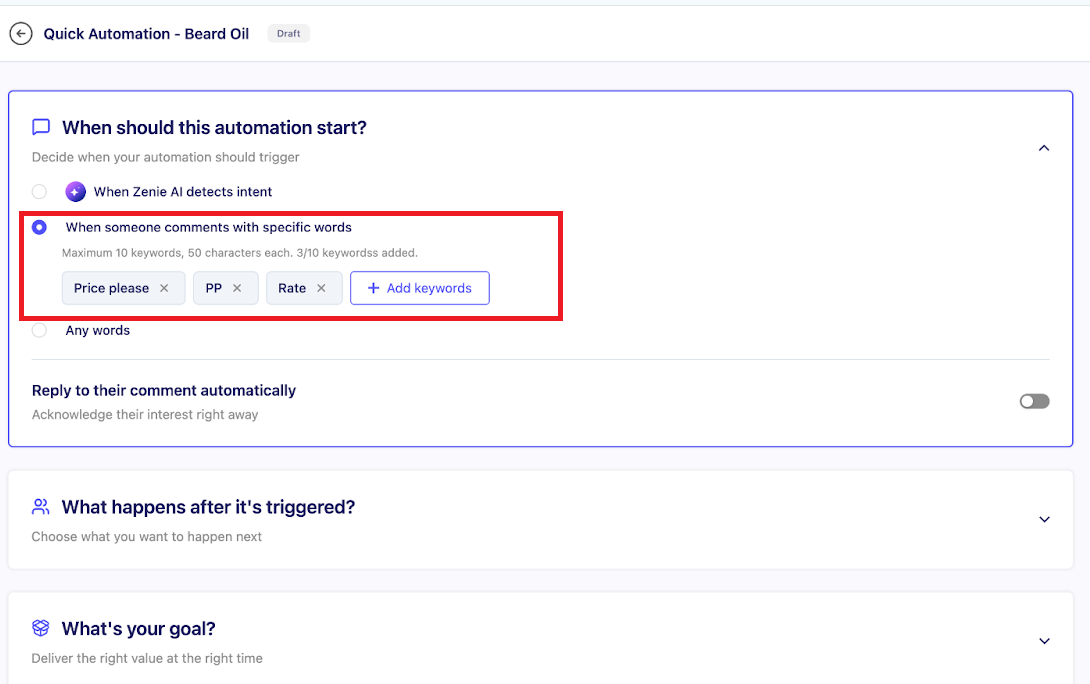
Option B: Specific Keywords
Use this if you want the automation to fire only when certain exact words are used.
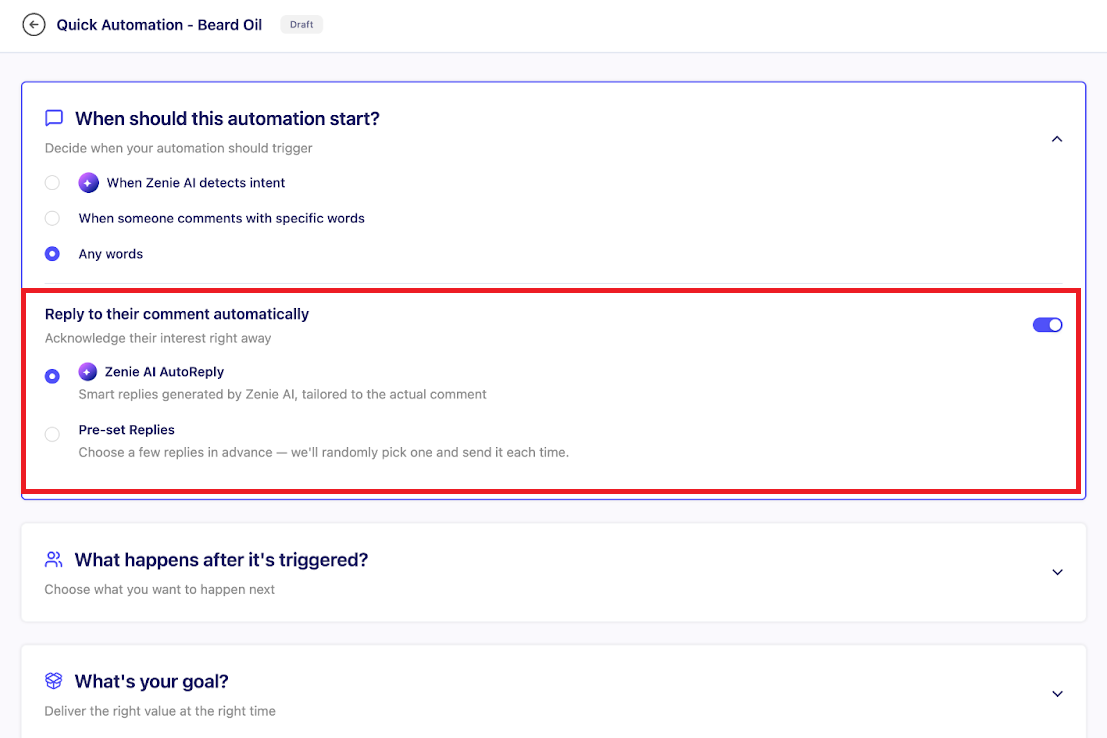
Option C: Any comment
Good for maximum engagement - triggers on every comment.
2. Choose what actions should happen
You can use one or several, depending on your workflow.
A. Reply to the comment
You can automatically reply publicly. Two methods:
Zenie AI AutoReply (Smart)
Zenie AI understands the user’s comment and replies naturally and politely.
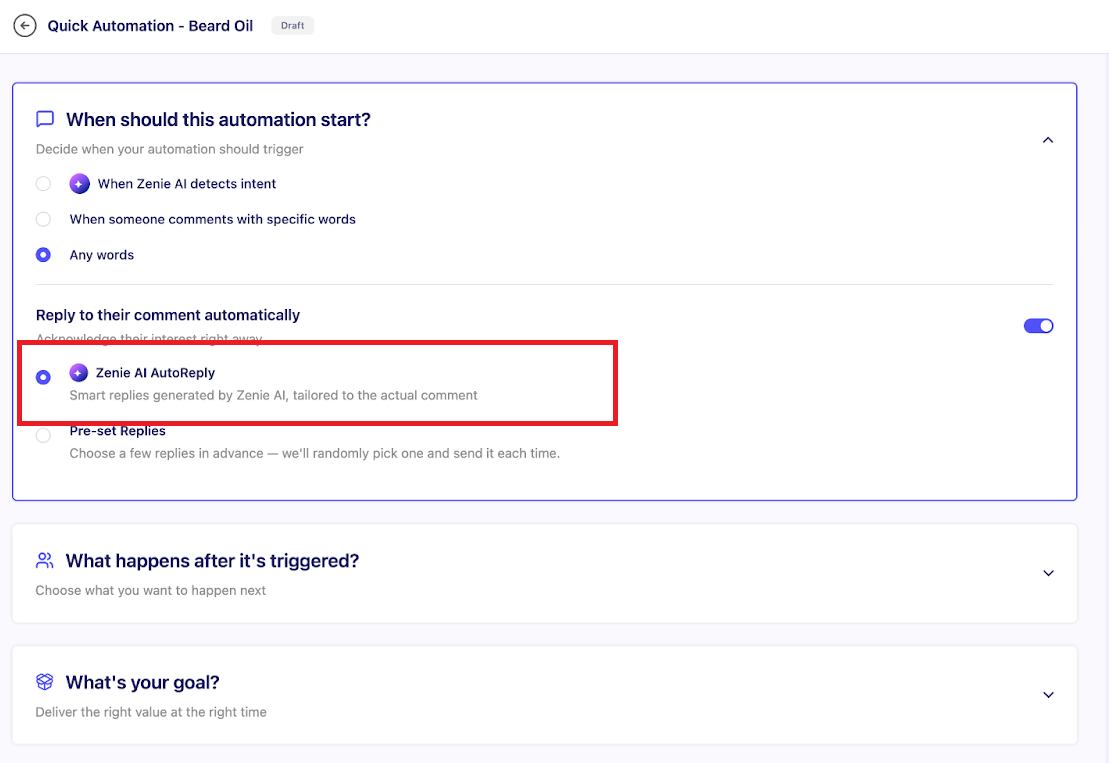
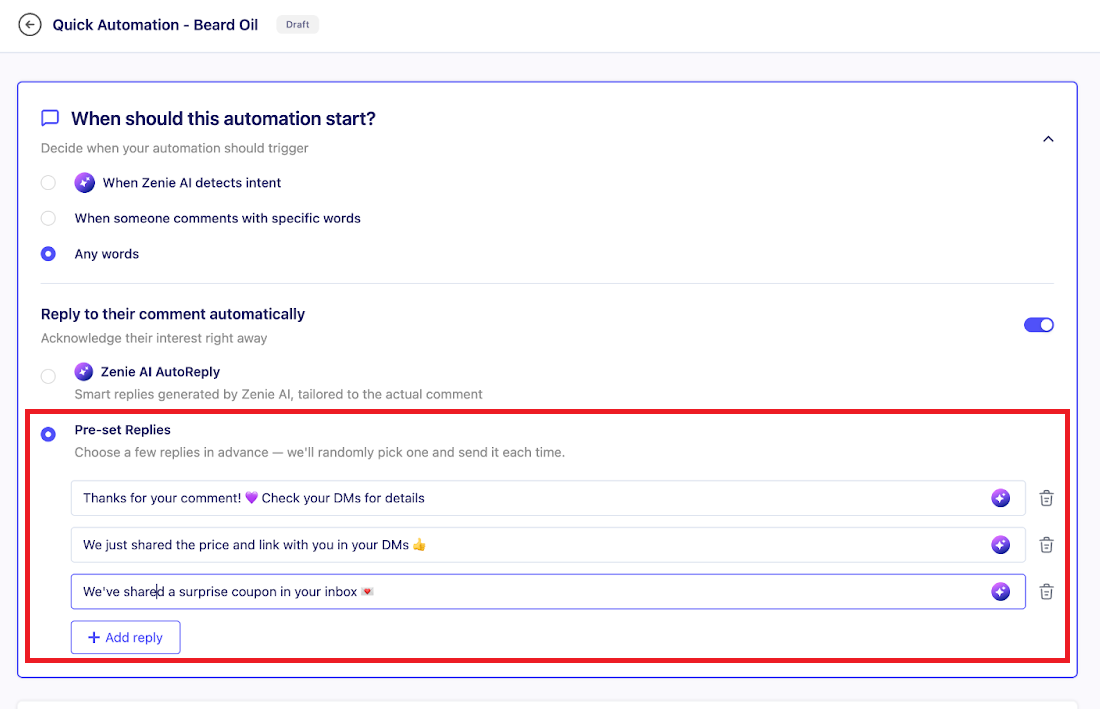
Pre-Set Replies (Simple)
Create a list of prepared replies and ZEPIC will rotate them automatically.
You’re all set to create comment automations on ZEPIC!
Once your automation is active, ZEPIC will:
• Detect user intent
• Trigger the right automation
• Reply to comments on your behalf
Want to know what else you can automate on Instagram? Check out some of our other Instagram articles!
Was this article helpful?
That’s Great!
Thank you for your feedback
Sorry! We couldn't be helpful
Thank you for your feedback
Feedback sent
We appreciate your effort and will try to fix the article
