How to set-up global automation for Instagram DMs in ZEPIC
Using Flow Automation (Custom Automation Builder) in ZEPIC, you can easily set up a global automation that works at the Instagram account level.
So whether you want to reply automatically to comments, engage with users who send you DMs, or collect user details.
Here are the steps to set up a global account-level automation in ZEPIC:
1. Choose the trigger
A Trigger defines when your automation should start. Think of it like the starting point of a conversation.
Examples of triggers on Instagram:
• Someone comments on any of your your posts or reels
• A user sends you a Direct Message (DM)
• A person replies to any of your Instagram stories
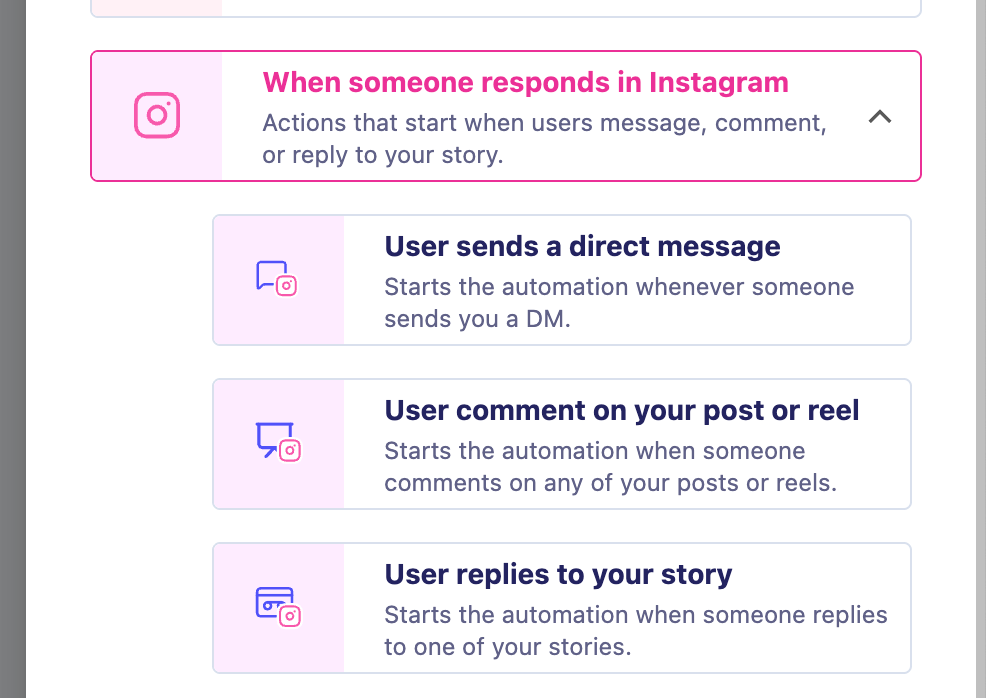
User Sends a Direct Message (DM Trigger)
Use this trigger when you want the flow to start any time a user sends you a DM.
Example use cases:
• Someone messages “Price?” → Automatically send your pricing list.
• Someone messages “Hi!” → Start a welcome conversation.
• Someone asks, “How to order?” → Send a purchase link.
Practical Flow Example:
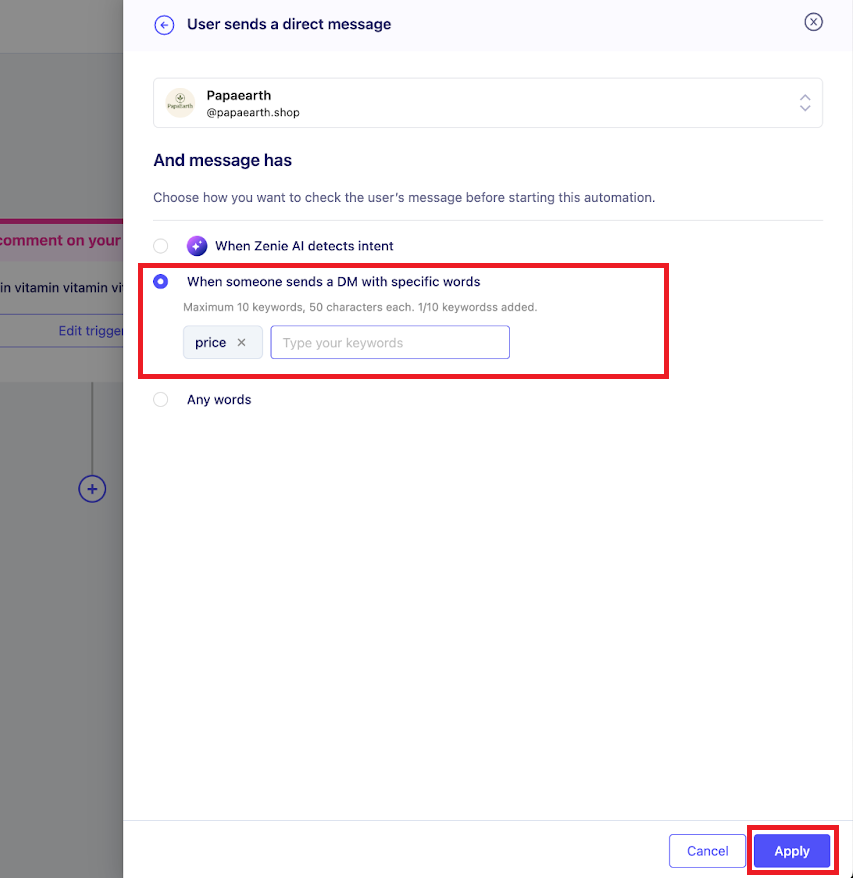
Trigger: User sends a DM containing “price” → Action: Send an Instagram message explaining the pricing → Condition: Check if user email exists → Action: If not, collect email
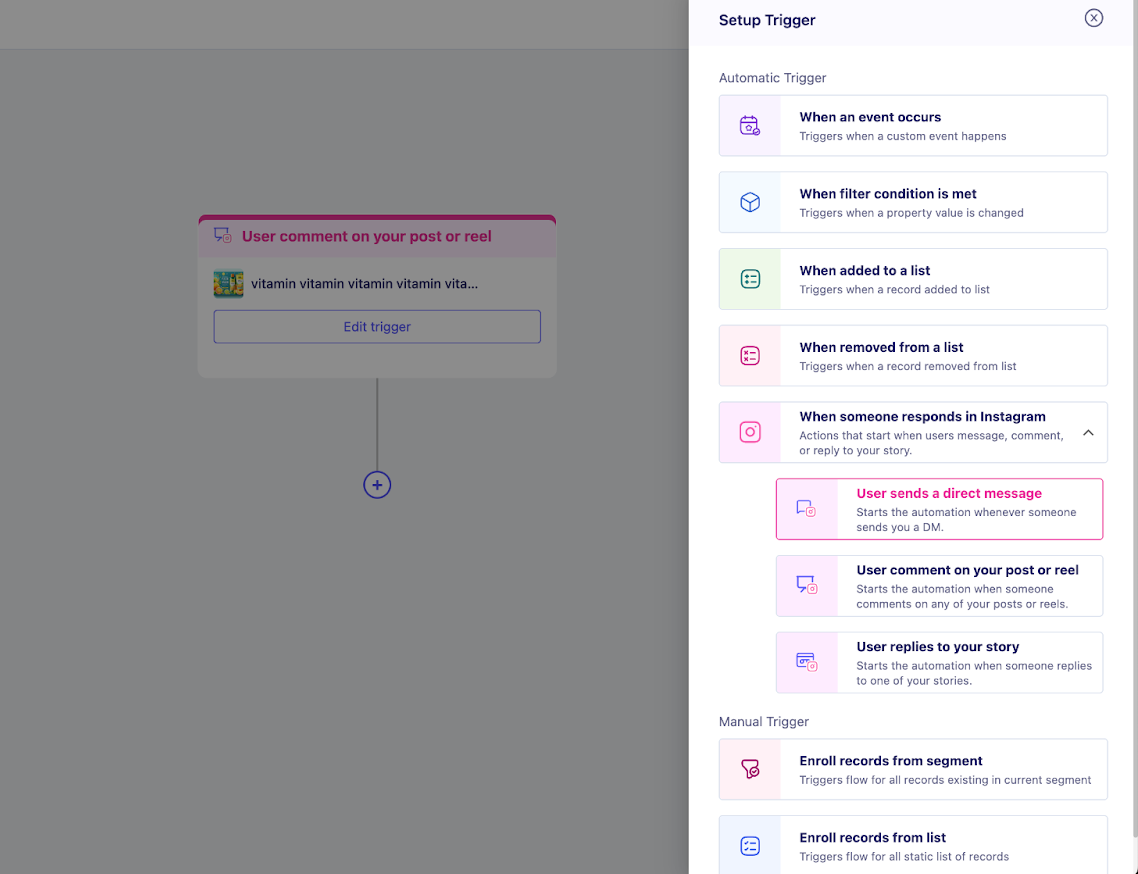
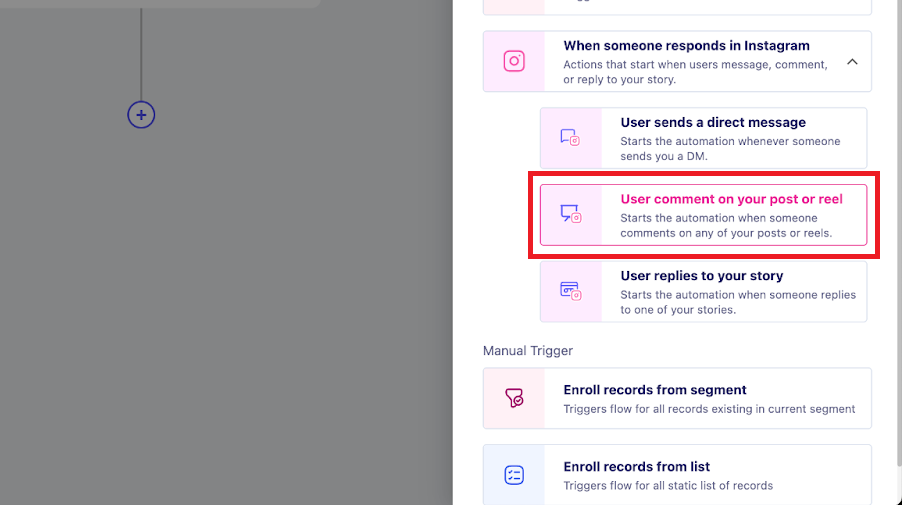
User Comment on Your Post or Reel (Post Trigger)
Use this trigger when someone comments on any of your posts or reels.
Example use cases:
• “Comment ‘GUIDE’ to get our free PDF” → Automatically DM the guide.
• Asking people to comment “YES” to join a waitlist.
• Running giveaways where users must comment to participate.
Practical Flow Example:
Trigger: User comments “Guide” → Action: Send DM with the download link → Action: Ask if they want future updates → Action: Collect email if they agree
User Replies to Your Story (Story Reply Trigger)
Use this when you want to catch story replies automatically.
Example use cases:
• Someone reacts ♥ to your story → Send them a thank-you message.
• Someone replies “interested” → Send product info.
• Someone asks a question → Start automated Q&A.
2. Choose the action
These are the actions you can perform inside the flow after a trigger fires.
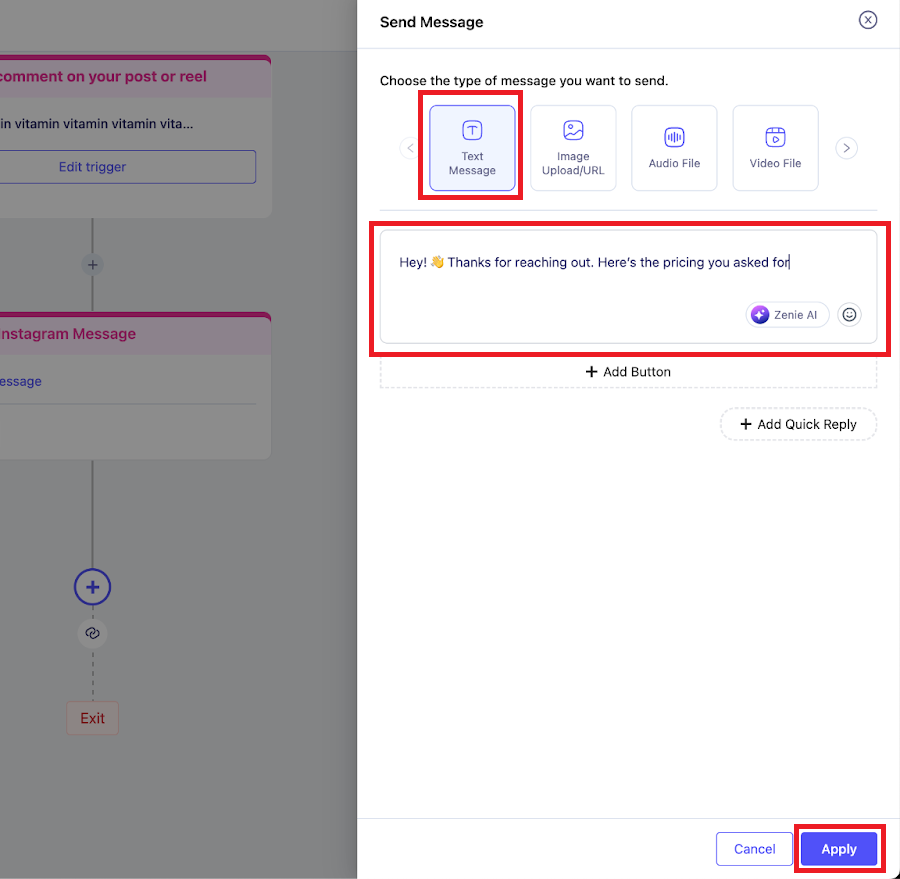
Send Instagram Message (Action)
Automatically send a DM to the user. You can send Text, Image, Video, Audio, Card, or Carousels.
Example Message:
“Hey! Thanks for reaching out. Here’s the pricing you asked for…”
Reply to Comment (Action)
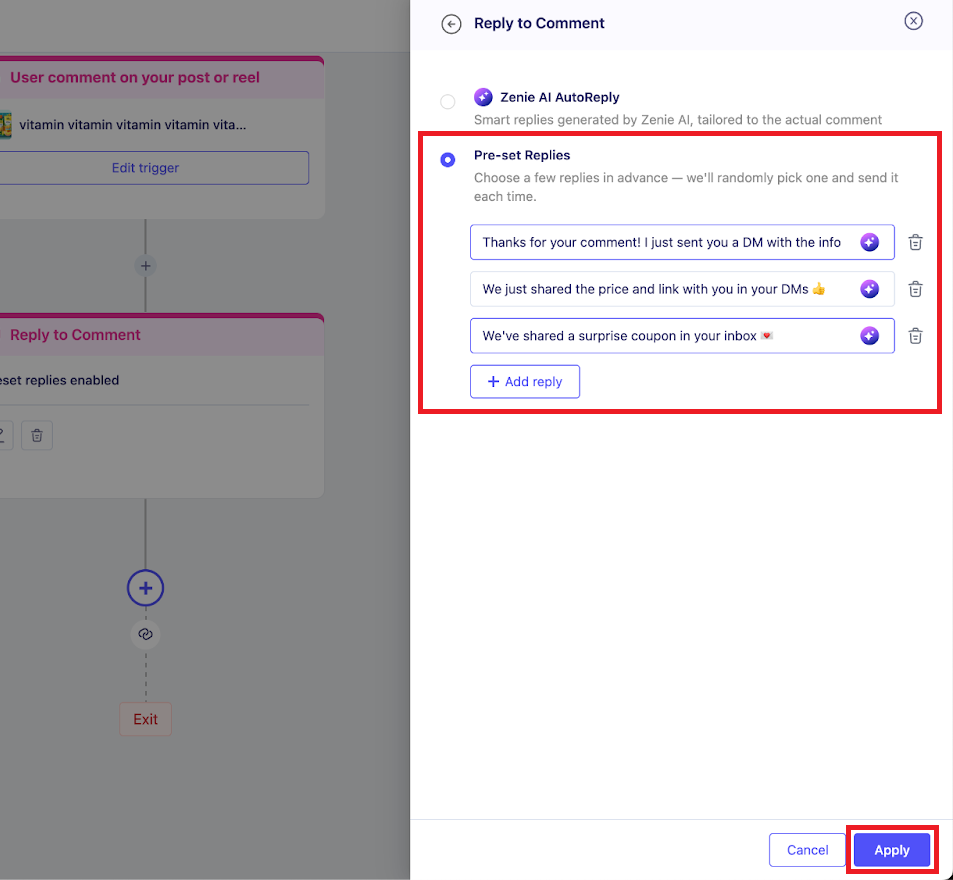
Reply publicly to the user on the post. This increases post engagement and drives users into your inbox. Use Zenie AI Autoreply for contextual responses.
Collect User Details (Action)
Ask users to share information like name, email, or phone number to build your lead list.
Example Use Cases:
• Lead generation and building email lists.
• Onboarding new customers.
• Sending event reminders.
Was this article helpful?
That’s Great!
Thank you for your feedback
Sorry! We couldn't be helpful
Thank you for your feedback
Feedback sent
We appreciate your effort and will try to fix the article
