How to integrate your Instagram Business Account with ZEPIC
Easily connect your Instagram Business or Creator account to ZEPIC so you can automate DMs, run engagement workflows, and grow your brand faster.
That said, before you start your Instagram account must be a Business or Creator account. If you’re currently using a Personal account, here's how to convert your personal Instagram account to a business or creator account (required for ZEPIC integration).
Step 1: Create your ZEPIC Account
1. Go to: https://www.zepic.com/reserve-your-account
2. Sign up with your email.
3. Open your inbox and verify your account using the link sent by ZEPIC.
Skip this step if you already have a ZEPIC account. Example brand: PapaEarth.
Step 2: Complete your basic business setup
1. Choose your business type → Click Next.
2. Select Instagram.
3. Enter your website URL and currency → Click Next.
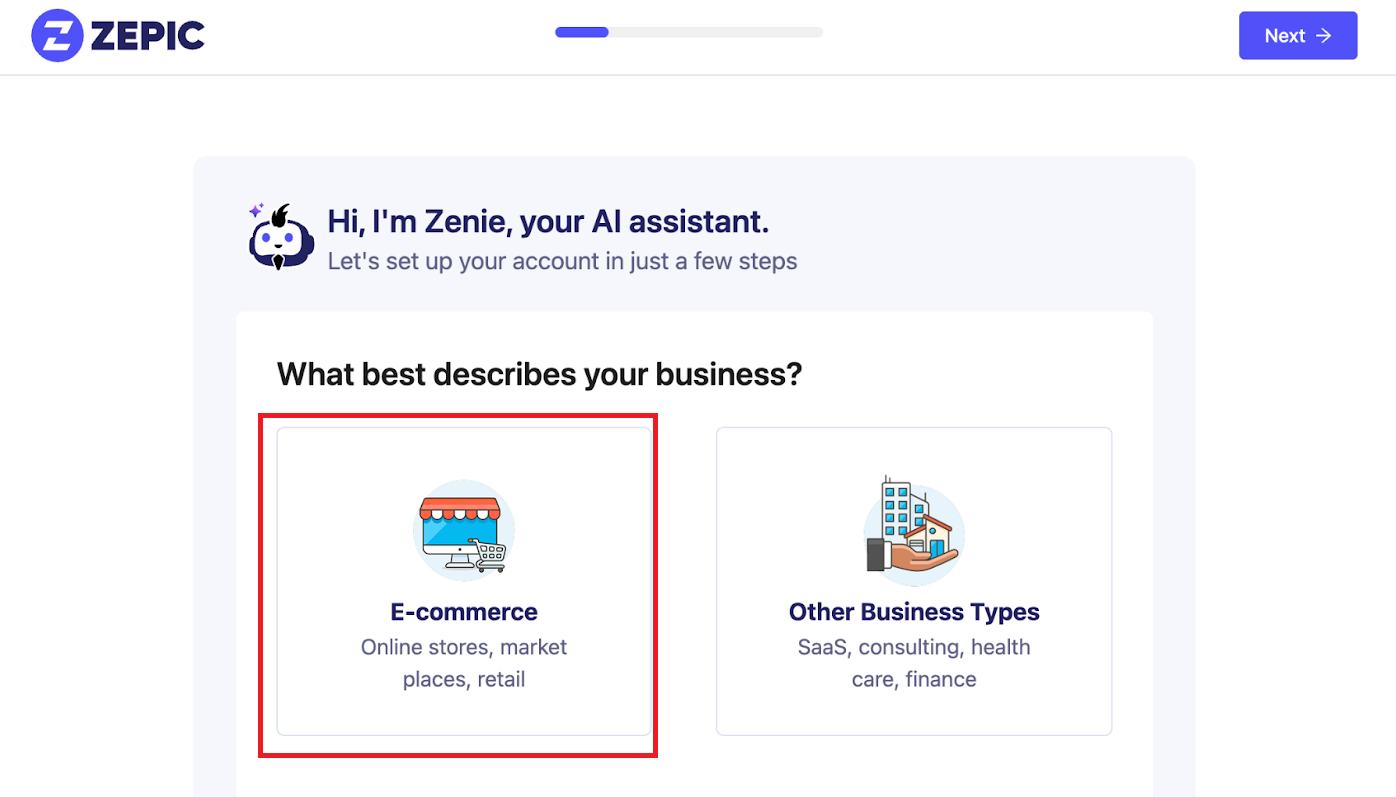
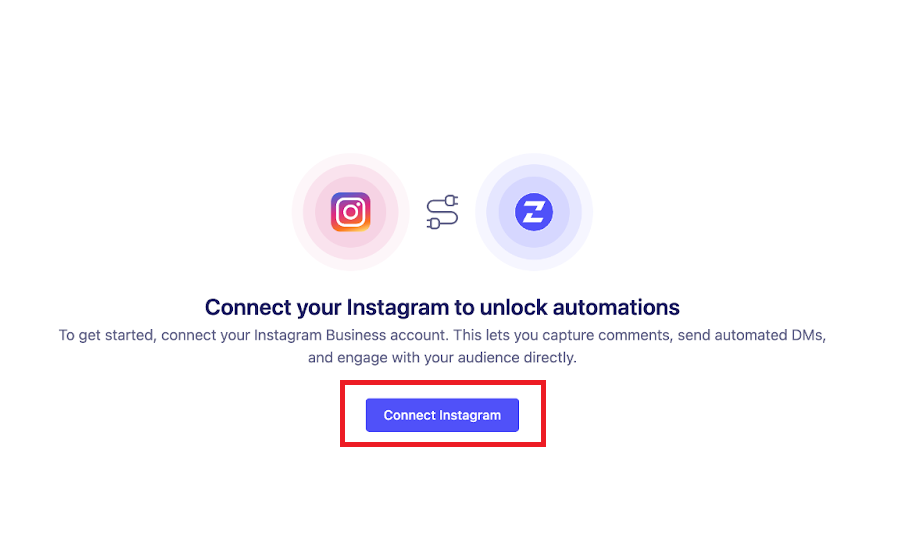
Step 3: Connect your Instagram account
In the left sidebar of ZEPIC, click Instagram. Click the “Connect Instagram” button.
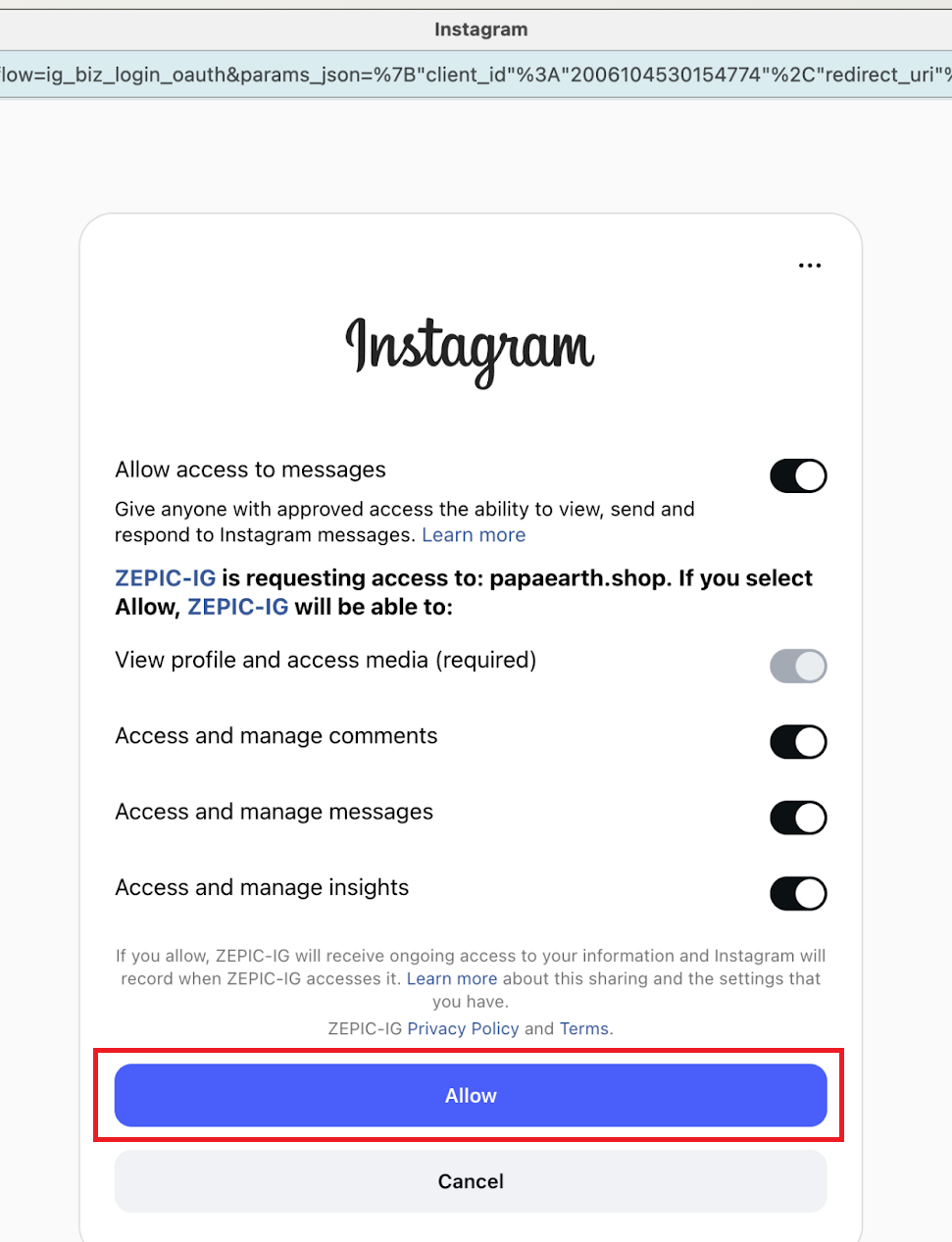
Login to Instagram and click Allow to give ZEPIC access.
Step 4: Confirm integration
Once connected, refresh your ZEPIC dashboard to see your account successfully listed.
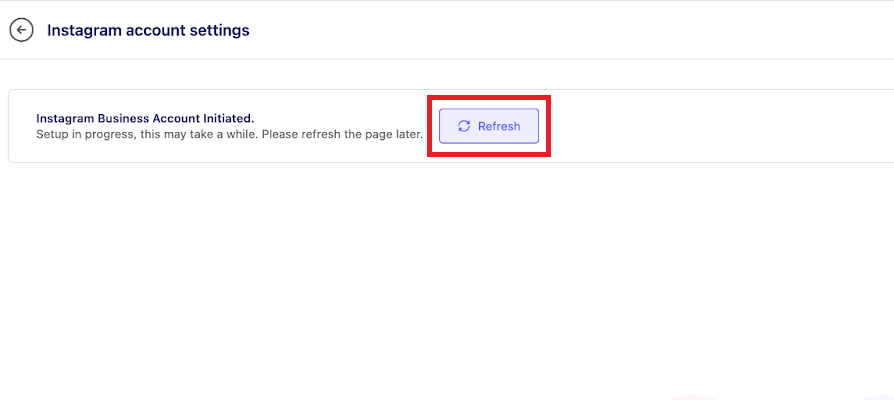
Your Instagram Business Account is now successfully integrated with ZEPIC!
You can now start:
• Automating DMs
• Running keyword triggers
• Setting up influencer flows
• Capturing leads directly from Instagram comments & chats
Was this article helpful?
That’s Great!
Thank you for your feedback
Sorry! We couldn't be helpful
Thank you for your feedback
Feedback sent
We appreciate your effort and will try to fix the article
