How to View and Respond to Instagram Messages in Team Inbox on ZEPIC
Before you start working on this, you'll need to make sure your Instagram Business Account is connected to ZEPIC. If it’s not, please follow: How to Integrate Your Instagram Business Account with ZEPIC
Once the Instagram account is connected, all the customer conversations will be recorded in the Team Inbox.
You can respond to the customer conversations manually, or you can use ZEPIC’s automation to completely automate the user queries.
Using the Team Inbox to View and Respond to Instagram Messages on ZEPIC
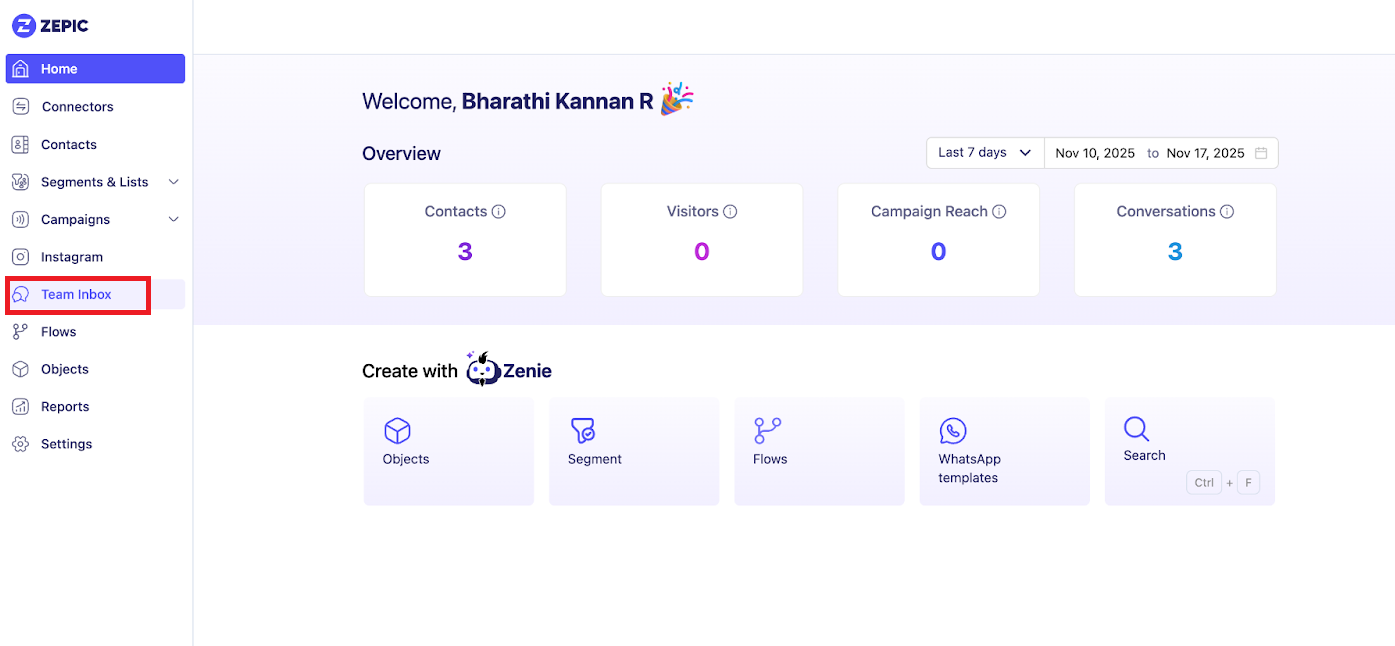
With ZEPIC’s unified Team Inbox, you can view all your Instagram and WhatsApp conversations in one single place.
Step 1: Navigate to Team Inbox
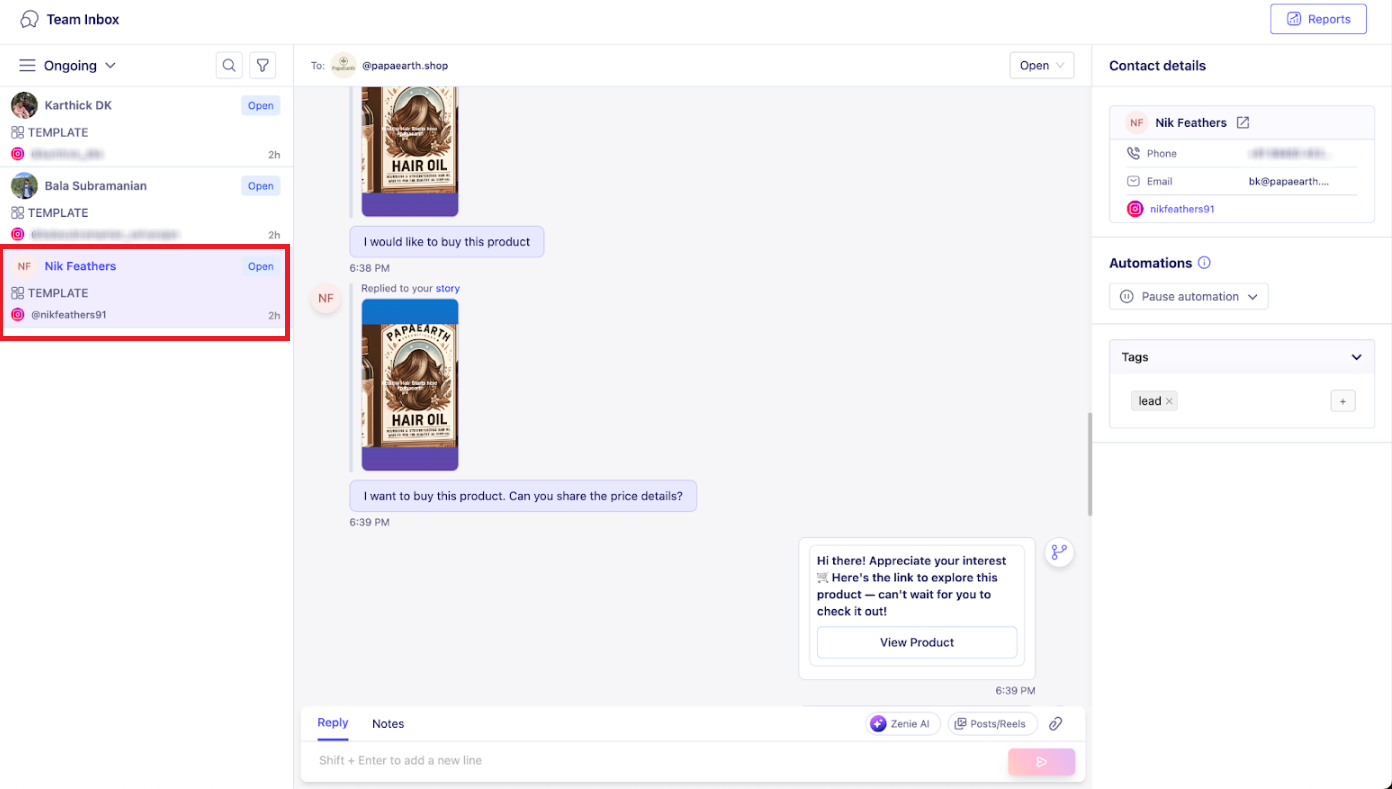
Step 2: View user history and details
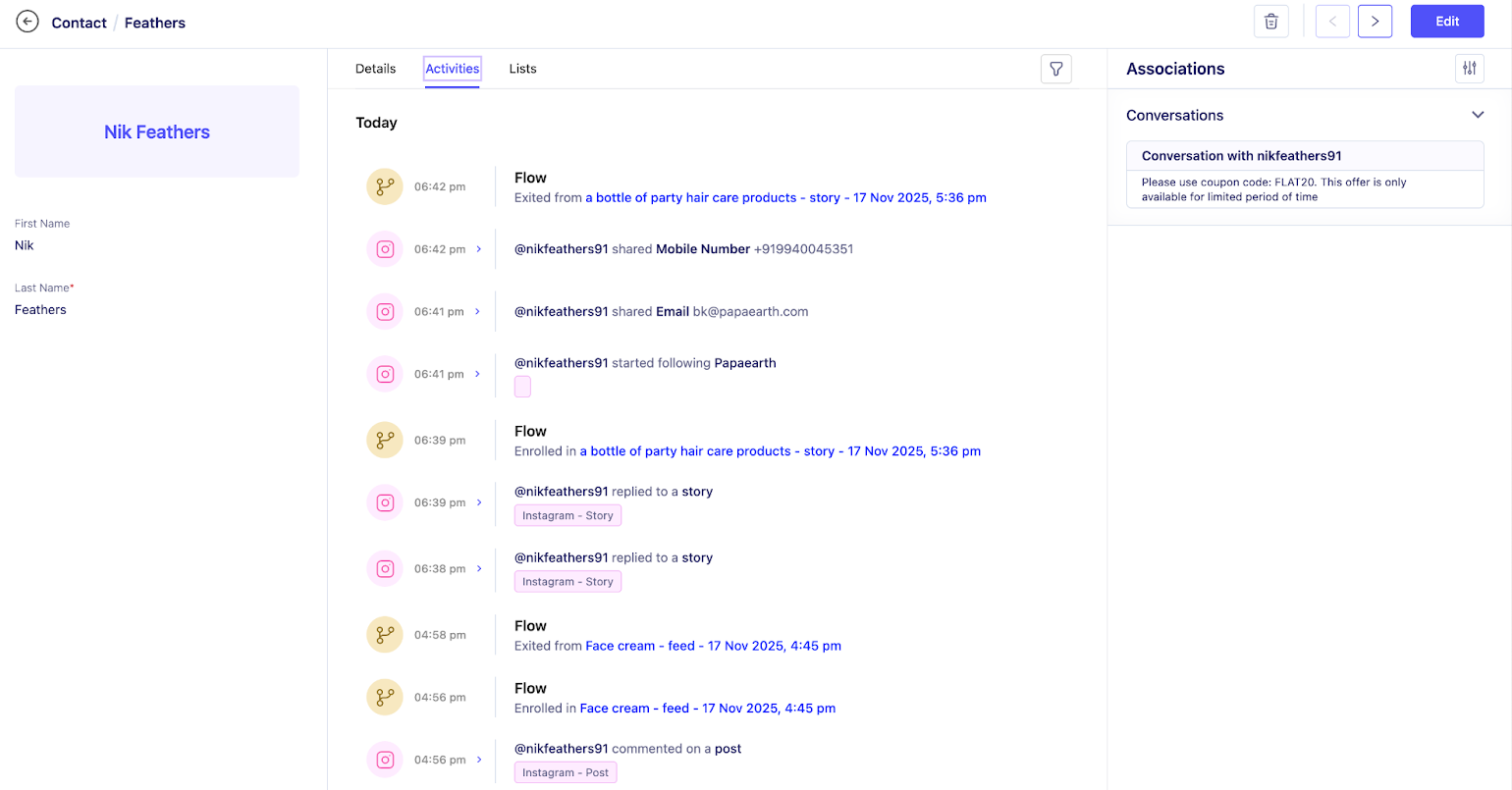
Click on any conversation, and you can view the entire history of the user. All their comments, replies, messages, and their profile info are all in a single place.
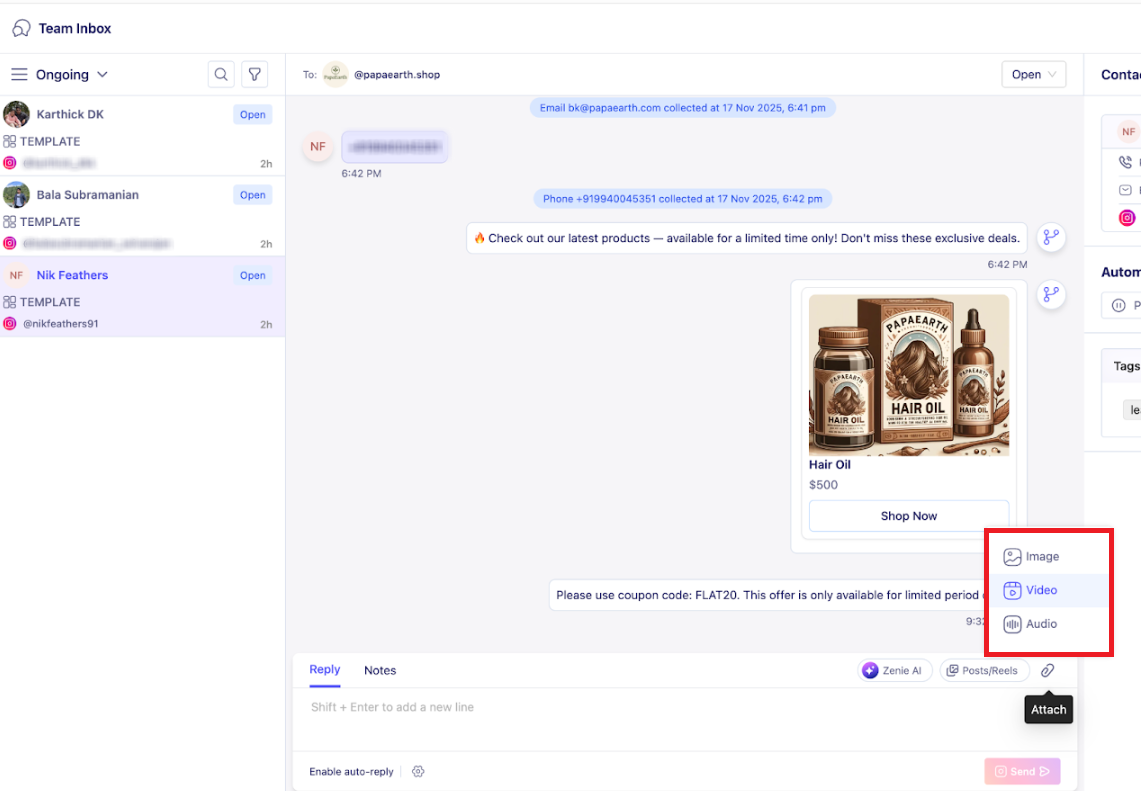
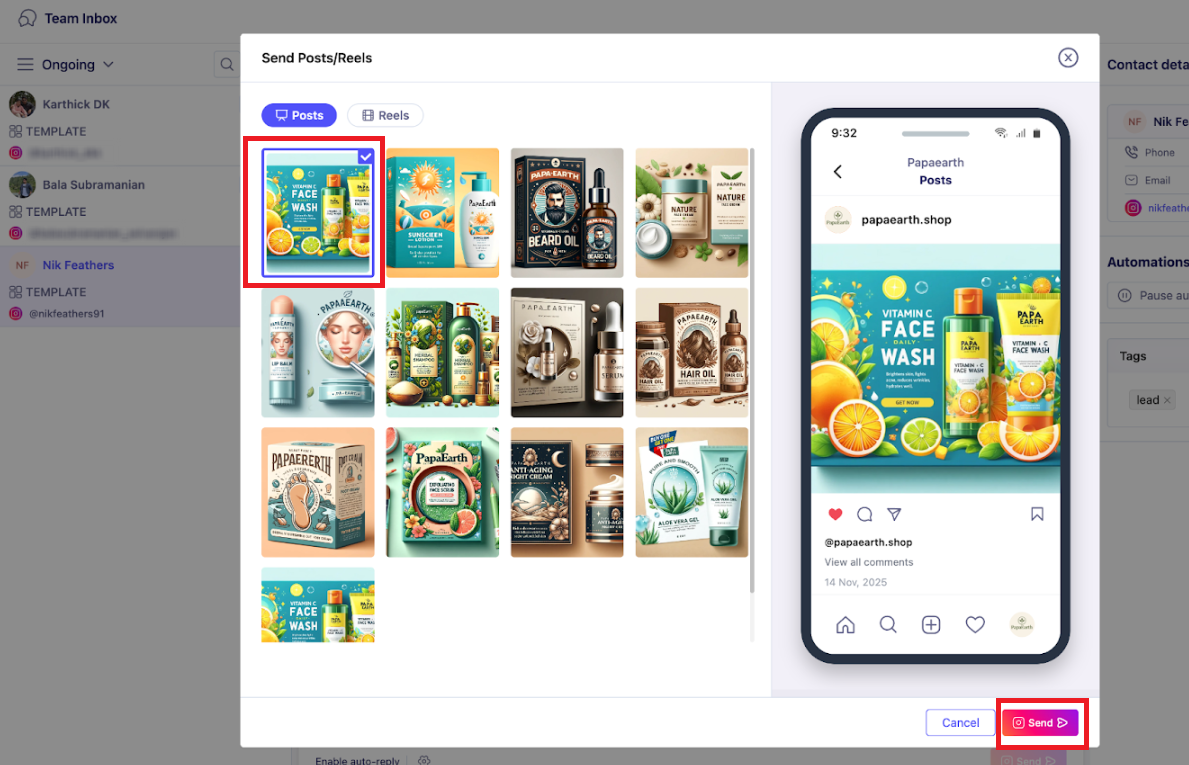
In Instagram, you can send:
· Text messages
· Audio
· Video
· Images
· Post / Reel
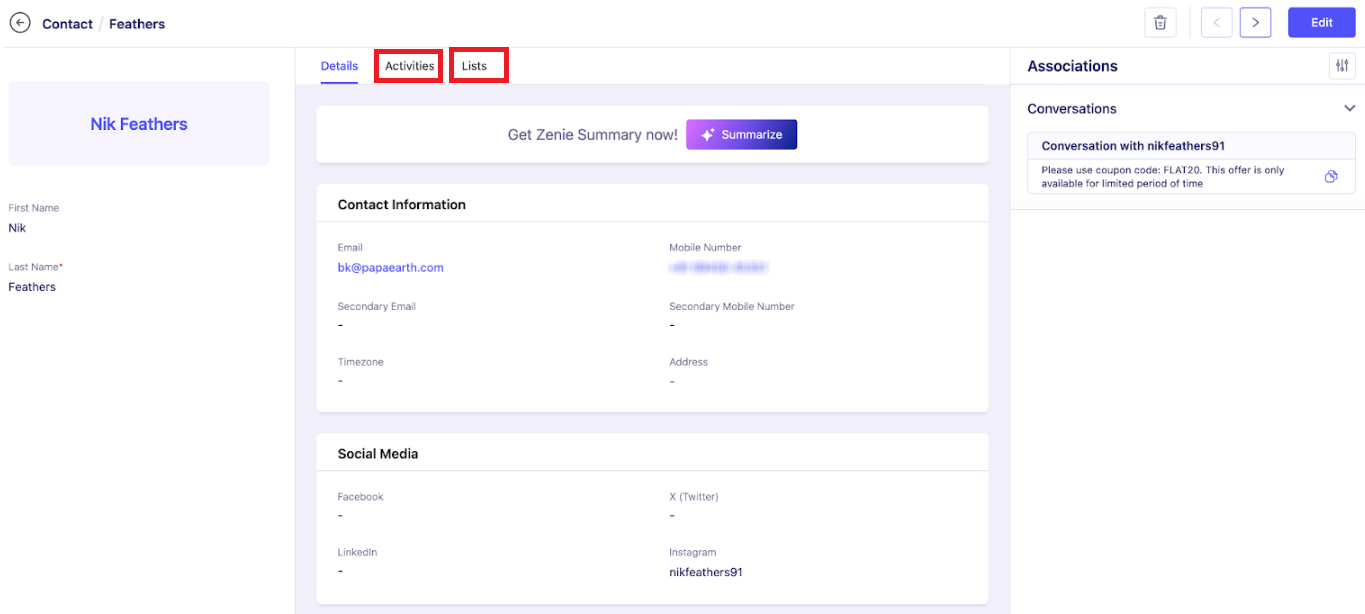
Step 3: Access extended customer profile
Click the Window icon on the left to view the customer details.
Was this article helpful?
That’s Great!
Thank you for your feedback
Sorry! We couldn't be helpful
Thank you for your feedback
Feedback sent
We appreciate your effort and will try to fix the article
