How to Segment Instagram users based on actions using ZEPIC
Make sure your Instagram Business Account is connected to ZEPIC. If it’s not, please follow: How to Integrate Your Instagram Business Account with ZEPIC
Once the Instagram account is connected, all customer conversations will be recorded in the Team Inbox. You can respond manually or use automation to segment and automatically reply to users on ZEPIC.
Once the account is integrated, ZEPIC will start tracking all user activities:
1. Post comments
2. Reel comments
3. Story Replies
4. Email Collection
5. Phone Number Collection
6. Users from Instagram Source
7. Live comments
When a user interacts with your business, ZEPIC creates a contact record. All activities are recorded in the user 360-degree profile view. Navigate to Contacts and click the record to view profiles.
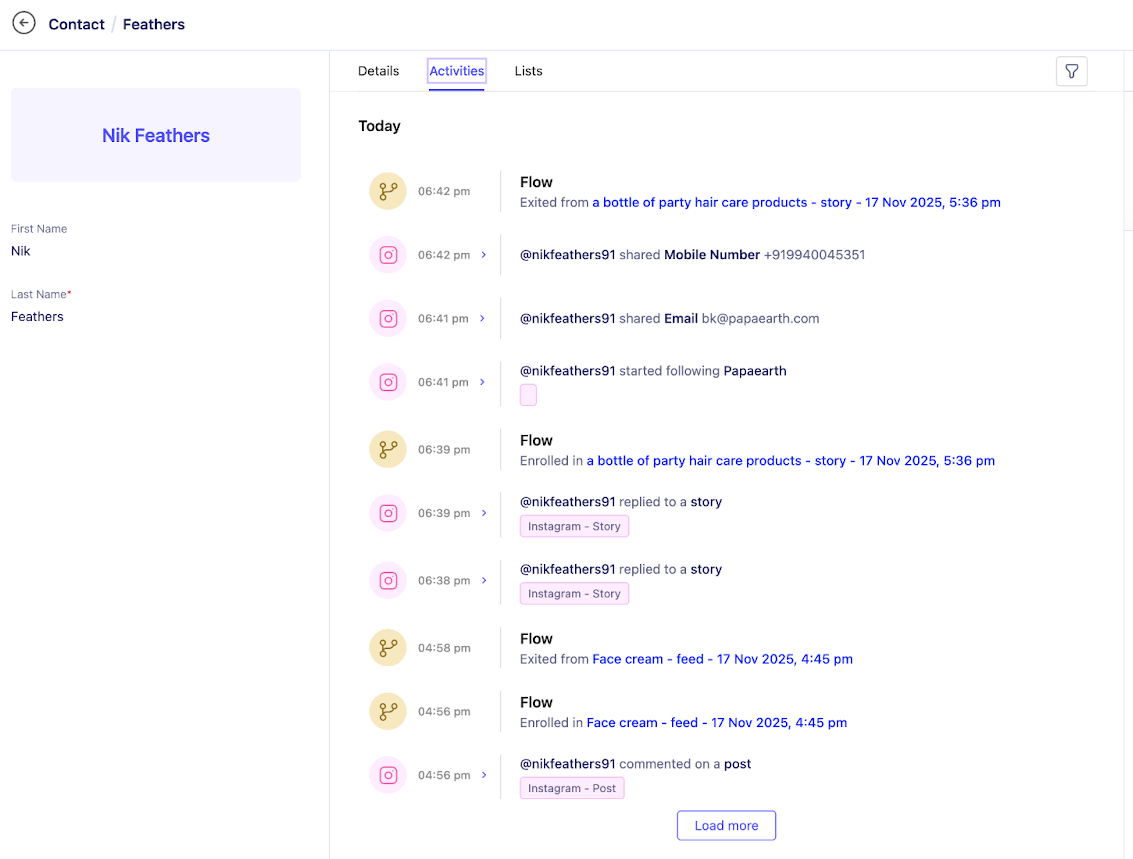
You can use these activities to create powerful segmentations. Here are a few example segments you can create:
1. Instagram Referred Users (Users who came from Instagram)
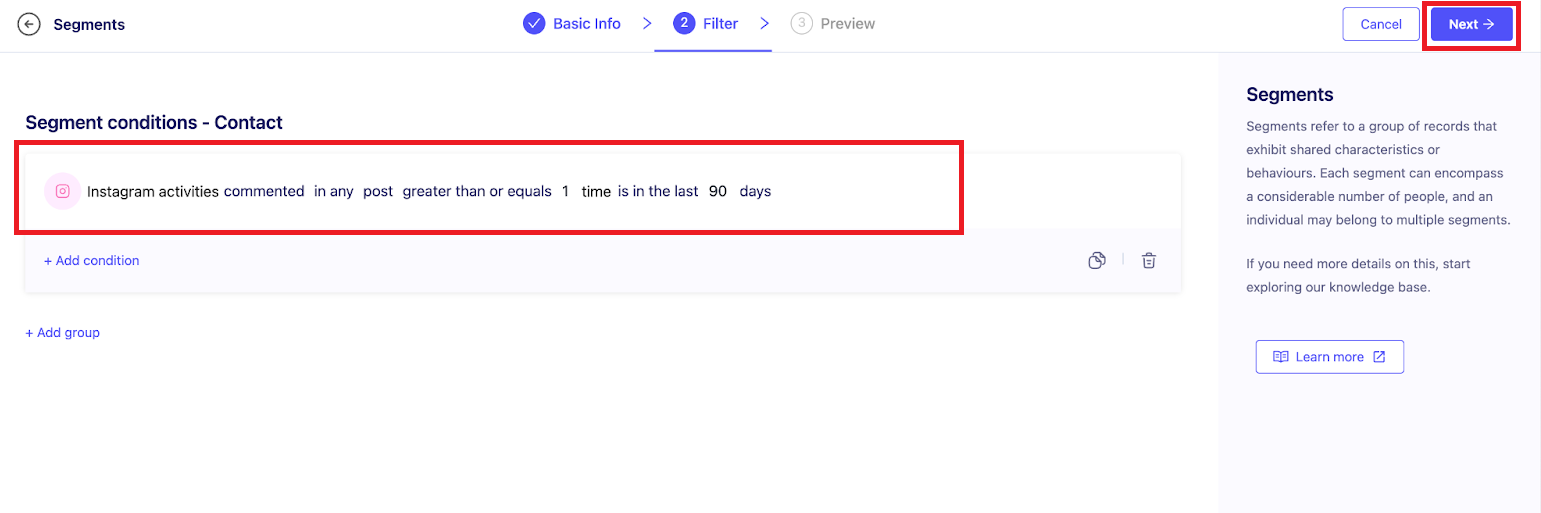
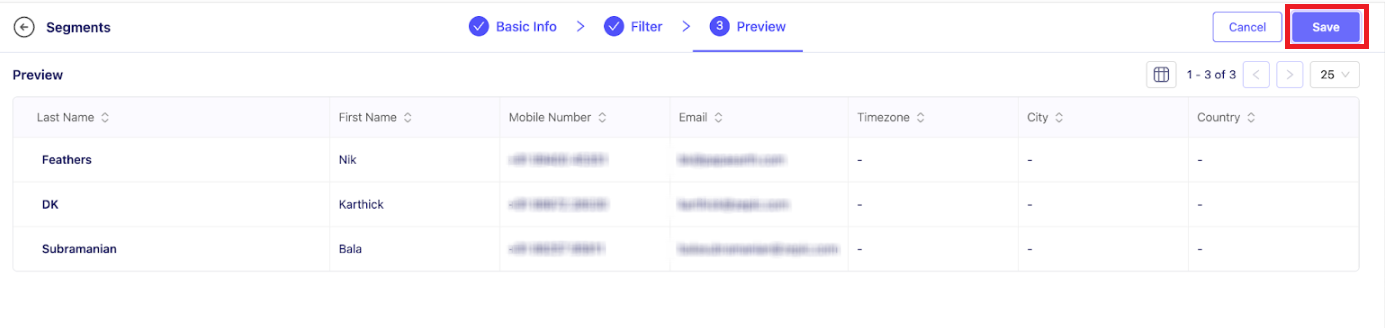
2. Instagram Post Engagers (Users who interacted with my post)
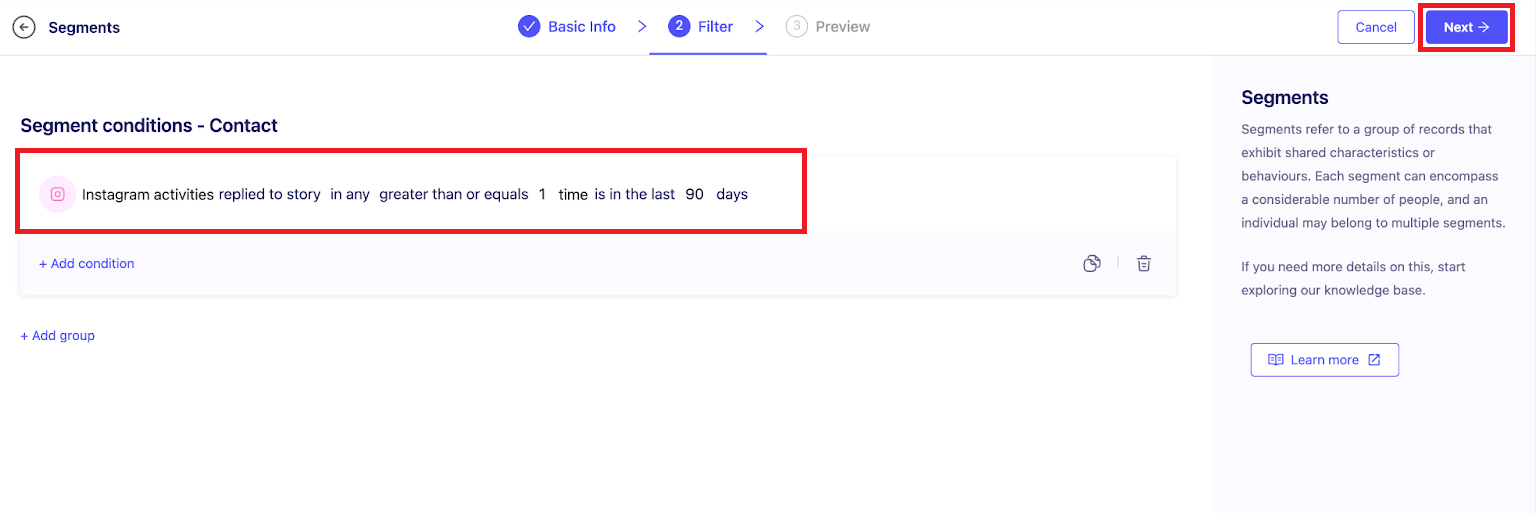
3. Instagram Story Engagers (Users who interacted with my story)
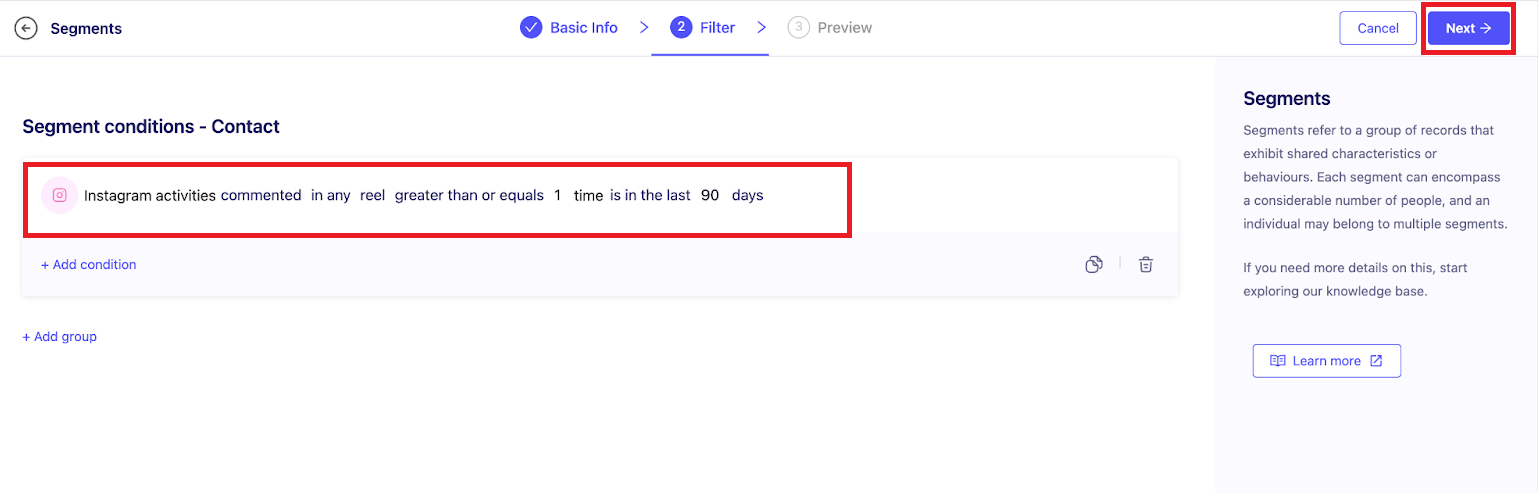
4. Instagram Reel Engagers (Users who interacted with my reel)
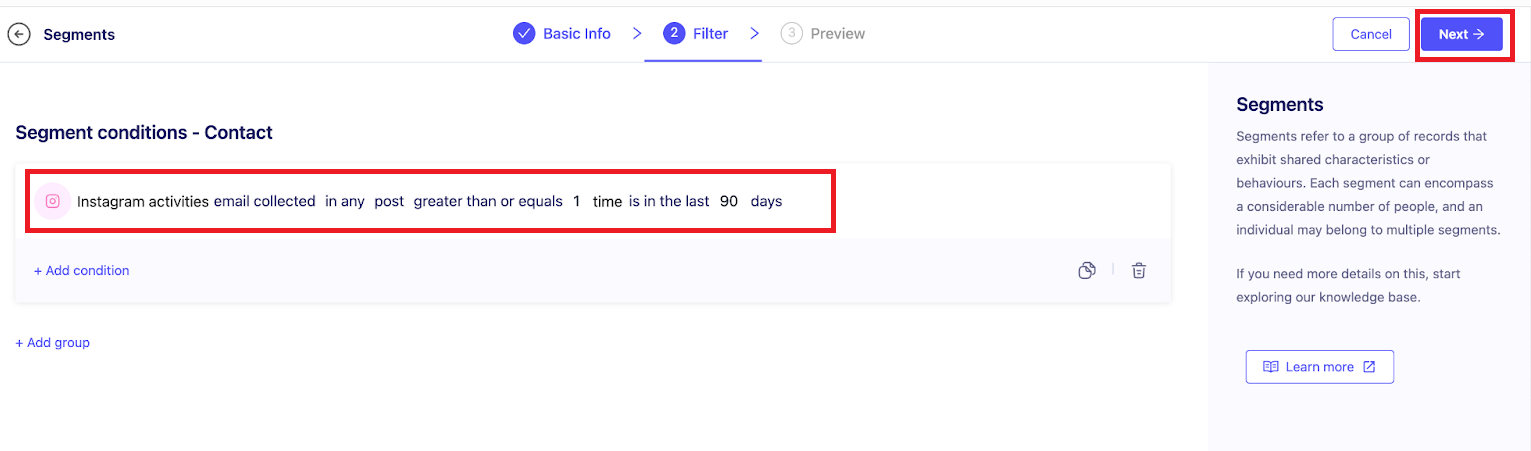
5. Instagram Email Leads (Users who provided an email)
6. Instagram Phone Leads (Users who provided a phone number)
Instagram Referred Users
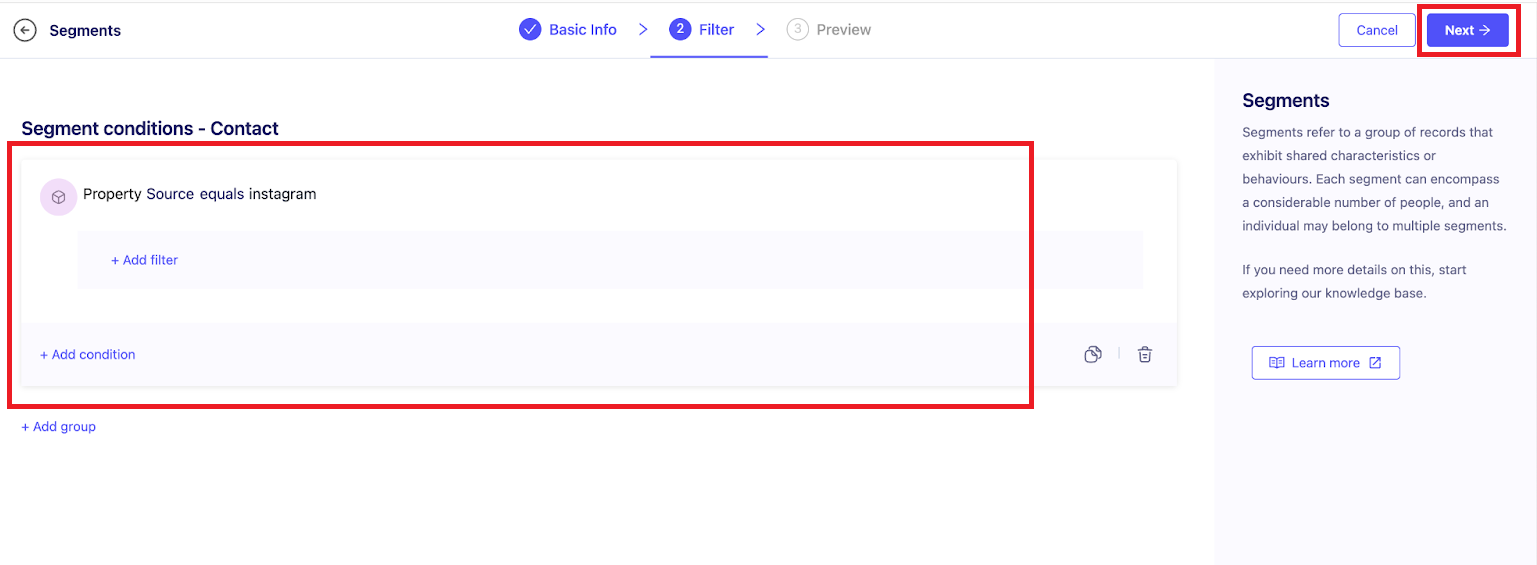
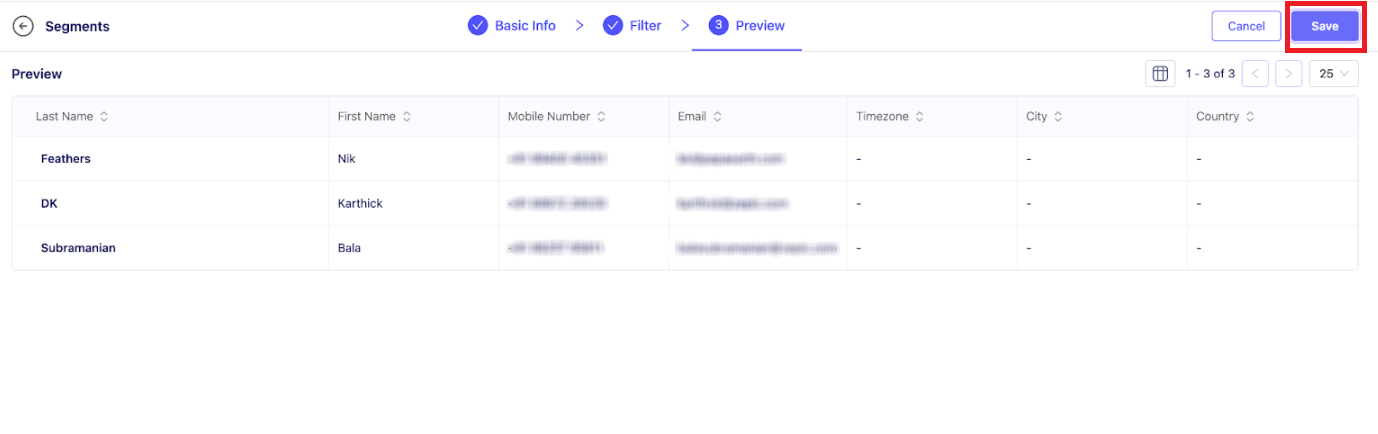
Click Save
Instagram Post Engagers
Instagram Story Engagers
Instagram Reel Engagers
Instagram Email Lead
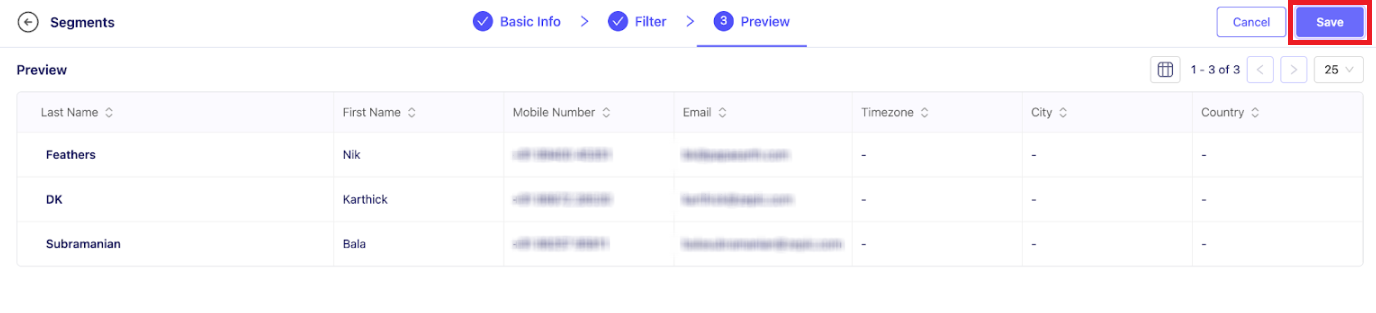
Instagram Phone Leads
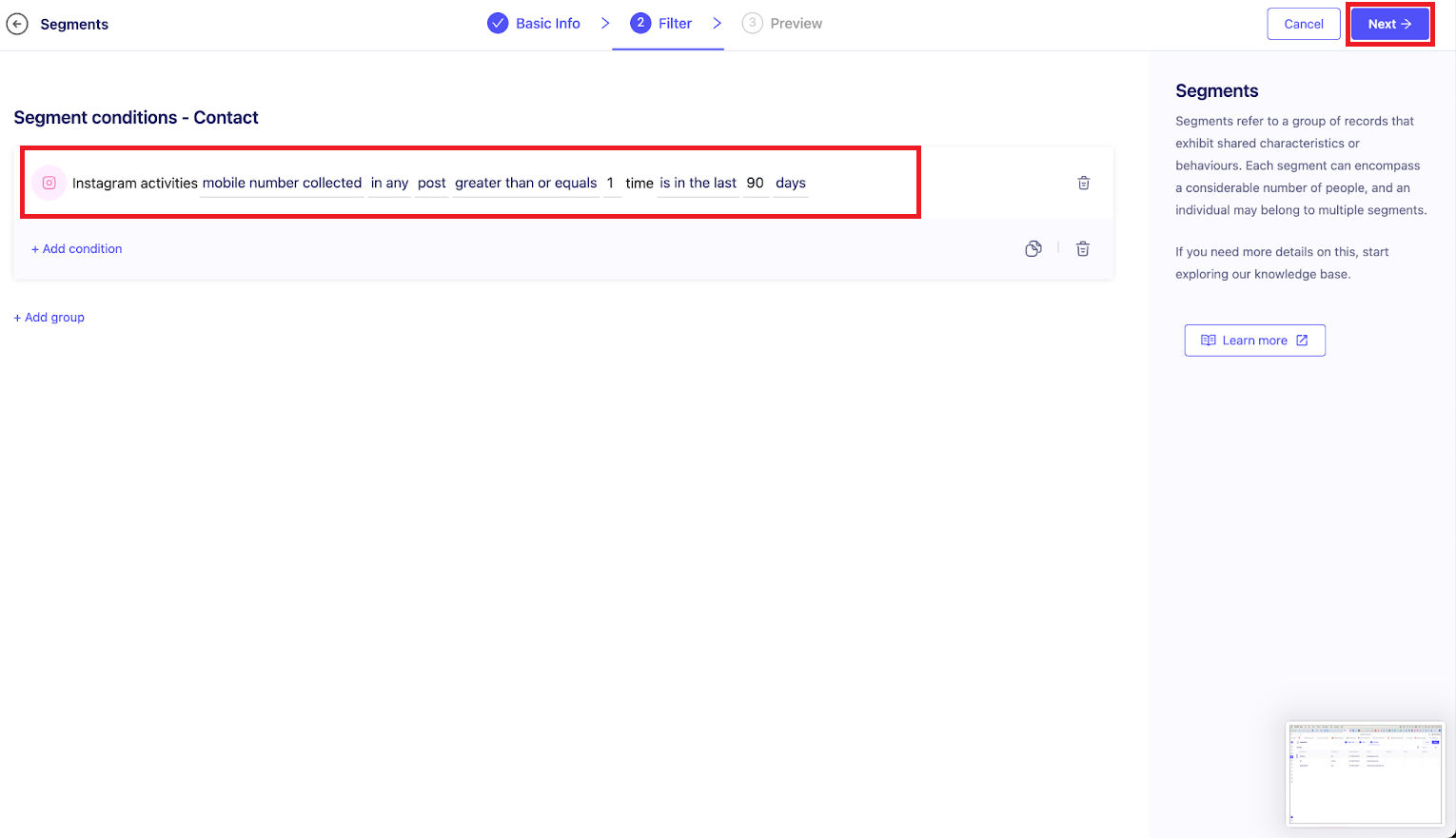
You can also combine Instagram activities with contact properties and other channel data. These segments allow you to target the same users via WhatsApp and Email, enabling a true omnichannel experience.
By doing this, you can create automation flows that respond to users based on their query and channel. Want to know how? Here’s how you can automate Instagram comment replies on ZEPIC.
Was this article helpful?
That’s Great!
Thank you for your feedback
Sorry! We couldn't be helpful
Thank you for your feedback
Feedback sent
We appreciate your effort and will try to fix the article
