How to automate replies on Instagram to specific keywords using ZEPIC (Keyword Specific)
This article explains how to set up a keyword-based automation for an Instagram post.
But before you go ahead with it, you should make sure your Instagram Business Account is connected to ZEPIC. If not, follow this guide: How to Integrate Your Instagram Business Account with ZEPIC
Why You Need Instagram Automation Replies to Specific Keywords
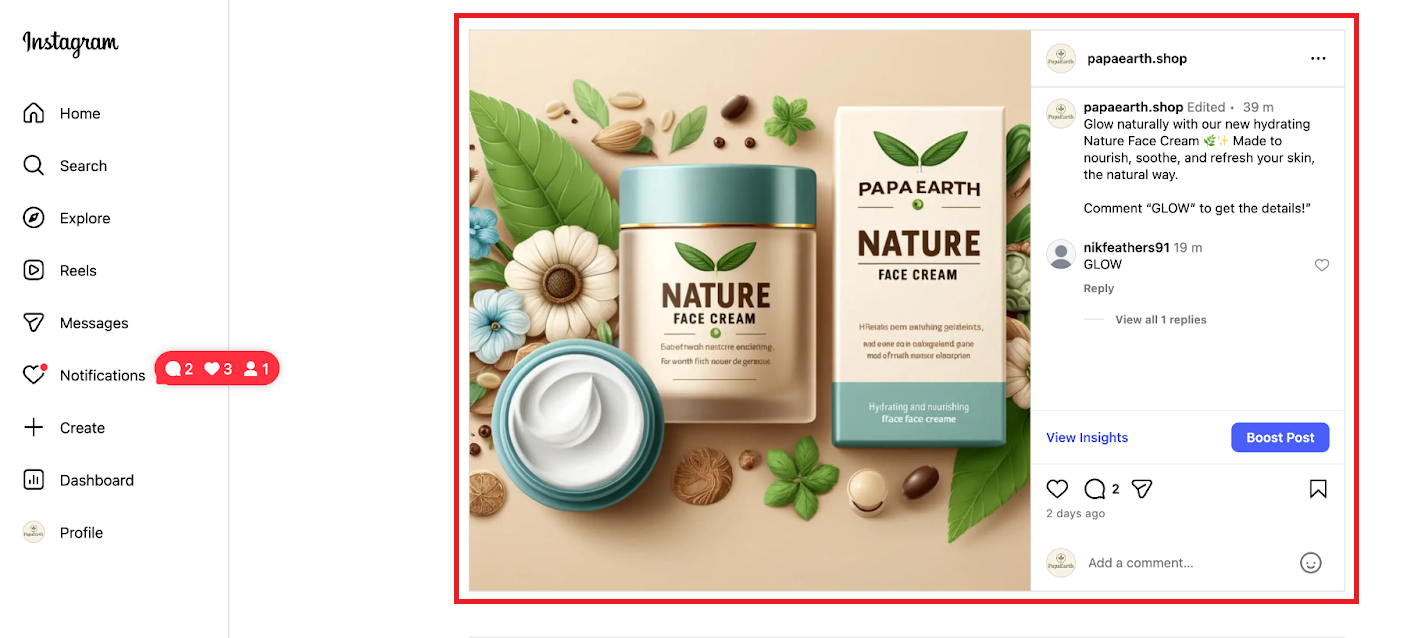
Imagine Papaearth is running a new offer for their “Face Cream.”
Whenever someone comments “GLOW” on the post, they want to send:
· A customized reply in the comments
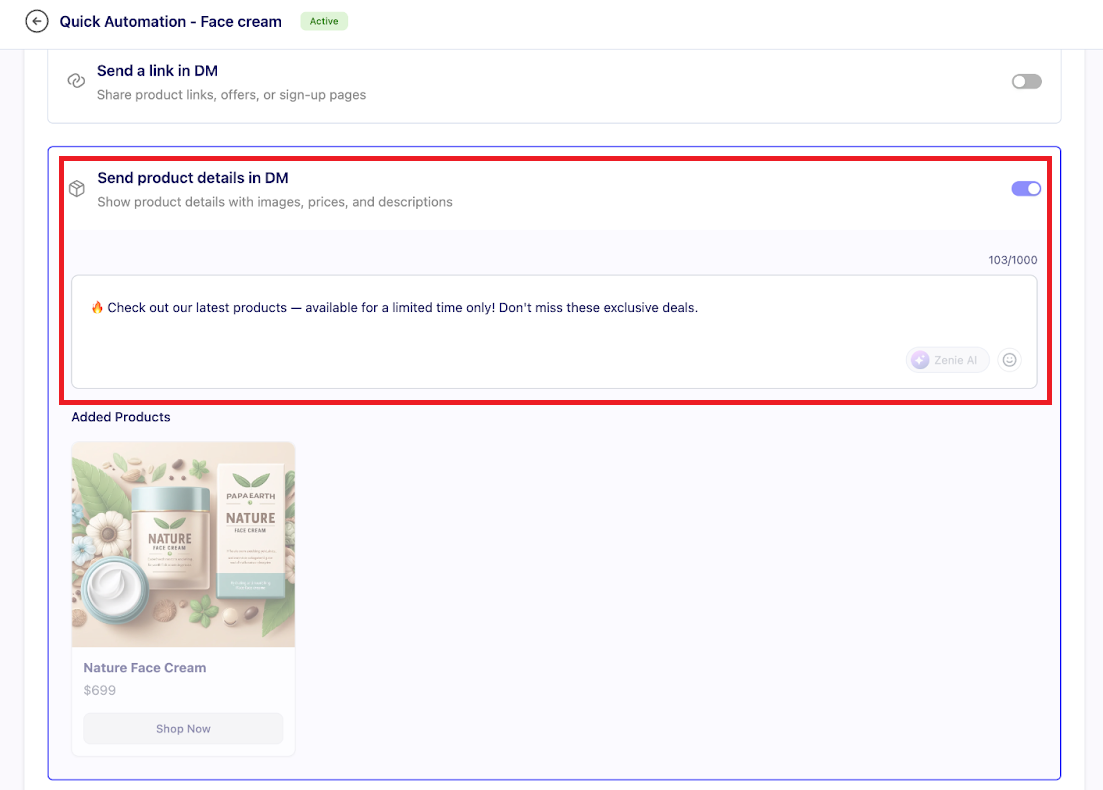
· Product details directly to the user’s DM
By automating replies to posts on ZEPIC based on keywords, you make user engagement a whole lot quicker and effortless.
How to Set Up Your First Automation for Replies to Specific Keyword
Step 1: Go to your ZEPIC account
Log in to your ZEPIC dashboard.
Step 2: Navigate to Instagram
On the left menu, click Instagram.
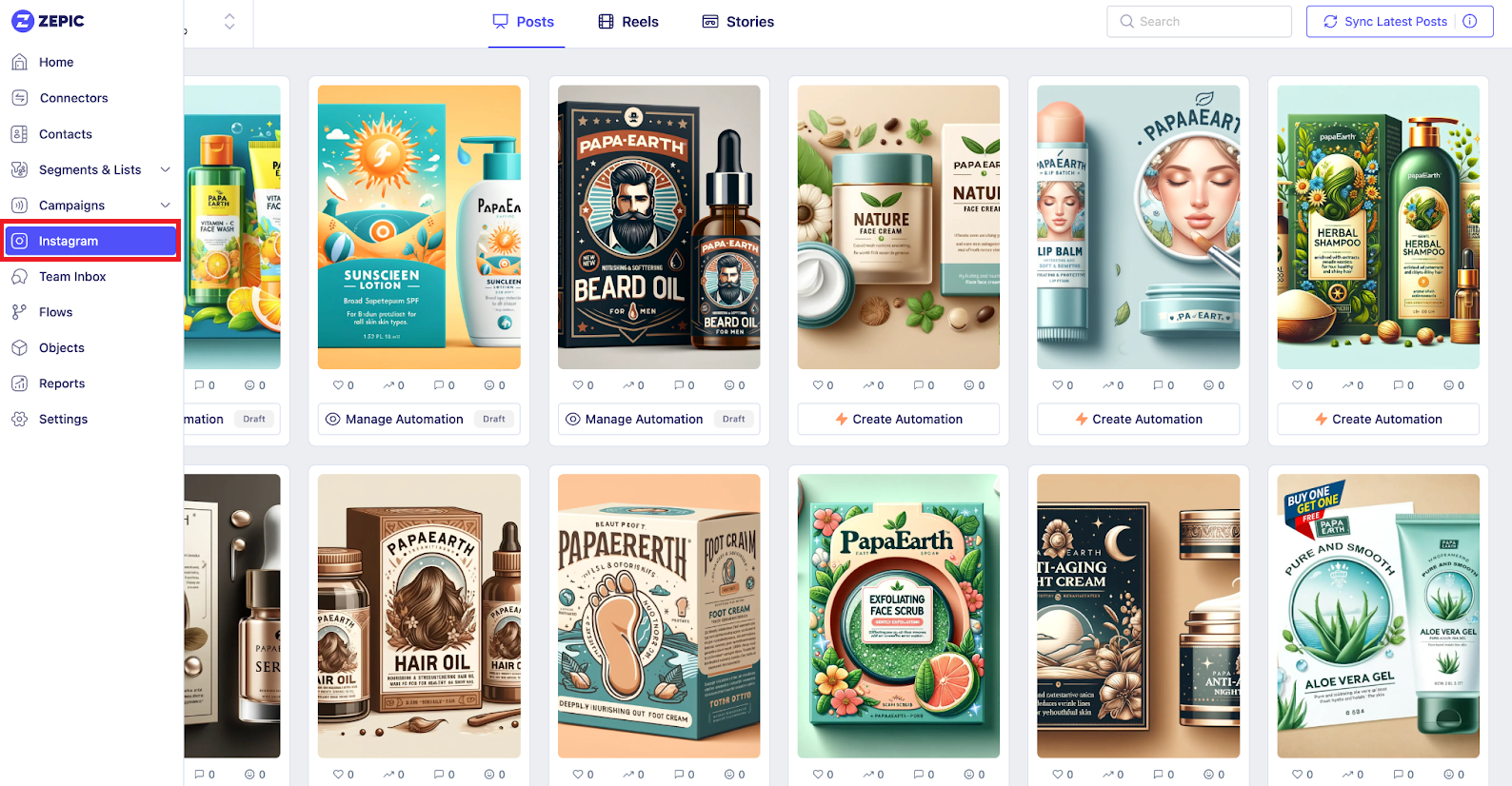
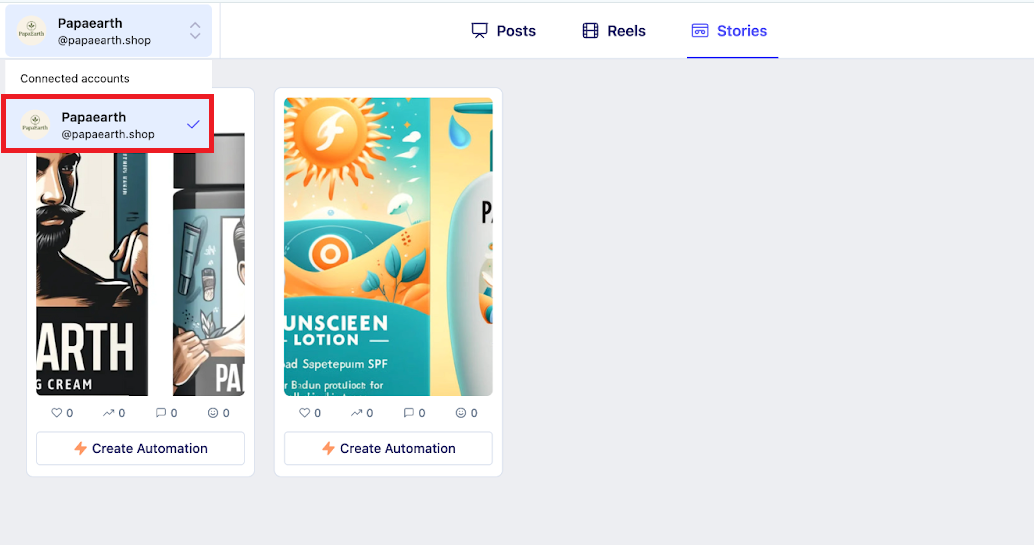
Step 3: Choose Your Instagram Account
If you have multiple accounts connected, you can just select the one you want to automate.
Step 4: Pick the Post
Select the content where you want automation to run.
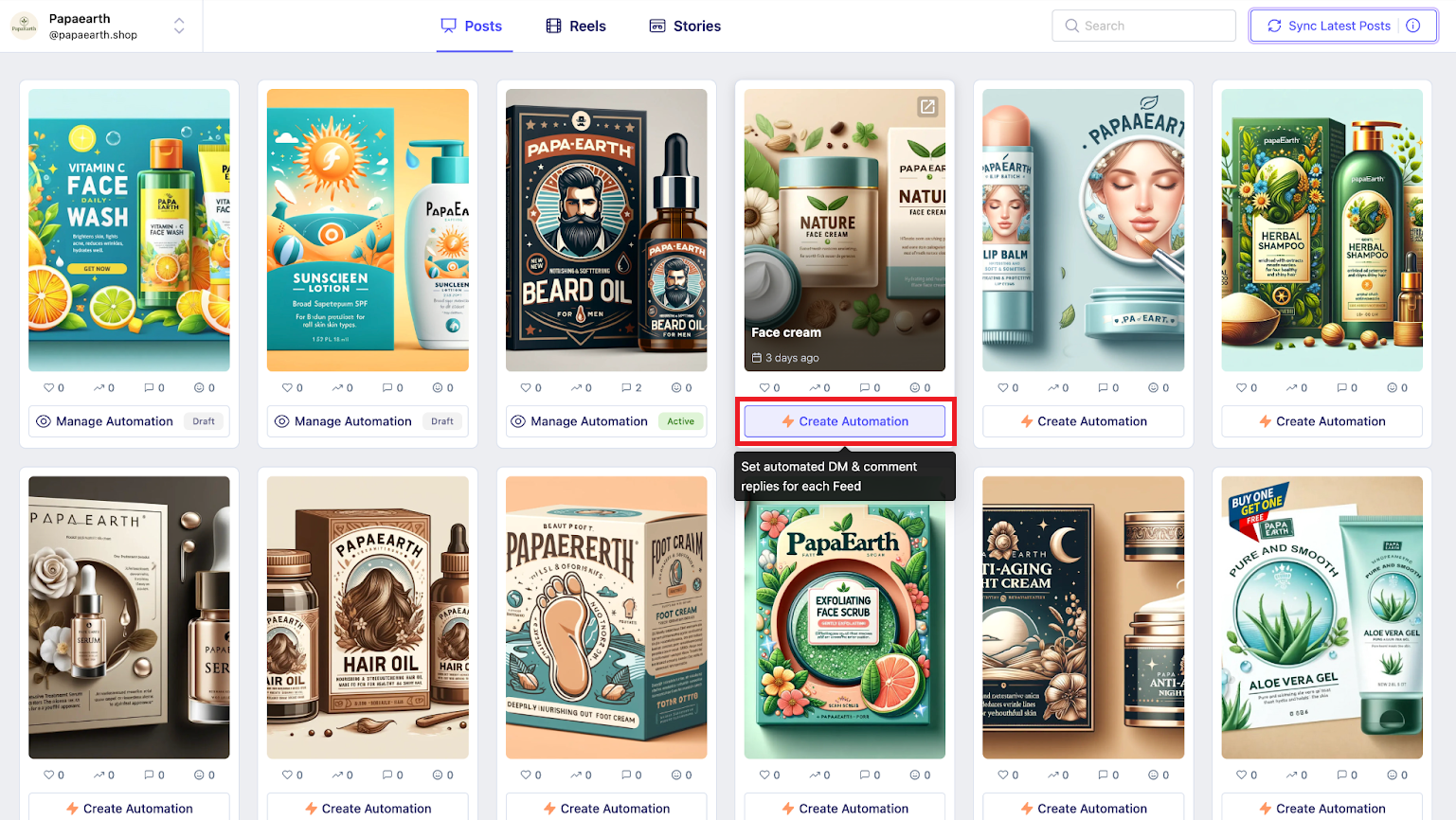
Step 5: Click Create Automation
This opens the automation builder.
“Choose when someone comments with specific words” option and add the keyword “GLOW”
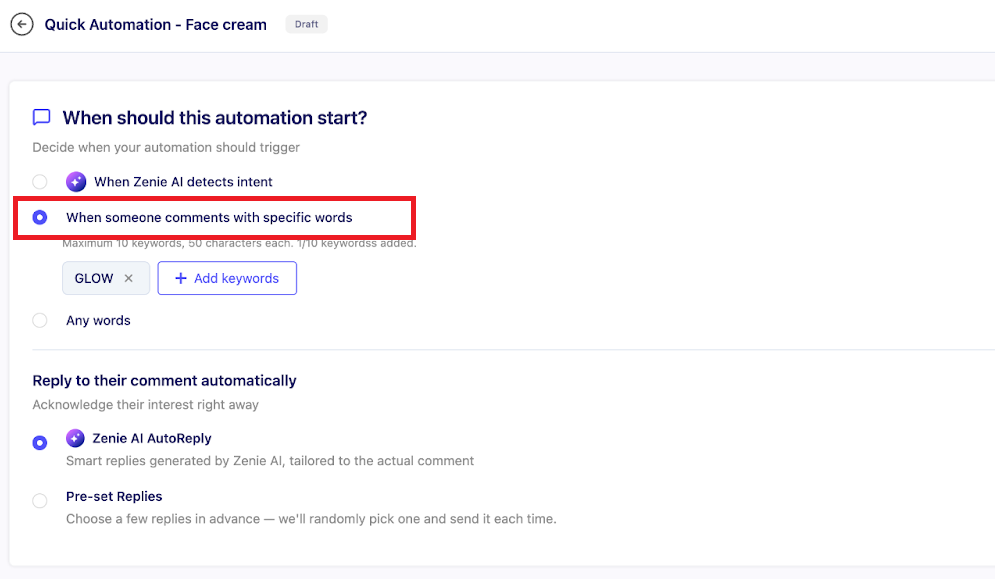
If you enable “Reply to their comment automatically,” ZEPIC will instantly reply whenever someone comments “GLOW.”
Sending the product details in DM
Instagram allows only one initial message to users who interact with a post—unless they reply. Once the user responds, you can exchange unlimited messages within a 24-hour window.
Because of this, we recommend:
1. Send an Introduction DM to open the conversation
2. Once they reply, send the Product Details
This helps make sure that your flow stays compliant and effective.
Summary (Simplified)
Whenever a user comments “GLOW” on the Instagram post:
1. An automated comment reply is sent
2. Then an introduction DM is sent
3. When the user replies to the DM, the product details are delivered
Let’s see it in action:
Was this article helpful?
That’s Great!
Thank you for your feedback
Sorry! We couldn't be helpful
Thank you for your feedback
Feedback sent
We appreciate your effort and will try to fix the article
