How to tag Conversations Based on Customer Keywords
Use the Conversation Status Change trigger in ZEPIC to apply conversation tags when eligible customer text contains specific words or phrases.
Tags help your team identify the topic of an enquiry and organize conversations for follow-up. For example, you can tag pricing enquiries as Pricing, demo requests as Demo Request, or refund enquiries as Refund.
Supported Channels
When to Use This Flow
Use this flow to categorize qualifying newly opened or reopened conversations based on customer text.
Create a separate flow for each keyword category and its corresponding tag. These examples are literal keyword rules; they do not infer the customer’s intent.
Recommended Settings
Selecting Open includes qualifying initial Open events and eligible reopens. It is not a separate new-conversation-only or reopen-only filter.
How to Configure the Flow
Step 1: Add the Trigger
Create a flow using the standard Contact object and add the Conversation Status Change trigger.
Step 2: Select Open
Choose Open as the destination status to categorize qualifying conversations when they open or reopen.
Step 3: Choose the Channels
Select:
Any to include WhatsApp, Instagram, and SMS.
Specific to include selected channel types and, optionally, individual accounts.
For a selected channel type, leaving individual account selection empty includes all accounts of that type.
Step 4: Add the Keyword Condition
Choose Specific keywords and configure a Contains condition.
For a pricing-enquiry flow, add:
price
pricing
quote
Any keyword within the condition can satisfy it. You do not need a separate condition for each keyword.
Step 5: Configure Re-enrollment
Enable re-enrollment if the contact should qualify again on later eligible status events.
Disable it if this should be a one-time workflow for the contact and launched flow version. Re-enrollment is contact-based, not tracked separately for each conversation.
Step 6: Add the Conversation-Tagging Action
Connect the trigger to Add Tags to Conversation and configure the category tag—for example, Pricing.
The action adds the configured tag to the conversation resolved for the contact and channel, preserving existing tags.
Step 7: Validate and Launch
Validate the flow, resolve configuration errors, and launch it.
Only the Active flow’s launched definition is used. Publish draft changes before expecting them to affect the running flow.
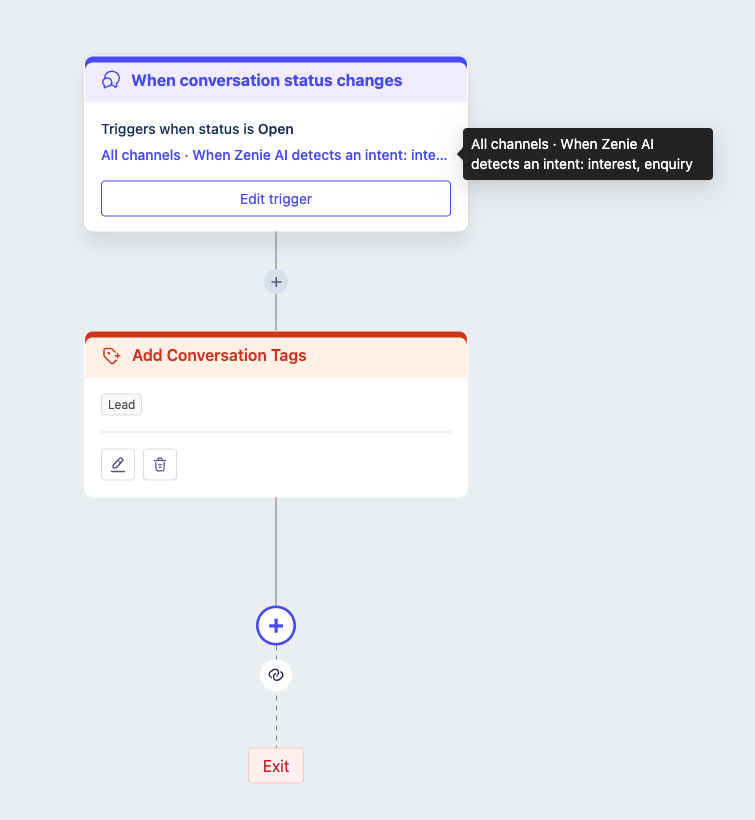
Example: Apply a Pricing Tag
Configure the flow with:
A customer starts a qualifying Open conversation with:
Can you send me a quote for your service?
The text contains quote, so the flow qualifies and runs the tagging action.
How Keyword Matching Works
Contains matching is:
Case-insensitive: QUOTE and quote both match.
Literal: It searches for the configured text, not its meaning.
Substring-based: price also matches pricelist.
Choose phrases carefully to reduce unrelated matches. Use ZENIE intent instead when meaning-based categorization is required.
Was this article helpful?
That’s Great!
Thank you for your feedback
Sorry! We couldn't be helpful
Thank you for your feedback
Feedback sent
We appreciate your effort and will try to fix the article