Display Conditions in Email Templates - Personalize Emails for Every Audience
Display Conditions in ZEPIC let you show specific rows of your email only to the customers who actually need to see them.
For your marketing and CRM teams, this means one email can do the work of many.
You can send city-based offers, country-specific promotions, and demographic-driven content all out in a single send to exactly the right people.
Here’s how it works.
How Do Display Conditions Work in ZEPIC?
Display Conditions in ZEPIC let you take control of the visibility of individual rows within your email template, based on criteria tied directly to your contact data.
Only the rows you have set up with conditions will show up or stay hidden, depending on whether the recipient meets the criteria you have put in place.
- •You can apply up to 5 Display Conditions per row, picking out audiences by city, country, demographic, or any other data attribute you hold on that contact.
Setting Up a Display Condition: Step-by-Step
Adding a Display Condition to any row in your email template is something you can get done in just a few steps. And once it is set up, it runs on its own every time.
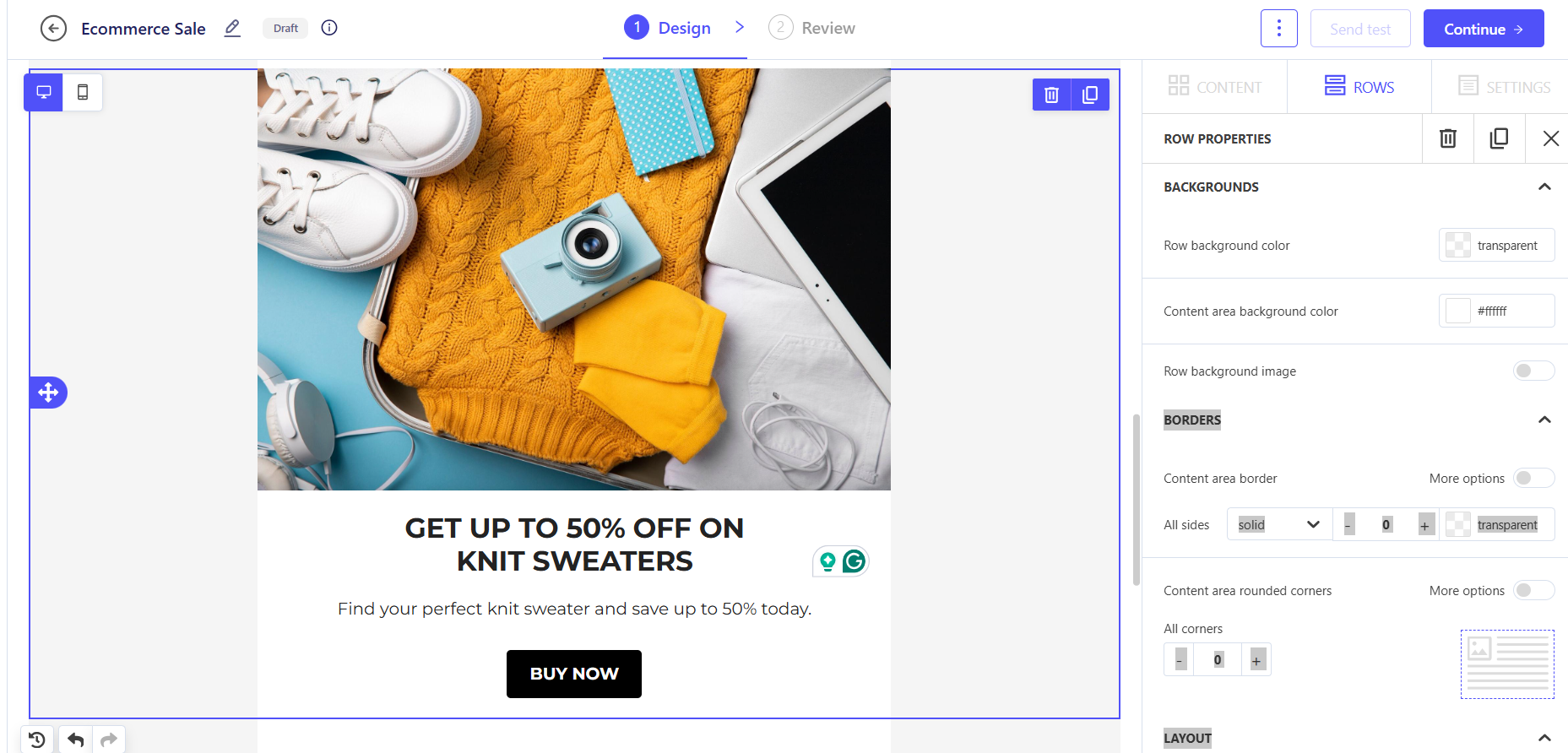
- 1. Open your email template in ZEPIC and click on the row you want to conditionally display.
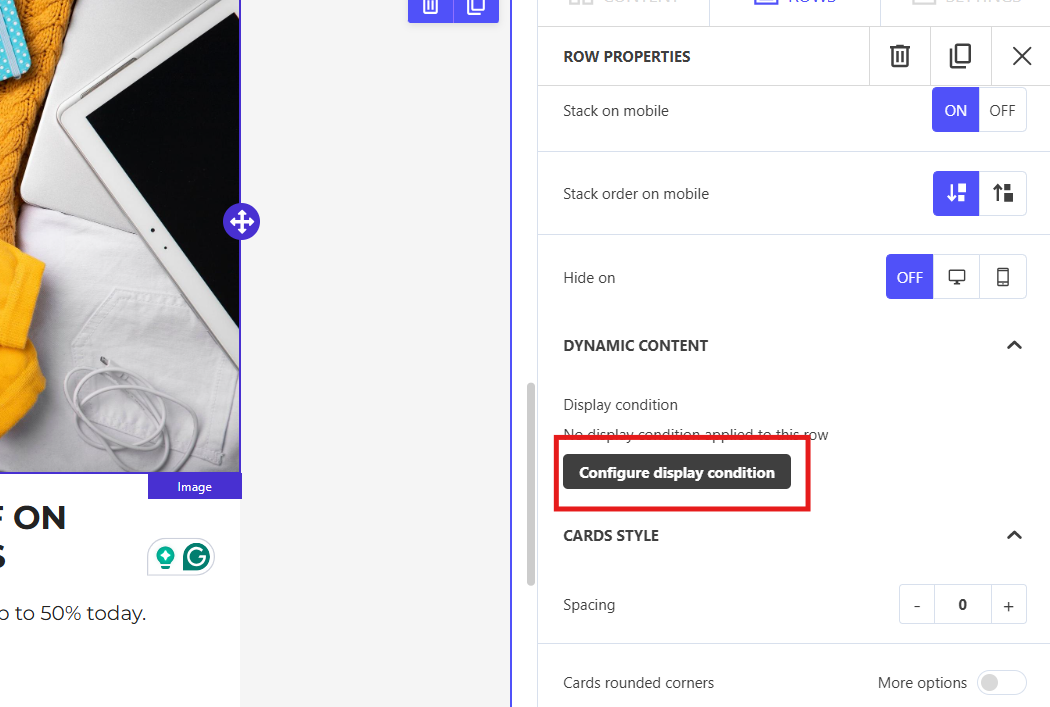
- 2. Head over to the row settings and look for the Configure Display Condition option in the side panel.
- 3. Set your condition by choosing the attribute (city, country, demographic, or a custom field) and fill in the value it needs to match.
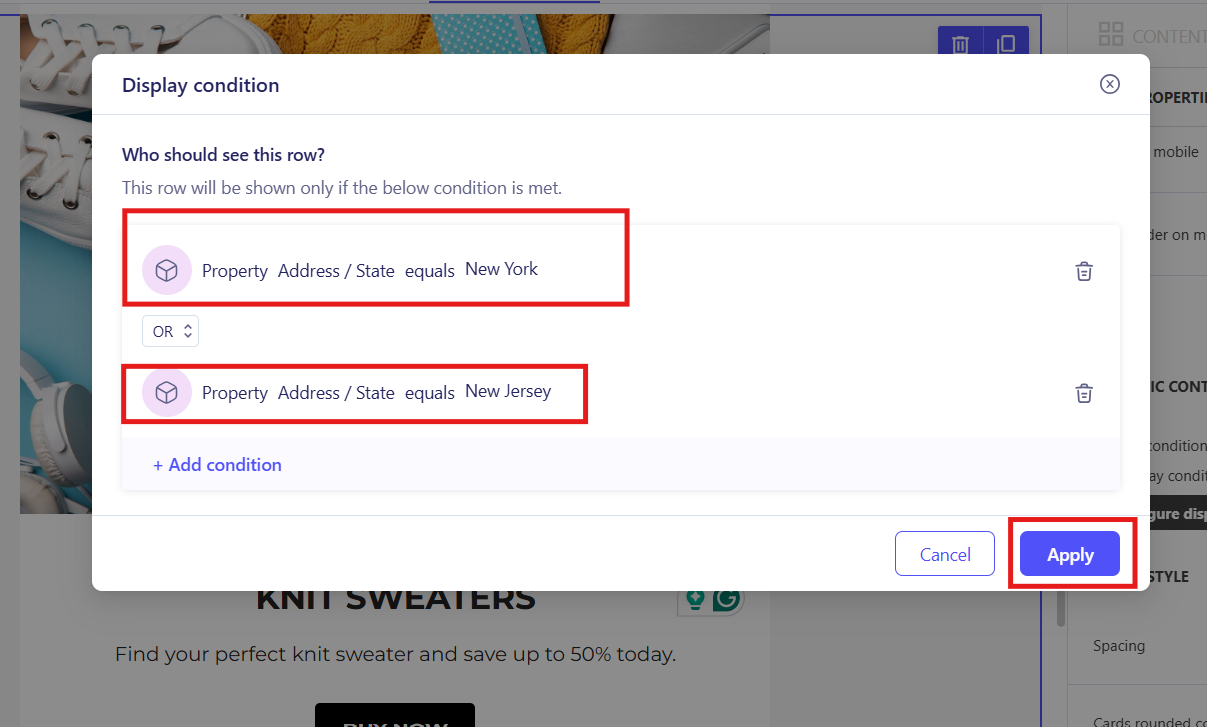
- 4. You can add up to 5 conditions per row to layer your targeting or cover multiple qualifying segments at once.
- 5. Save and preview your email. Only the contacts that match your criteria will see that row once the email lands in their inbox.
Why Display Conditions Make Your Email Strategy Stronger
Sending one blanket version of an email to your entire list often means most people come across messaging that has nothing to do with them. So why not fix that without adding more work to your plate? Display Conditions make that possible:
- •Relevance Without Complexity: Get highly relevant content in front of specific segments without having to duplicate your templates or break up your campaigns into separate sends.
- •Faster Campaign Execution: Build it once and let the conditions handle the targeting from there. No more keeping track of ten versions of the same email going out at the same time.
- •A Better Contact Experience: Your customers only come across what applies to them, which makes every email feel more deliberate and far less like a generic bulk send.
Use Cases: E-commerce, D2C, and Service Businesses
Display Conditions open up genuinely powerful personalization for businesses across different models. Here is a look at how each one can put this feature to work:
| Business Type | Display Condition Use Case |
|---|---|
| E-commerce Stores | Show a region-specific discount banner only to customers in qualifying cities or countries. |
| D2C Brands | Surface a new product launch section only to a specific demographic, for example a skincare line aimed at a particular age group. |
| Service Retailers | Push a seasonal service or location-specific offer to customers in the relevant area. |
Want to go further with personalization? Check out our guide on Auto replies in WhatsApp and Setting up WhatsApp chatbots in ZEPIC!
Was this article helpful?
That’s Great!
Thank you for your feedback
Sorry! We couldn't be helpful
Thank you for your feedback
Feedback sent
We appreciate your effort and will try to fix the article