WhatsApp Chatbot Capabilities - Overview and Features on ZEPIC
Using WhatsApp Chatbots in ZEPIC allows you to automate customer support and handle user interactions without any hassle!
For your customer success and sales teams, conversational paths using ZEPIC Flows can help you instantly respond to common queries and get customer details.
Helping your team to focus on more complex and better high-value work! (if you are a one-man or small team, even more so!) - Here’s how you can use them.
How do WhatsApp Chatbots on ZEPIC Work?
WhatsApp chatbots in ZEPIC are powered by Flows, a visual automation builder that maps out every stage of the customer journey.
WhatsApp chatbots in ZEPIC can gather missing customer details, such as email addresses, and update that information in your Shopify database, CRM, or external ticketing tools using integrations, Webhooks, and API keys.
- •This allows the bot to handle everything from lead generation to real-time database updates without manual intervention.
- •With this, you can initiate conversation flows automatically when users type specific phrases like "Price please" or "Support."
- •Create multiple branch conversations to provide personalized answers based on user replies.
Why WhatsApp Chatbots Are Essential
Automating your WhatsApp channel helps solve the problems of delayed response times and scattered customer data:
- •Always-On Availability: Give your customers instant answers at any time of day or night, reducing frustration and improving overall brand satisfaction.
- •Better Human Handoff: Allow a human agent to step in smoothly when a conversation becomes too complex, ensuring no customer is left frustrated.
- •Automated Data Sync: Instantly update external systems like your CRM or helpdesk without relying on manual data entry, ensuring your records are always accurate.
Main Capabilities: Automating Support and Data
The method for building a successful chatbot requires taking advantage of its core routing and flow functions.
1. Personalized Conversations via ZEPIC Flows
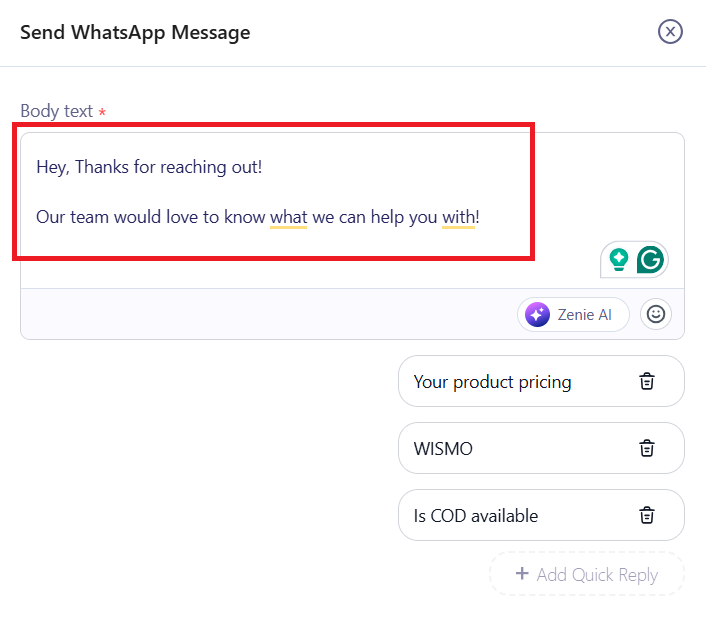
- •Design custom responses based on how you want the conversation to go, guiding users through order tracking, return policies, or service scheduling.
- •Use interactive buttons and list messages to make navigation simple for the user on a mobile screen.
2. Team Inbox and Human Agent Takeover
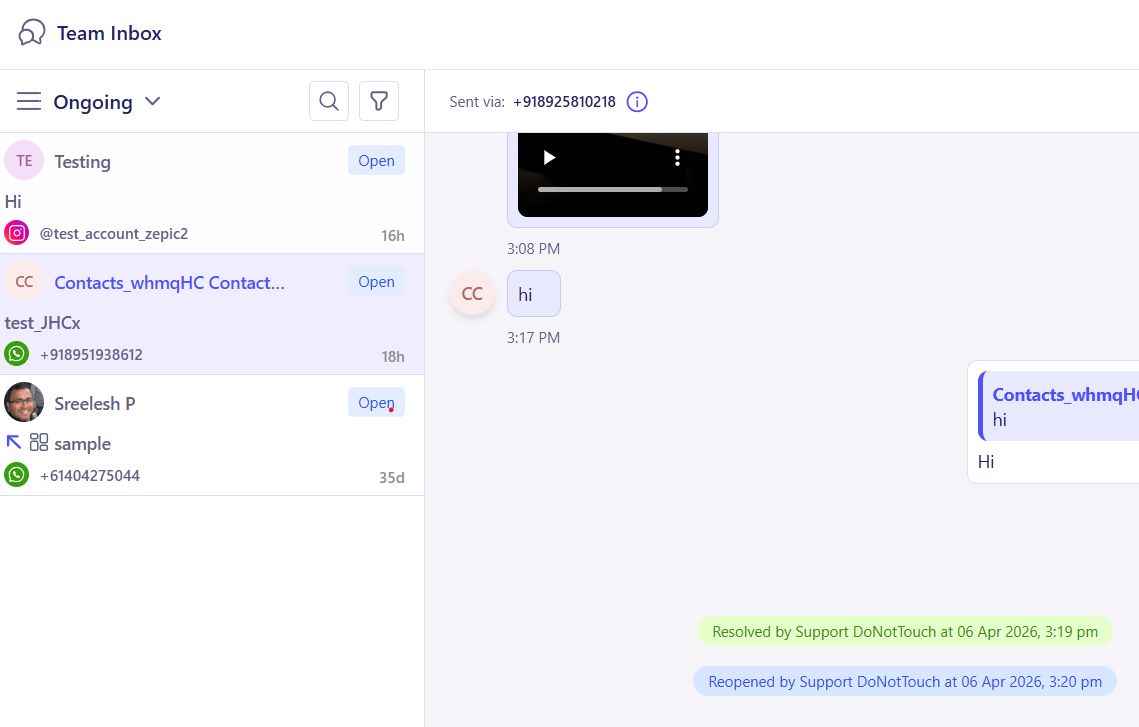
Not every problem can be solved by an automated response, but you can help get the conversation started so customers feel heard!
- •Monitor all active chatbot conversations directly within the Team Inbox section of ZEPIC.
- •Trigger a human agent to step in based on specific user replies or when the conversation reaches a predefined stage in the custom flow.
3. WhatsApp Reply Data Collection and Webhooks
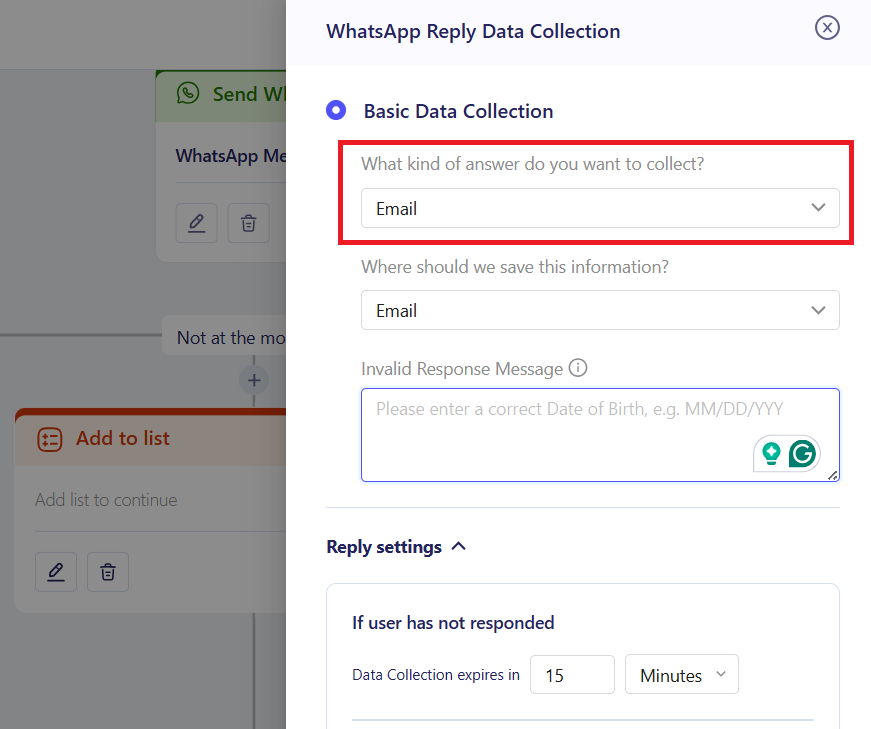
The chatbot connects your WhatsApp conversations directly to your existing software stack.
- •Using WhatsApp you can prompt users to share additional information, such as an email address, directly within the chat interface using Whatsapp reply data collection.
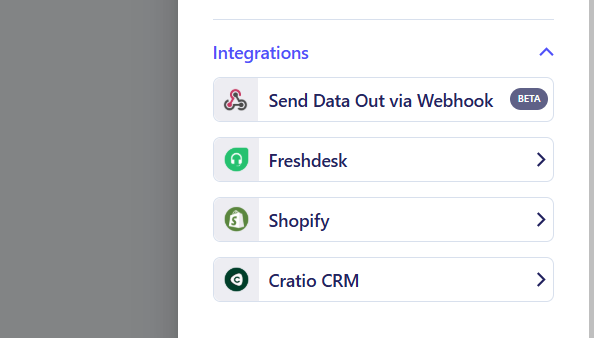
- •Using data collection through ZEPIC's WhatsApp chatbots, then using our Integrations and webhooks, you can to send the collected user data to external databases.
- •The exact moment the user shares it, using ZEPIC WhatsApp chatbot native integrations, you can update Shopify, CRMs or update support tickets.
- •Or alternatively, using webhooks for non-native integrations, you can update this information via API keys, in your own CRM or database.
Industry Use Cases: E-commerce, D2C, and Services
Different business models benefit from these automated capabilities in unique ways:
| Business Type | Primary Chatbot Use Case |
|---|---|
| E-commerce Stores | Automate order tracking inquiries and hand over to a human agent in the Team Inbox for complex refund requests. |
| D2C Brands | Provide automated product recommendations and sync user size or style preferences back to the primary CRM tool using Webhooks. |
| Service Retailers | Manage appointment bookings through custom ZEPIC Flows and automatically update external scheduling software via API. |
Want to know more about WhatsApp flows? Check out our guide on the same!
Was this article helpful?
That’s Great!
Thank you for your feedback
Sorry! We couldn't be helpful
Thank you for your feedback
Feedback sent
We appreciate your effort and will try to fix the article