Enabling WhatsApp Message Automation Using Chatbots with Webhooks
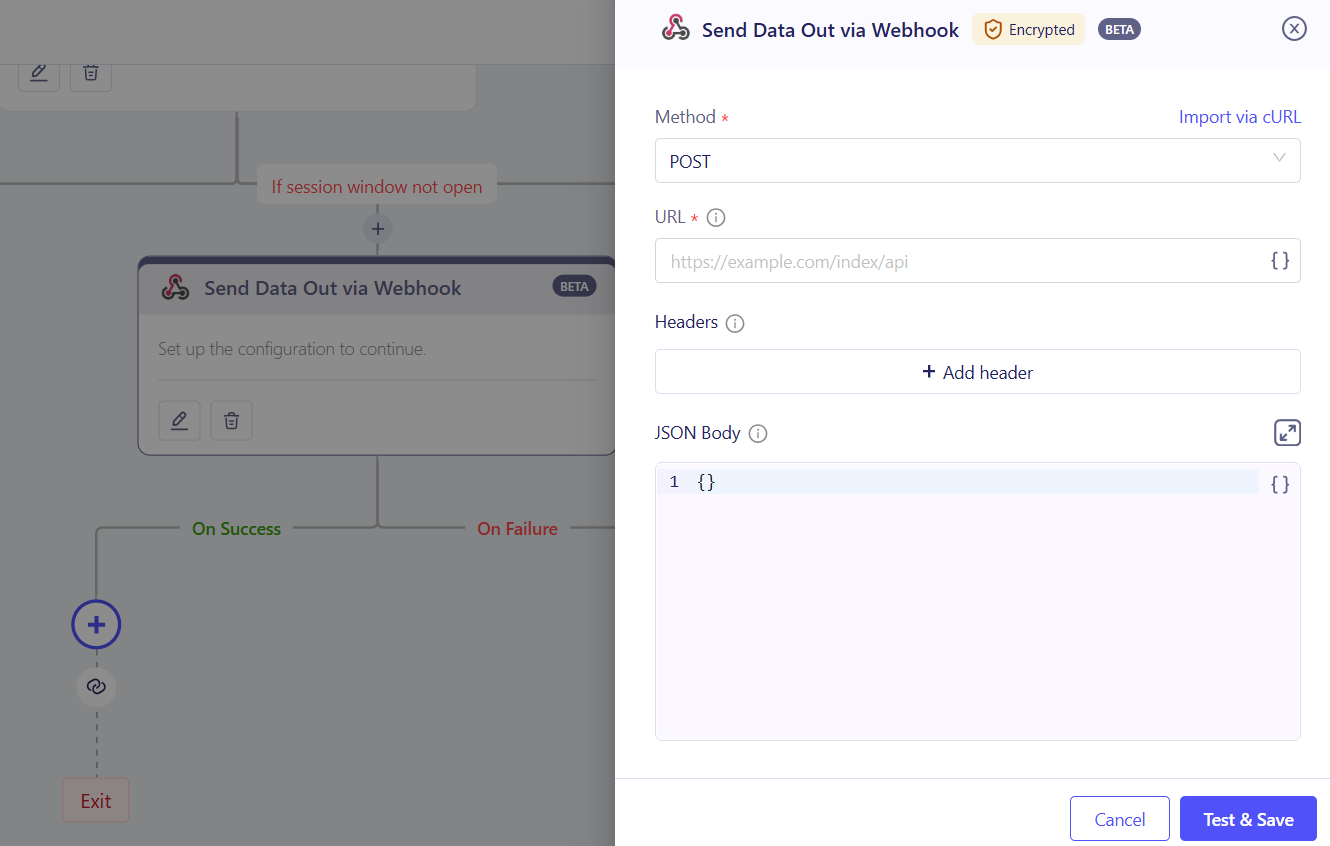
Using Webhooks in ZEPIC can enable your WhatsApp channel to communicate with the rest of your software stack much more quickly.
With this, you can create event-driven, triggered messages that react to customer actions for your brand.
This could be getting information like emails, addresses, or phone numbers in real-time to ZEPIC, as well as your e-commerce platforms, CRM, and ticketing platforms.
Here is how you can use Webhooks in ZEPIC to automate high-value processes.
Why Webhook Integration is Essential
Using Webhooks helps solve the problem of fragmented data and slow communication cycles:
- •Real-Time Synchronization: Updates to a customer’s loyalty points or shipping status in your CRM are instantly reflected in their WhatsApp conversation.
- •Cross-Platform Consistency: Makes sure that your support, sales, and marketing teams are all seeing the same data, no matter which tool they use.
- •Reduced Manual Work: Eliminates the need for staff to copy-paste order details or contact info between different software windows - with you using automated workflows!
WhatsApp Automation Flows for E-commerce and D2C Brands Using Webhooks
These are some examples of how a D2C or e-commerce brand can use API-driven triggers in ZEPIC to improve their customer experience.
1. E-commerce Inventory and Back-in-Stock Alerts
When a user views a product on your e-commerce store that is out of stock, they can opt in for a WhatsApp alert.
This can capture high-intent sales immediately without the user having to check their email - Meaning you can use ZEPIC to follow up on this sale on WhatsApp.
- •An API call from WooCommerce to ZEPIC when the stock level for a specific SKU moves from 0 to 1.
- •ZEPIC instantly sends a WhatsApp message: "Great news! The [Product Name] you liked is back in stock. Click here to grab yours before it sells out again."
2. CRM Lead Enrichment
For high-ticket service retailers or B2B e-commerce using CRM tools, capturing a WhatsApp lead is only the first step.
Meaning, if the deal stage isn't moved to "Sold" within 24 hours, ZEPIC can trigger an automated "Checking in" WhatsApp message.
- •A new contact is created in ZEPIC via a "Price please" WhatsApp inquiry.
- •A Webhook pushes the user's phone number and the product they asked about into a specific CRM deal pipeline.
3. Post-Purchase Loyalty Updates
Encourage repeat purchases by informing E-commerce Platform or similar platform users of their rewards status immediately after checkout.
- •E-commerce sends a "Success" payload to the ZEPIC Webhook URL after a payment is confirmed.
- •With this, a bot can calculate the new loyalty point balance and send a WhatsApp: "Thanks for your order! You just earned 50 points. Only 50 more until your next $20 discount!"
4. Support Feedback Loop
Close the loop on customer issues by triggering satisfaction surveys directly in WhatsApp when a ticketing software or similar platform that the ticket is resolved.
This way, you get better survey response rates compared to email, for better data on your support team's performance.
- •Ticketing software updates a support ticket status to "Solved."
- •ZEPIC receives the Webhook and triggers a WhatsApp flow: "Hi! We've resolved your support request. On a scale of 1-5, how would you rate your experience today?"
Examples of Some Webhook Automation Instances Summarized
| Platform Partner | Webhook Trigger Event | WhatsApp Automated Response |
|---|---|---|
| Order Management Systems | Stock status change to "In Stock". | Personalized "Back in Stock" alert with a direct buy link. |
| CRM Platforms | New Lead creation from WhatsApp chat. | Automated follow-up if the sales rep hasn't contacted them yet. |
| E-commerce Platforms | Order Payment Confirmed. | Immediate Loyalty Point update and referral code invitation. |
| Ticketing Platforms | Ticket Status updated to "Solved". | Request for a 1-5 star rating directly within the WhatsApp chat. |
Want to know more about WhatsApp message automation? Learn how to create automatic responses when away or during non-business hours!
Was this article helpful?
That’s Great!
Thank you for your feedback
Sorry! We couldn't be helpful
Thank you for your feedback
Feedback sent
We appreciate your effort and will try to fix the article