What are pre-built segments, and how to use them
Pre-built segments are groups of users created by ZEPIC based on common data points.
These groups allow you to launch marketing tasks without building every filter from scratch, helping you reach the right people while saving significant time and effort.
Why Using Pre-built Segments is Helpful
• Save Time: No need to build complex filters; the heavy lifting is done for you.
• Consistency: Ready-made groups ensure your marketing logic remains stable across different campaigns.
• Immediate Action: Launch campaigns as soon as your data sources are connected.
Step-by-Step Guide: Segment Selection and Use
Step 1: Go to the Segments Section
Open the ZEPIC menu and select Segments to view your list of user groups.
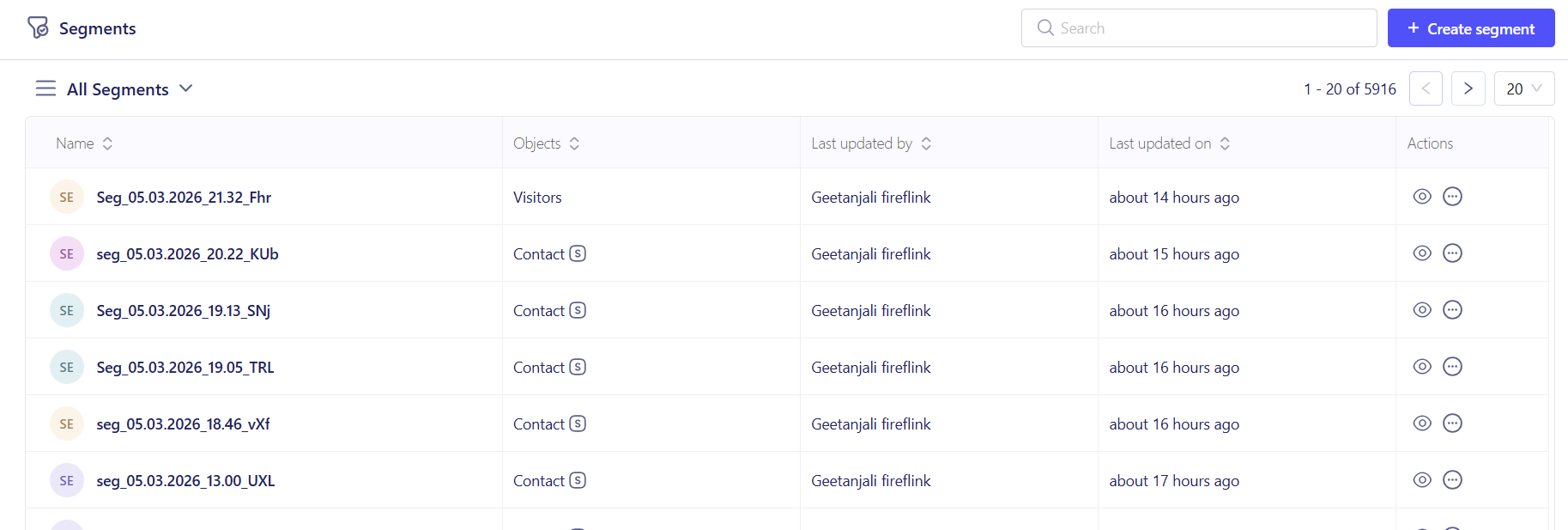
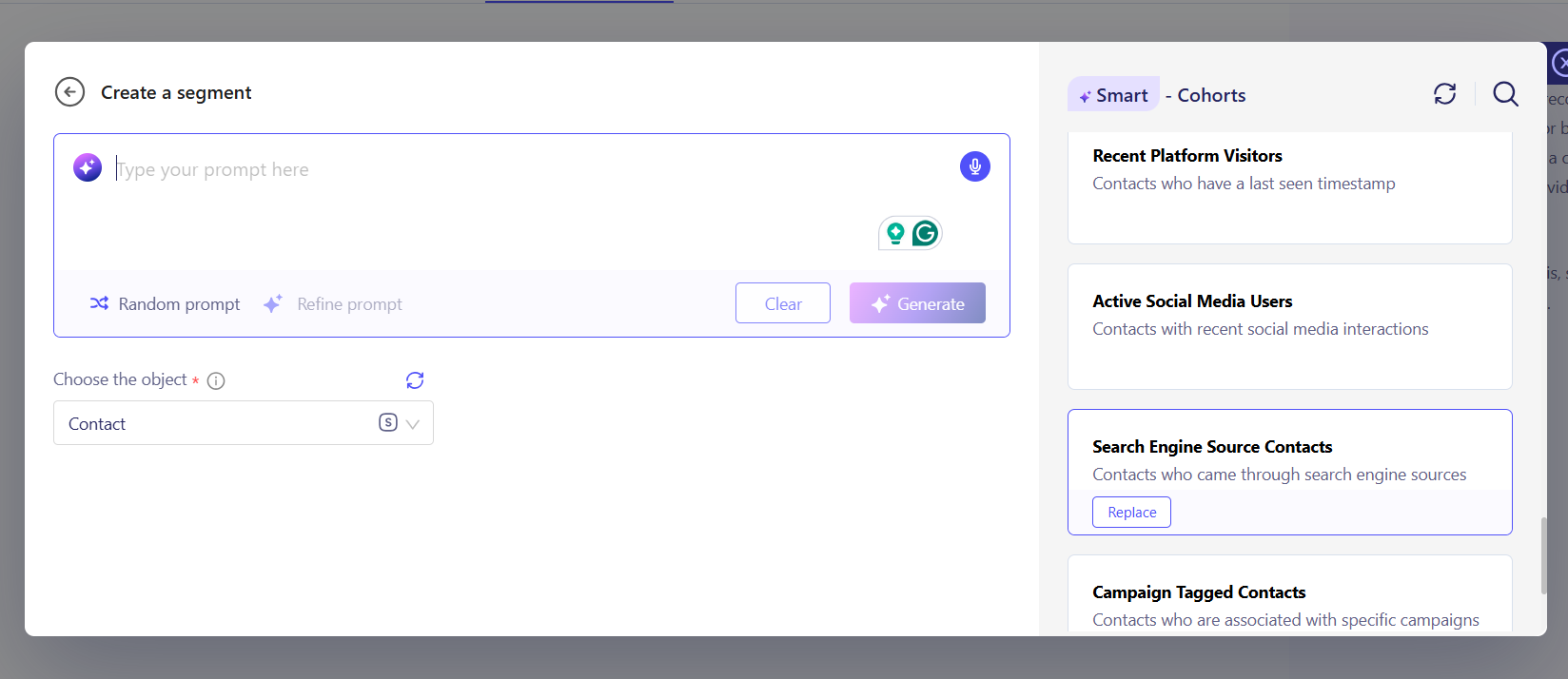
Step 2: Choose a Pre-built Segment
Look for the groups labeled as pre-built or system-generated, or alternatively, quickly create a campaign based on the criteria you want using ZENIE.
Step 3: Review and Deploy
Click the segment name to verify the logic matches your needs. When creating an email or WhatsApp campaign, simply select the group during the Audience Selection phase.
Best Practices: Choosing the Right Group
| Segment Name | Best Usage Method |
|---|---|
| High Value Customers | Use for loyalty rewards or early access to major sales. |
| Cart Abandoners | Send reminders to users who left items in their checkout. |
| Inactive Users | Deploy win-back campaigns to encourage a return to your store. |
Was this article helpful?
That’s Great!
Thank you for your feedback
Sorry! We couldn't be helpful
Thank you for your feedback
Feedback sent
We appreciate your effort and will try to fix the article