Sending WhatsApp OTP Authentication Messages in ZEPIC
WhatsApp OTP authentication in ZEPIC allows your business to deliver secure, real-time One-Time Passwords directly to customer WhatsApp accounts.
By setting up trigger-based WhatsApp campaigns, you can instantly send authentication codes triggered by customer actions on your Shopify store, mobile app, or custom authentication systems using ZEPIC native integrations or incoming webhooks.
Here is a breakdown of how WhatsApp OTP authentication works, key business use cases, and how to get your campaigns configured in ZEPIC.
Setting Up WhatsApp OTP Authentication in ZEPIC: Step-by-Step
Setting up automated WhatsApp OTP delivery in ZEPIC requires building an approved authentication template and connecting it to your event source:
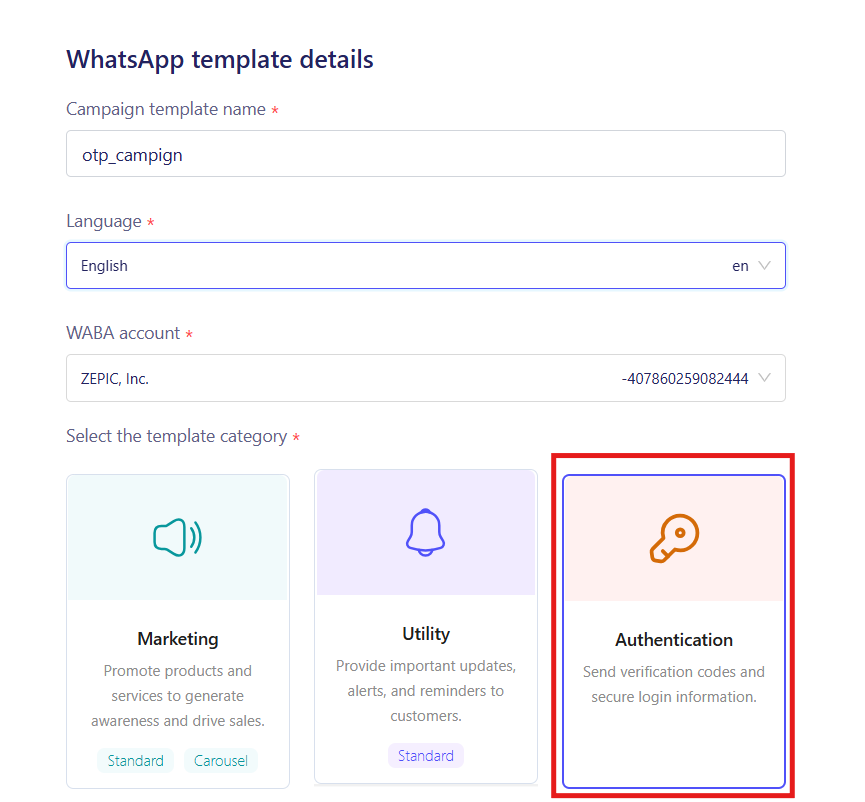
- Create an Authentication Template inside ZEPIC. Because all Meta authentication templates share a standardized layout, template approval is fast and assured.
- Configure your security message warnings, button text, and expiry duration in the template settings.
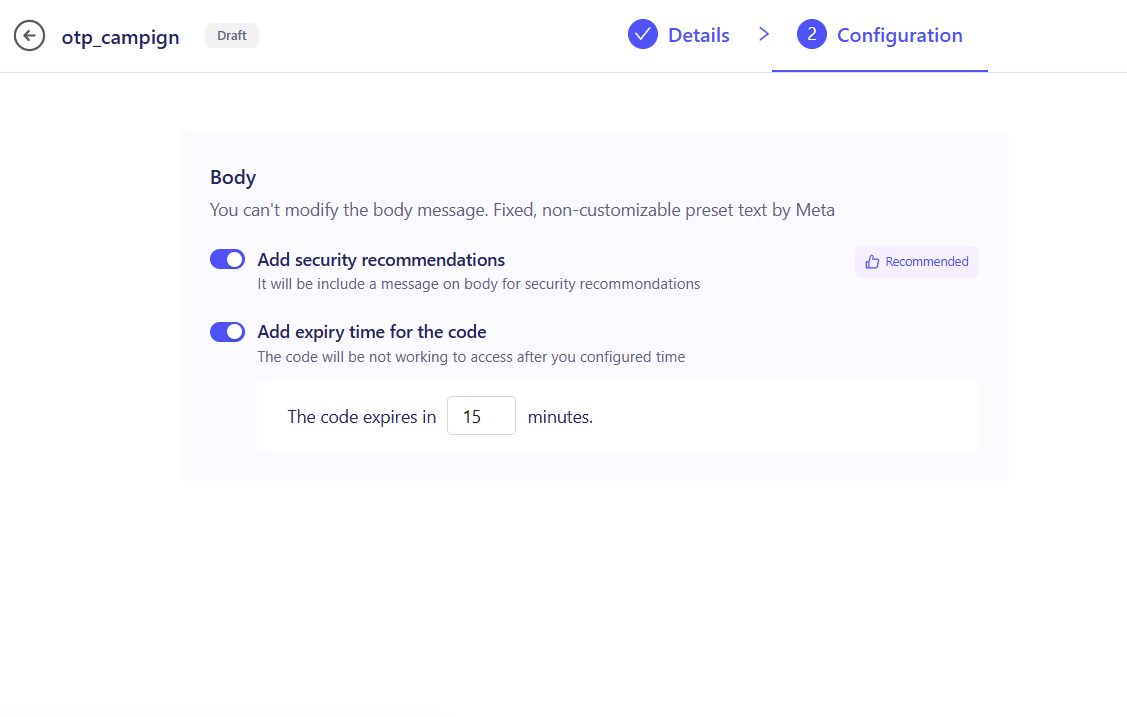
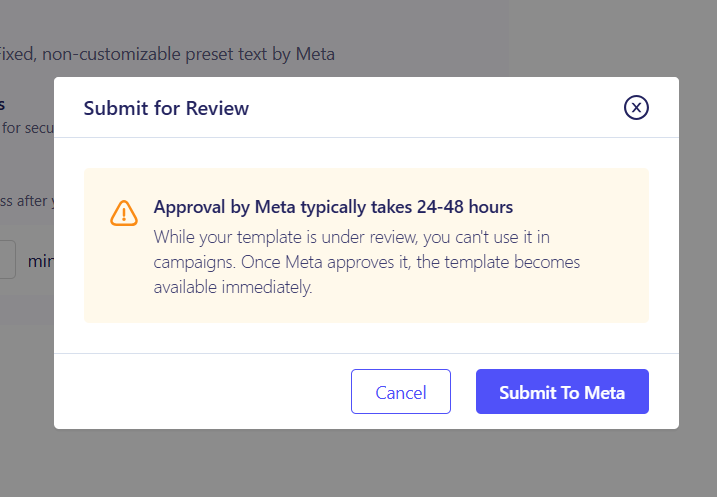
- Connect your data source via ZEPIC native integrations (like Shopify) or create an incoming Webhook endpoint for custom login systems.
- Navigate to WhatsApp Campaigns, create a new Trigger-Based Campaign, and select your approved OTP template as the payload.
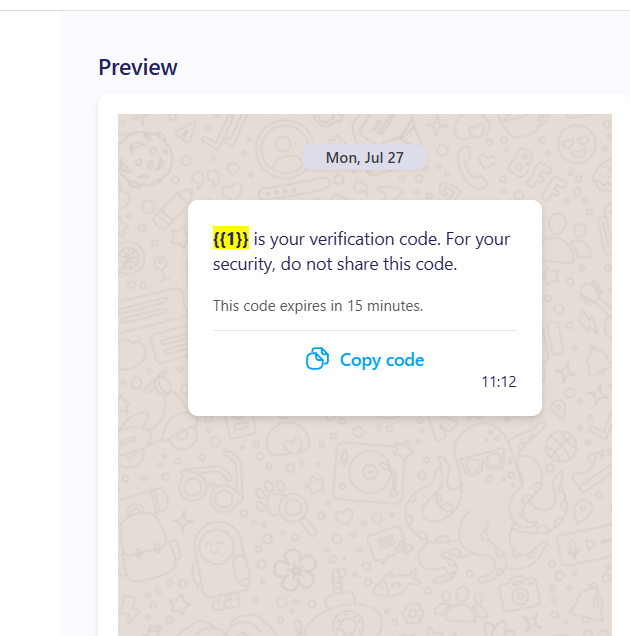
- Customize and launch the campaign to the set of users you want
Business Use Cases for E-Commerce and Enterprise
WhatsApp OTP delivers significantly higher open and delivery rates compared to traditional SMS. Businesses and e-commerce stores rely on WhatsApp OTP for:
- Passwordless Sign-In & Registration: Allow shoppers to create accounts or log in on Shopify using their phone number, eliminating forgotten password friction.
- Cash on Delivery (COD) Verification: Send an automated verification code as soon as a customer selects COD at checkout to confirm authentic orders and minimize Return to Origin (RTO) costs.
- High-Value Transaction Authorization: Prompt customers for secondary authorization before processing large orders, updating shipping addresses, or redeeming store credit.
- Account Recovery & Security Resets: Send two-factor authentication (2FA) and password reset passcodes through an encrypted, trusted channel.
Security Controls and Time Limits
WhatsApp Authentication templates in ZEPIC include built-in safeguards to ensure maximum security:
- Security Warning Messages: Automatically append disclaimers such as "For your security, do not share this code with anyone" directly within the message layout.
- Custom Expiration Limits: Define the exact duration the code remains valid (e.g., valid for 5 or 10 minutes) based on your business preferences.
- One-Tap Copy Code Button: Attach Meta-approved standard action buttons so customers can copy the passcode with a single tap on mobile devices.
Use Cases for WhatsApp OTP Authentication
The table below illustrates common integration setups for sending WhatsApp OTPs in ZEPIC:
| Use Case | Integration Method | Event Trigger |
| COD Order Verification | Native Shopify Integration | New Order Placed (Payment Method = Cash on Delivery) |
| Customer Account Sign-In | ZEPIC Webhook API | User requests OTP on login or registration form |
| High-Value Order Approval | Native Platform / Webhook | Order value exceeds set threshold at checkout |
| Password Reset / 2FA | Authentication Webhook | User initiates password recovery sequence |
Want to learn more about managing message templates?
Check out our guide on getting your WhatsApp templates approved and maintaining quality ratings!
Was this article helpful?
That’s Great!
Thank you for your feedback
Sorry! We couldn't be helpful
Thank you for your feedback
Feedback sent
We appreciate your effort and will try to fix the article