How to search and view conversation history in WhatsApp Team Inbox
As a marketer or support manager, few things are more damaging to customer trust than asking a user to repeat information.
When a high-value customer returns to chat, your team must be able to instantly retrieve their complete history. No matter whether the conversation happened yesterday or six months ago.
The search and customer history feature in ZEPIC's Team Inbox guarantees context is never lost, and here’s how you use it.
Step-by-step guide: Searching conversation history
The ZEPIC Team Inbox is designed to make finding the right conversation and information intuitive and fast.
Step 1: Accessing the search bar
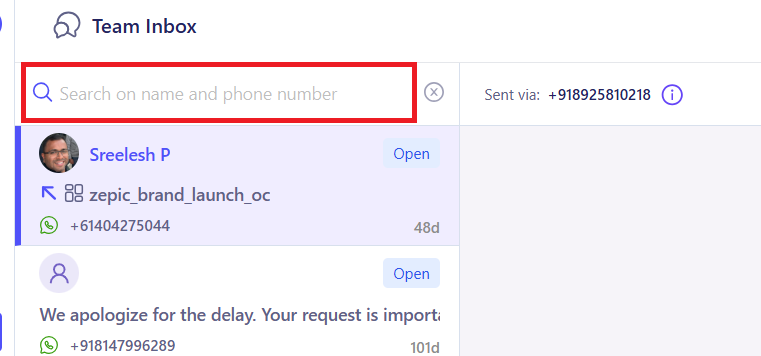
The primary search bar is your starting point for finding any contact or keyword.
Locate the Search Bar in the main header or sidebar of the Team Inbox dashboard.
You can search by the customer's phone number or the customer's name
The system will quickly display matching contacts or relevant messages from the archive.
Step 2: Viewing a contact's full timeline
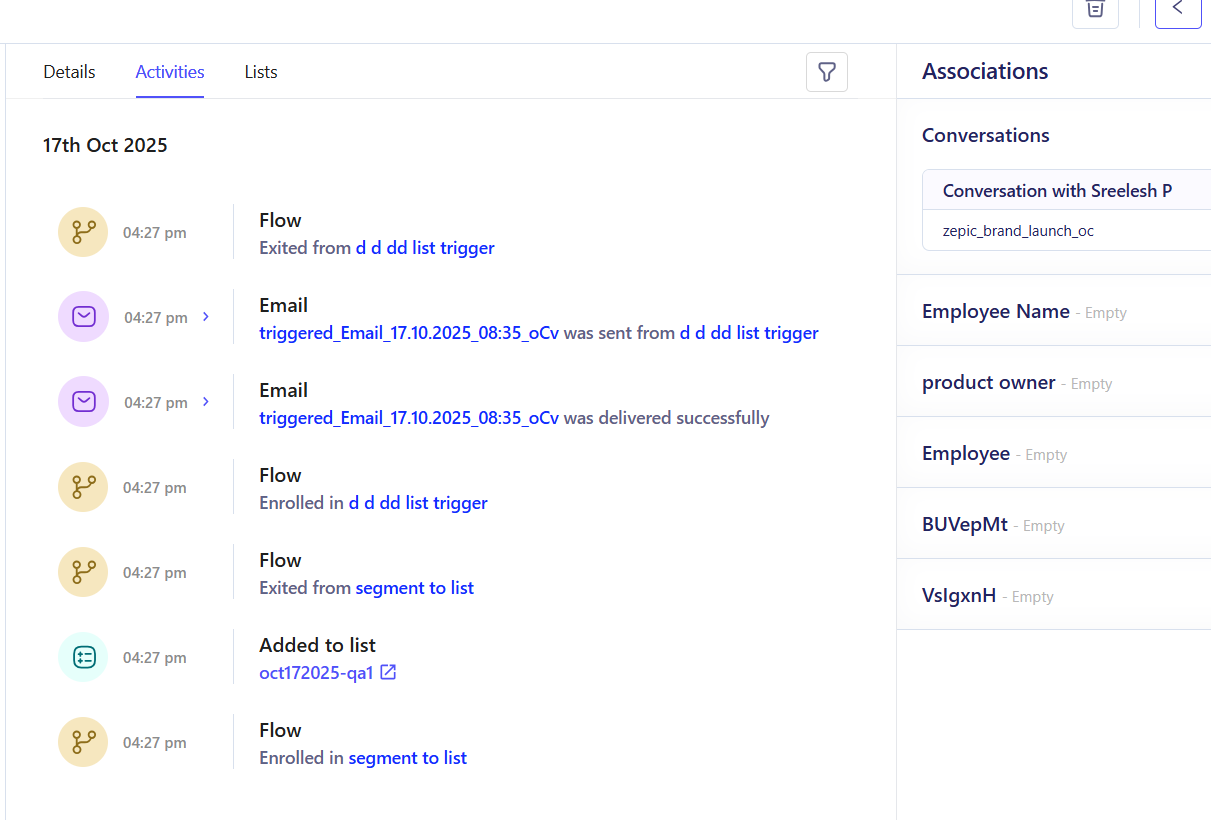
Once you find the contact, you can pull up their consolidated history.
Click on the customer's name or number to open the conversation window.
The main chat panel displays the current and most recent chat thread.
Scroll up to automatically load older messages, providing a continuous, easy-to-read timeline of every interaction this customer has had with your brand via WhatsApp and even emails.
Step 3: Utilizing filters for advanced searches
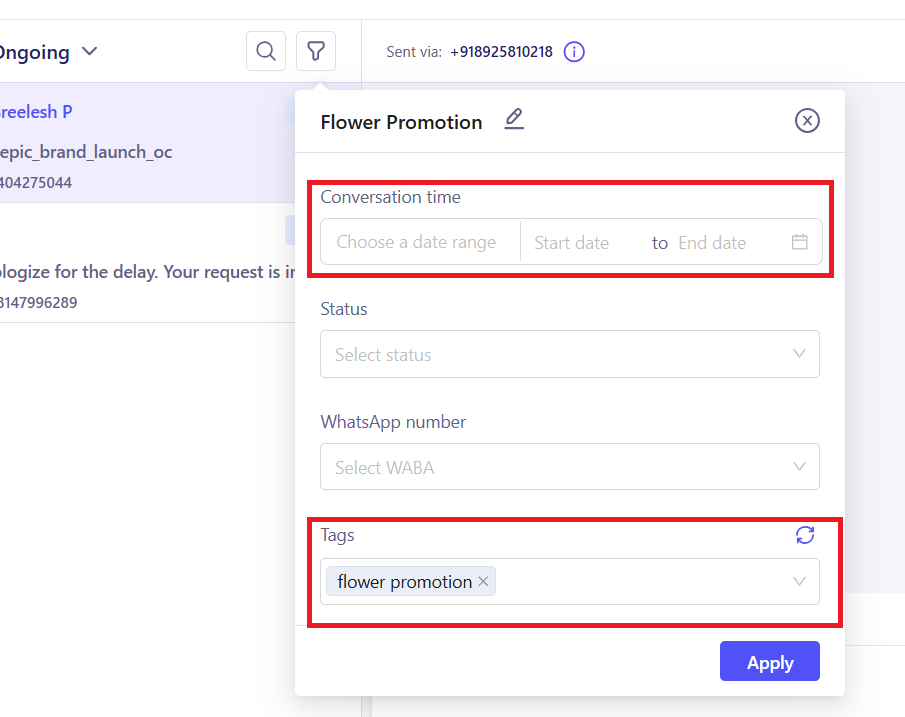
For high-volume inboxes, filtering helps you narrow down thousands of chats efficiently.
Use the Filter options available in the main Inbox view. You can filter by:
Status: (e.g., only show "Closed" conversations).
Number: The phone number of the customer who interacted with
Tag: (e.g., only show conversations tagged Payment_Issue or CTWA_Lead).
Applying these filters dramatically reduces the search space, allowing you to find specific information faster.
Team Inbox helps you solve customer issues and have complete visibility into your past interactions with customers.
Want to know more about this? Our article on tagging customer interactions might be worth a quick read.
Was this article helpful?
That’s Great!
Thank you for your feedback
Sorry! We couldn't be helpful
Thank you for your feedback
Feedback sent
We appreciate your effort and will try to fix the article