How to pause all Instagram automations on ZEPIC
Instagram automations are powerful for managing engagement, responding to DMs, and running workflows without constant monitoring.
However, there are times when you may want to temporarily pause these automations—such as during a campaign update, troubleshooting, or when a human agent needs full manual control of conversations. Pausing automations ensures nothing runs unintentionally while still allowing your team to message users normally.
Below is a clear step-by-step guide on how to temporarily pause all running Instagram automations for a specific account in ZEPIC.
How to Pause Instagram Automations
Step 1: Login into your ZEPIC account
Access your dashboard using your credentials.
Step 2: Navigate to Settings
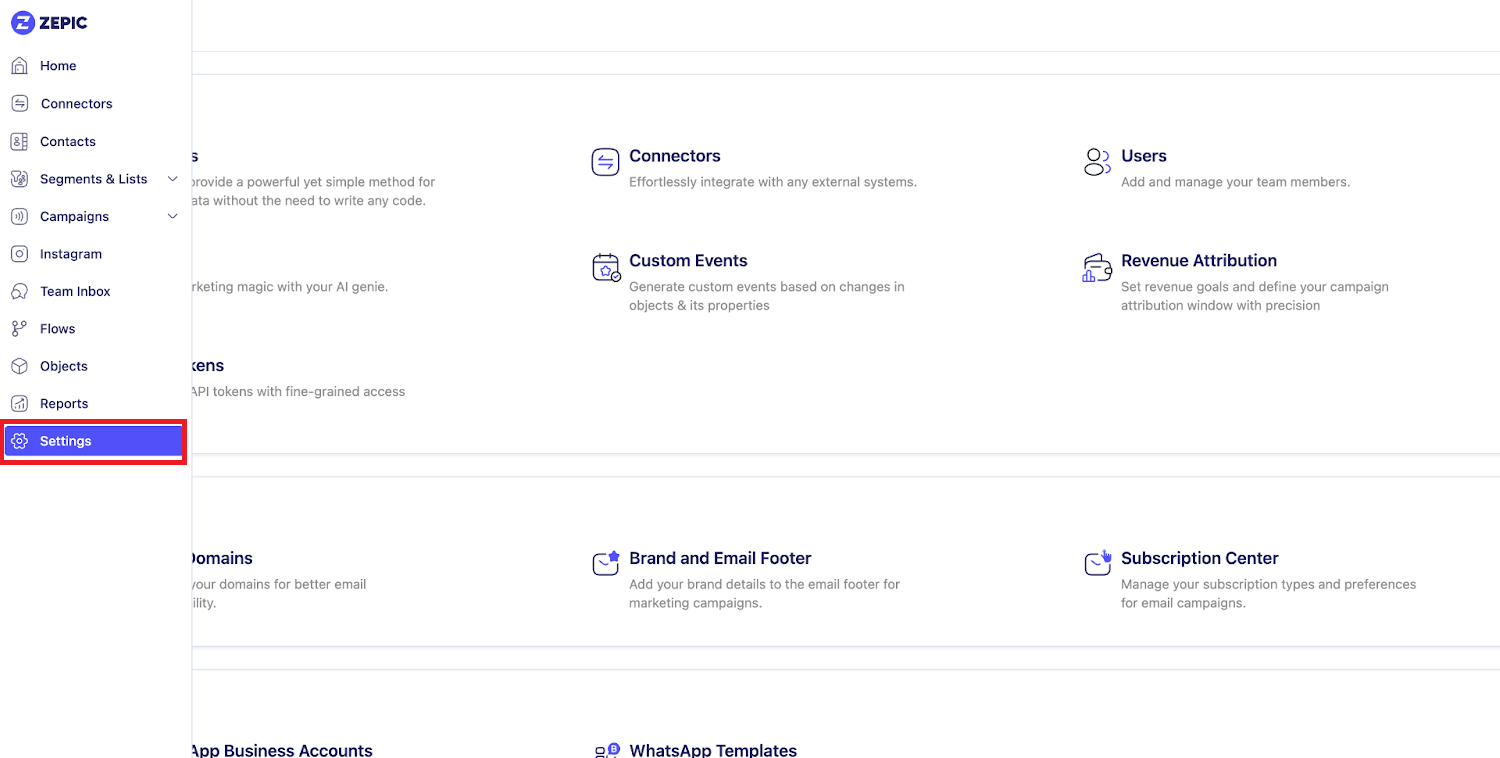
Step 3: Click “Instagram Business Account”
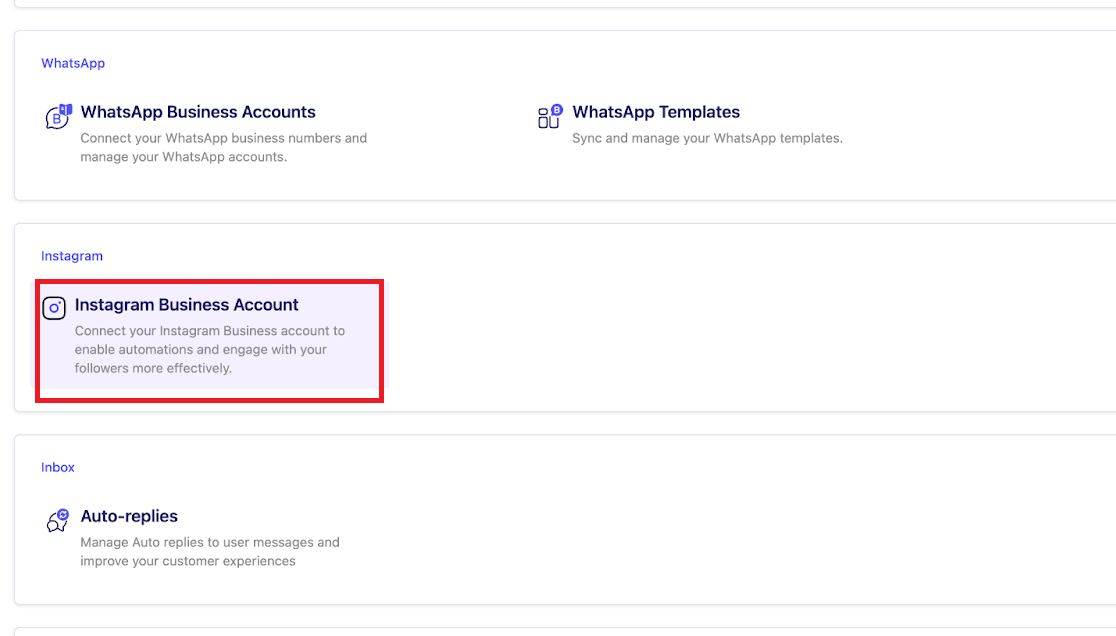
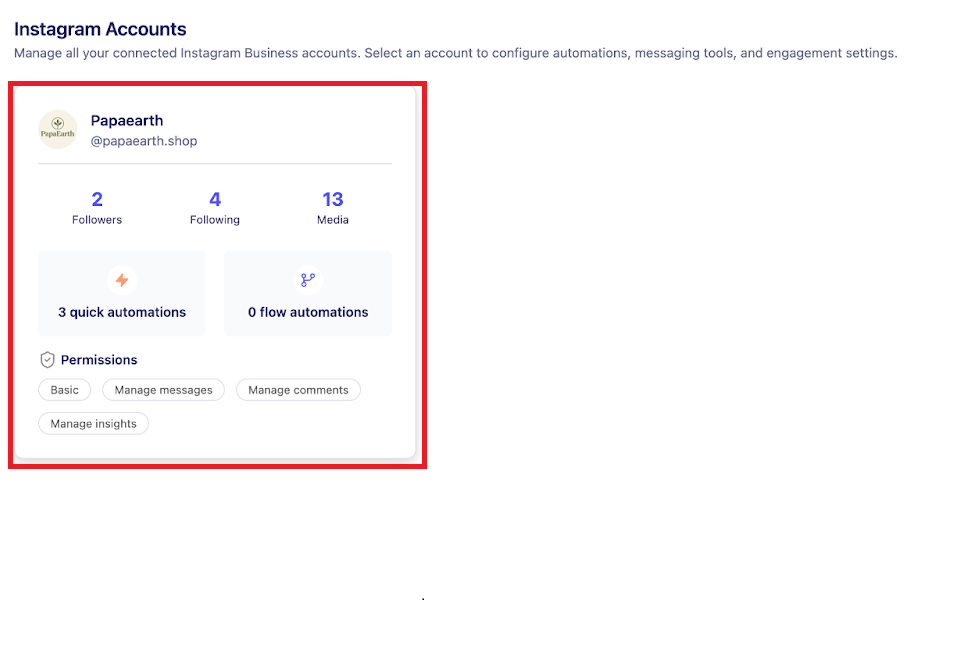
Step 4: Select the Instagram Account
Select the specific account for which you want to pause automations.
Step 5: Choose Pause Duration
Choose how long you want to pause for and click “Pause”.
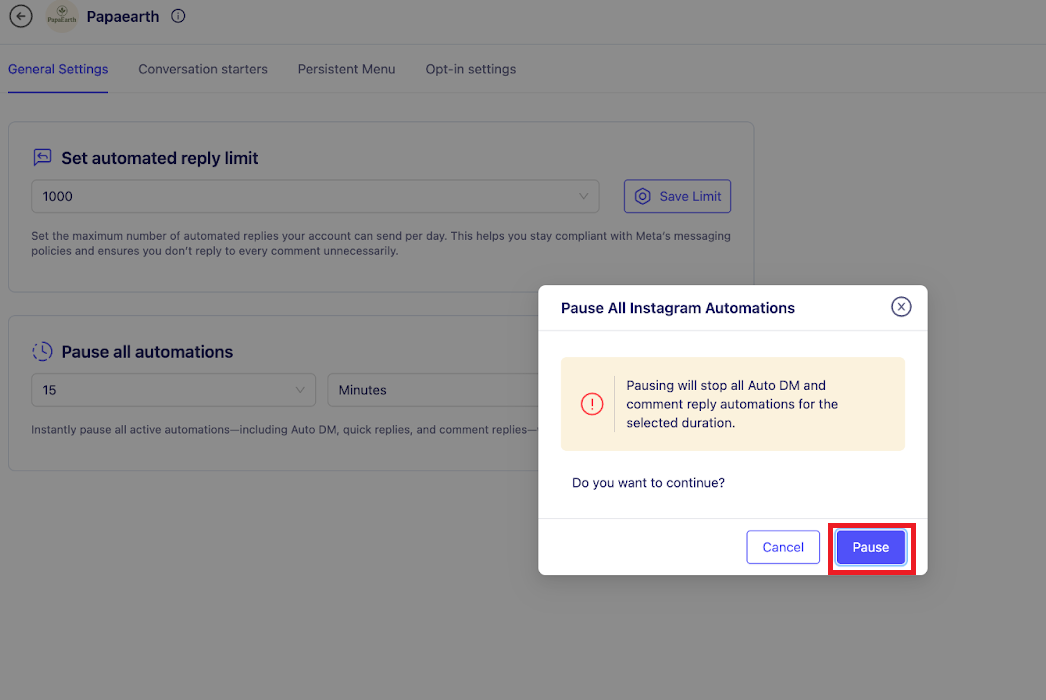
Step 6: Confirmation
All automations for this Instagram account are now paused.
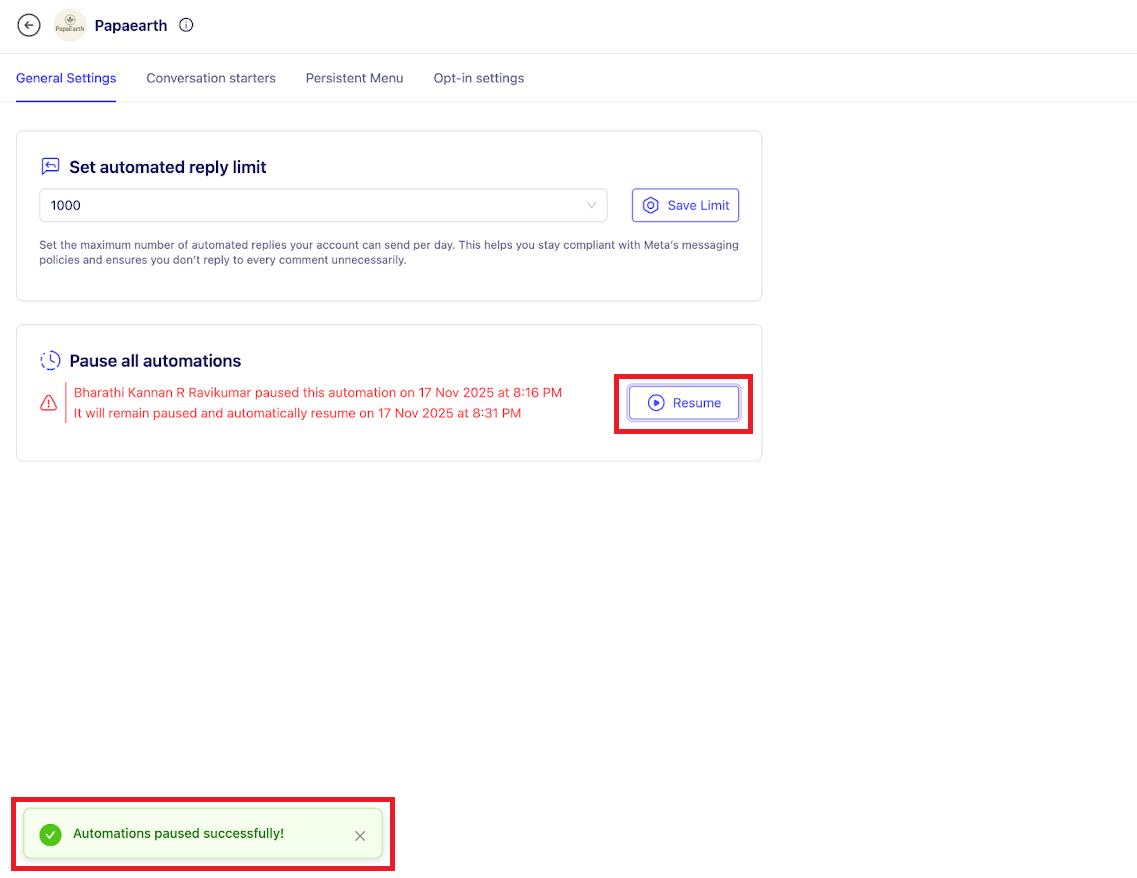
Even while automations are paused, human agents can still send messages to users manually. Only the automated workflows will be inactive during this time.
Was this article helpful?
That’s Great!
Thank you for your feedback
Sorry! We couldn't be helpful
Thank you for your feedback
Feedback sent
We appreciate your effort and will try to fix the article
