How to Improve WhatsApp Deliverability in ZEPIC: Dos and Don'ts
WhatsApp deliverability is the measure of how successfully your messages reach your customers' phones.
Unlike email, WhatsApp is a highly personal channel, and Meta enforces strict rules to make sure users do not receive unwanted messages.
Which is why, maintaining a high quality rating is the only way to scale your messaging volume and avoid account restrictions.
Here's the essential guide on what to do and what to avoid for better WhatsApp deliverability in ZEPIC.
Why WhatsApp Best Practices are Essential
Following these guidelines helps you maintain a healthy and profitable messaging channel:
• Protect Your Phone Number: High report rates can lead to Meta "flagging" or permanently banning your business number.
• Increase Message Tier: Good behavior allows you to move from 1,000 to 10,000 (and eventually unlimited) messages per day.
• Better Engagement: Users are more likely to interact with messages that are expected, timely, and valuable.
The DO List: Best Practices for Success
• DO Get Explicit Opt-in: Ensure users have clearly agreed to receive WhatsApp messages specifically from your brand.
• DO Use Clear Branding: Ensure your Profile has a recognizable name and logo so users know who is messaging them.
• DO Provide a Clear Opt-out: Always include a "Stop" button; it is better for a user to opt-out than to report you for spam.
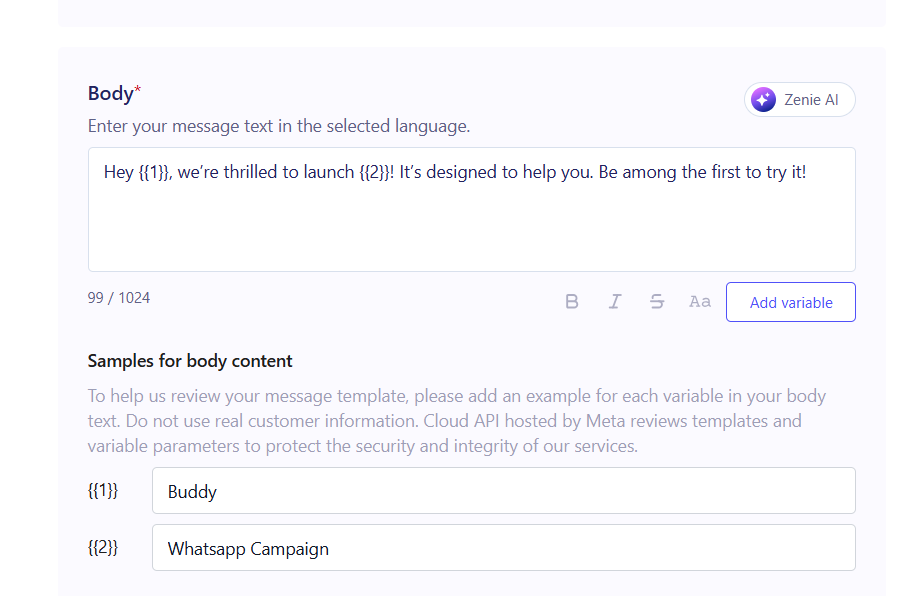
• DO Personalize with ZEPIC Data: Use dynamic variables to include relevant info like order numbers or first names.
The DO NOT List: Common Mistakes to Avoid
• DO NOT Send Cold Messages: Never message people who haven't interacted with your brand or provided their number directly.
• DO NOT Use Excessive Punctuation: Avoid "!!!" or all-caps, as these are common triggers for spam filters.
• DO NOT Ignore Your Quality Rating: If your rating turns Yellow or Red, stop all marketing campaigns immediately to investigate.
• DO NOT Send Irrelevant Content: Sending mismatched offers leads to high block rates and negative sentiment.
Comparison Table: High Quality vs. High Risk Sending
| Action | High Quality Habit (DO) | High Risk Habit (DO NOT) |
|---|---|---|
| Initial Message | Sending a welcome message immediately after a user signs up. | Messaging a user for the first time months after they joined. |
| User Control | Including a "Quick Reply" button for "Not Interested." | Forcing the user to manually type "STOP" to end messages. |
| Content Type | Sending a "Utility" template for an actual shipping update. | Using a "Utility" template to hide a promotional offer. |
| Scale | Gradually increasing volume as your tier limit grows. | Attempting to send your daily limit all in one single minute. |
All in all, however, a major part of compliance is getting your template approved.
Want to know how? Check out our article on WhatsApp template creation on ZEPIC!
Was this article helpful?
That’s Great!
Thank you for your feedback
Sorry! We couldn't be helpful
Thank you for your feedback
Feedback sent
We appreciate your effort and will try to fix the article