Integration with Attio - Generating API Keys
Attio is a next-generation, fully customisable CRM built for modern go-to-market teams, combining flexible data models, real-time collaboration, and powerful automations to manage relationships and revenue pipelines at scale.
In this article, you will learn how to connect your Attio account to ZEPIC, enabling seamless integration and synchronisation of data for better customer engagement.
Create API Key in Attio
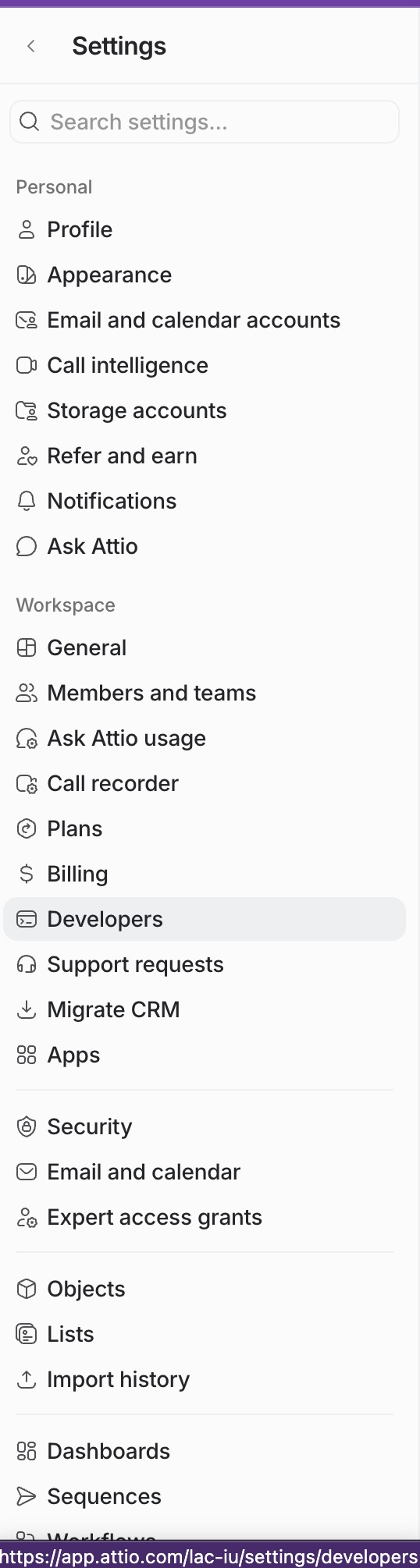
- In your Attio workspace, Go to Settings and search for "Developers" under "Workspace" settings in the left pane.
- Click "+ New access token"
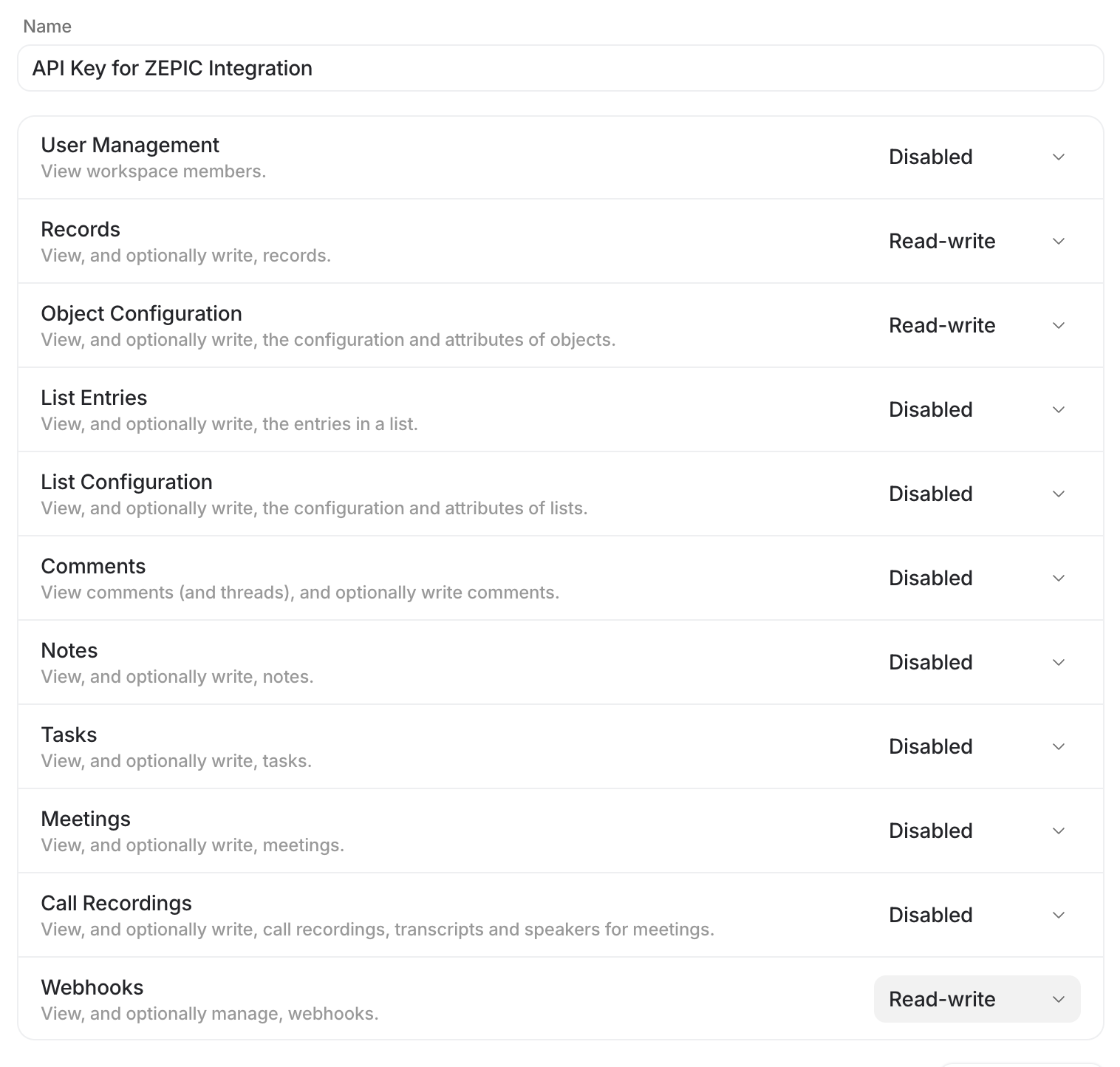
- Name the access token as you wish but avoid ambiguity if you can have multiple keys. You can name it as "API Key for ZEPIC Integration" to avoid any confusion
- Select the following modules and provide Read and Write access:
Webhooks
Object Configurations
Records
- Click "Save Changes"
- Copy the newly generated API Key and keep it handy for the subsequent actions
Next Steps:
1. Connecting Attio with ZEPIC - https://help.zepic.com/support/solutions/articles/51000515833-integration-with-attio-connecting-attio-with-zepic
2. Configure Attio Outgoing Webhook in ZEPIC Flows - https://help.zepic.com/support/solutions/articles/51000515834-configure-attio-outgoing-webhook-in-zepic-flows
Was this article helpful?
That’s Great!
Thank you for your feedback
Sorry! We couldn't be helpful
Thank you for your feedback
Feedback sent
We appreciate your effort and will try to fix the article