What is an API token and how to use it?
What Is an API Token and How Do I Use It in ZEPIC?A ZEPIC API token is a secret credential that lets an integration, script, or backend service call the ZEPIC public API without using your personal sign-in. The token’s scopes control what it can do, such as read object schemas or update records. Treat it like a password: anyone who has an active token can use the access it grants.
Table of Contents
Create an API Token
You’ll need permission to manage API tokens in the ZEPIC account you want the integration to access. If you don’t see the option, ask your account administrator.
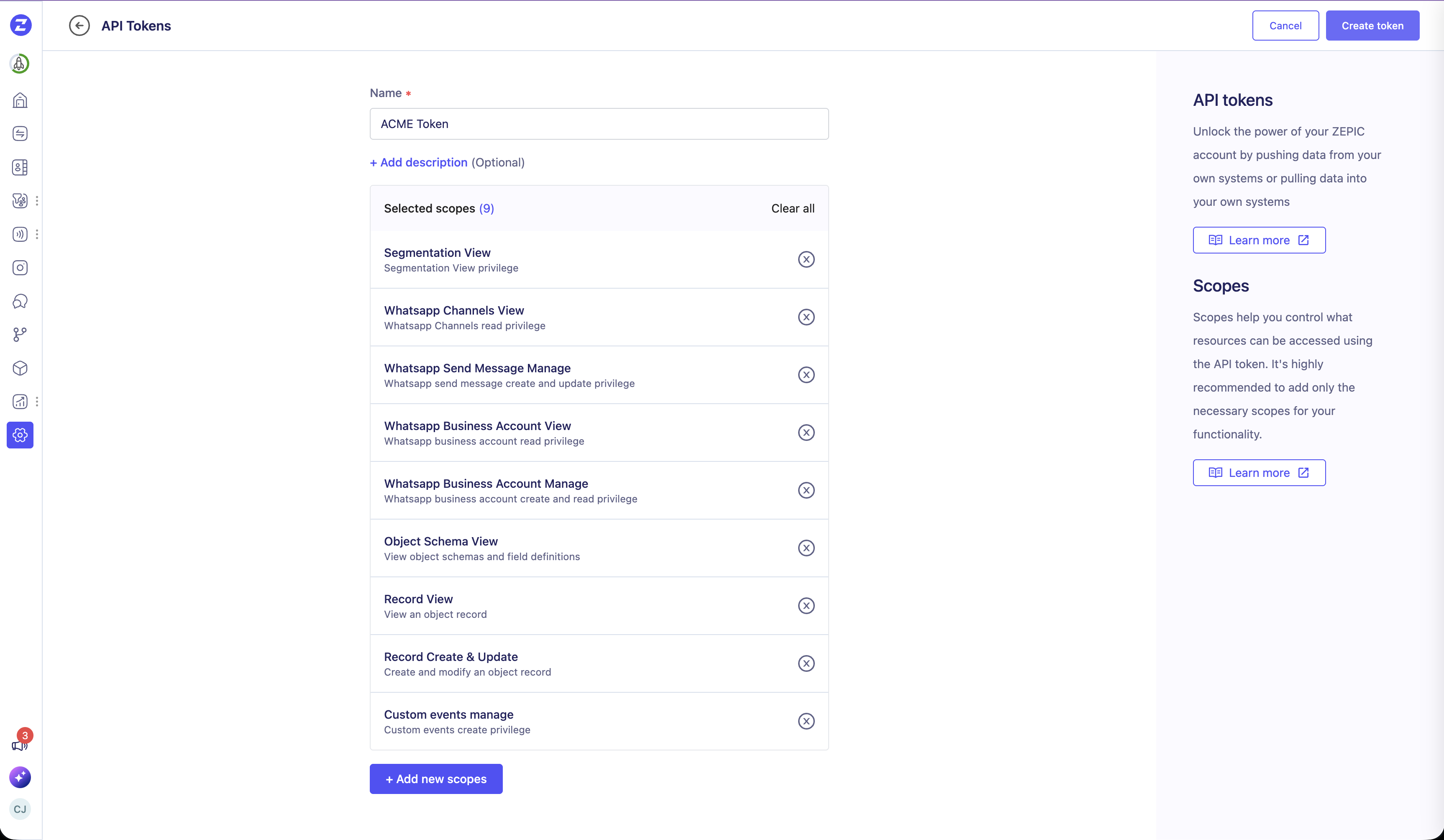
- Go to Settings → API Tokens. Select Create token (or Create API token if this is your first token).
- Enter a name that identifies the integration and environment, such as CRM sync – test. Add a description if helpful.
- Select + Add new scopes and grant only the scopes your integration needs. For the read-only example below, select Object Schema View. It lets the integration read object definitions; it isn’t a permission to read or edit the records themselves.
- Select Create token, then Proceed to confirm.
- Open the token details, select Copy, and store the token in your integration’s secret store. Note its expiry date so you can replace it before it stops working.
Use the Token in a Request
Send the token in the Authorization header of each request to the ZEPIC public API.
Authorization: Bearer <YOUR_ZEPIC_API_TOKEN>To test your token without changing any data, use Retrieve all schemas in the ZEPIC API reference. This request requires the Object Schema View scope.
Template: Replace YOUR_ZEPIC_ACCOUNT_DOMAIN with your account hostname and set ZEPIC_API_TOKEN from your secret store before running:
curl --include --request GET \
  --url 'https://YOUR_ZEPIC_ACCOUNT_DOMAIN/api/v1/objects/schema' \
  --header "Authorization: Bearer ${ZEPIC_API_TOKEN}"
Acme example: If your ZEPIC account URL is https://acme.myzepic.com, then YOUR_ZEPIC_ACCOUNT_DOMAIN is acme.myzepic.com:
curl --include --request GET \
  --url 'https://acme.myzepic.com/api/v1/objects/schema' \
  --header "Authorization: Bearer ${ZEPIC_API_TOKEN}"
A successful request returns 200 OK and a list of object schemas. It doesn’t change any data. In an API client with a Bearer Token option, enter only the token value; the client adds Bearer for you.
Keep the token server-side. Don’t put it in browser code, a distributed mobile app, a URL, logs, screenshots, or a source repository. ZEPIC API tokens are separate from Web SDK credentials and from API keys issued by other apps.
Manage and Replace Tokens
- Separate integrations: Use a different token for each integration and environment so you can replace one without disrupting the others.
- Change scopes carefully: Scope changes take effect immediately. Removing a scope can break requests that rely on it.
- Replace a token before it expires: Create a replacement with the required scopes, update and test the integration, then disable or delete the old token.
- Respond to exposure: If a token is exposed, disable or delete it immediately and replace it. Deleting a token is permanent.
Troubleshooting
- 401 Unauthorized: Check that you’re using the right account domain, the token is active and hasn’t expired, and the header has exactly one
Bearerprefix. - 403 Forbidden: Check the required scope in the API reference and confirm your token has it. If it does, ask your administrator to check whether your account can access that API.
- The integration stopped after a change: Check the token status, expiry, and current scopes in Settings → API Tokens. Share the HTTP status and endpoint when asking for help, not the token or authorization header.
Explore Related Articles
Was this article helpful?
That’s Great!
Thank you for your feedback
Sorry! We couldn't be helpful
Thank you for your feedback
Feedback sent
We appreciate your effort and will try to fix the article